




















Supply Custom Headers for Json Database
Our sample projects and report templates can help you learn the basics of working with our products.When a dashboard loads data from a protected JSON endpoint, authentication headers can be attached in the
Add custom headers before the data request.
How it works. The engine applies the headers to its data request, so the dashboard can read endpoints behind token or session protection.
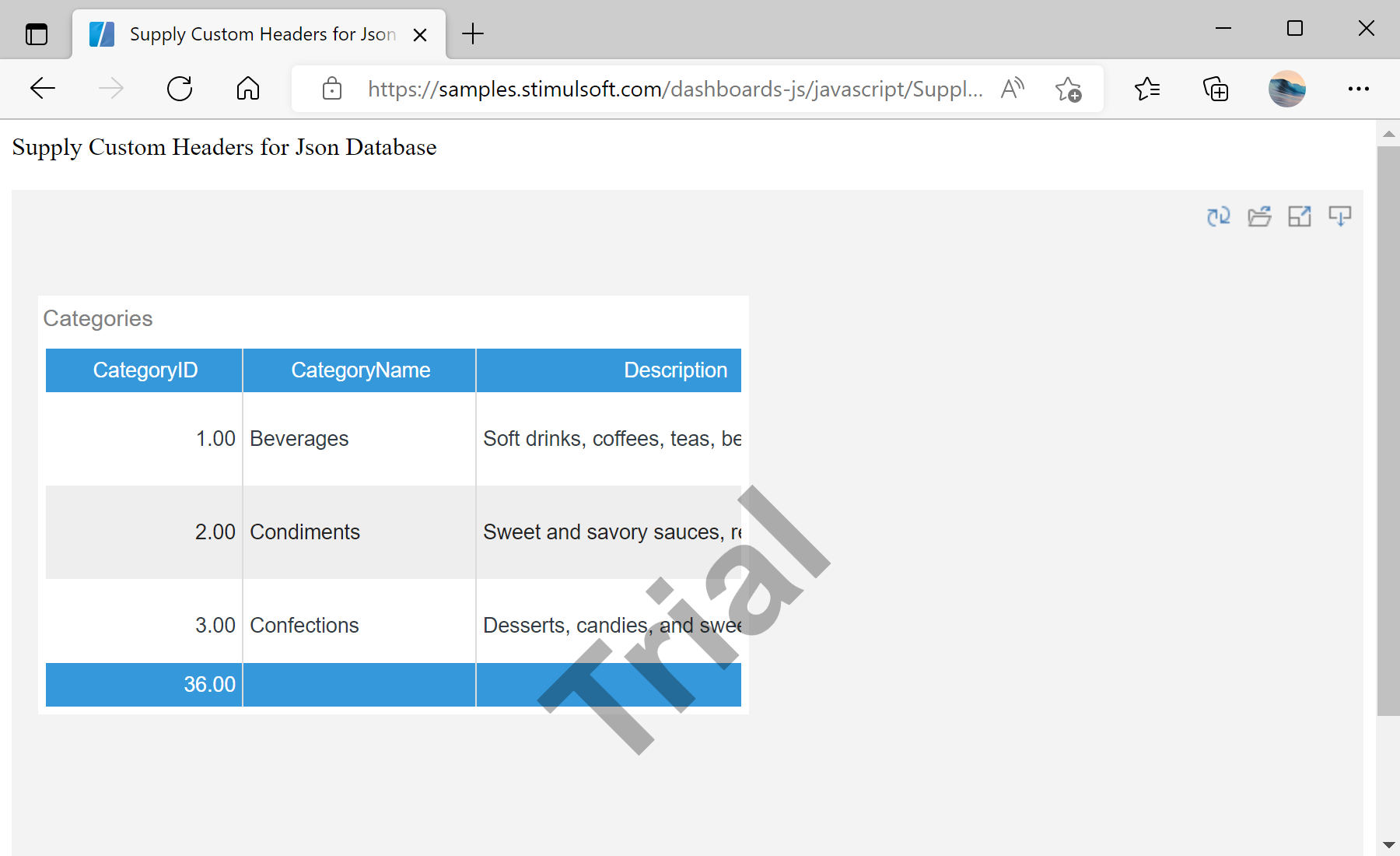
In the screenshot below you can see the result of the sample code:
onBeginProcessData event.Add custom headers before the data request.
var report = Stimulsoft.Report.StiReport.createNewDashboard();

report.onBeginProcessData = function (args) {
    if (args.database === "JSON" && args.command === "GetData" &&
        args.pathData && args.pathData.indexOf("/dashboard/ProtectedDemo.json") >= 0) {
        args.headers.push({ key: "X-Auth-Token", value: "*YOUR TOKEN*" });
    }
};

report.loadFile("../dashboard/DBSsimp.mrt");
viewer.report = report;onBeginProcessData— fires before each data request; inspectargs.database/args.commandto target the right one.args.headers.push({ key, value })— add HTTP headers sent with the JSON fetch, e.g. an auth token.
How it works. The engine applies the headers to its data request, so the dashboard can read endpoints behind token or session protection.
In the screenshot below you can see the result of the sample code: