




















Localizing the Viewer
Our sample projects and report templates can help you learn the basics of working with our products.This example is outdated, you can check out the many other new examples in this category.This sample project shows how to localize the viewer. To select localization, it is enough to set the path to the localization XML file as the value of the
First, you need to add the
The
The
In the screenshot below you can see the result of the sample code:
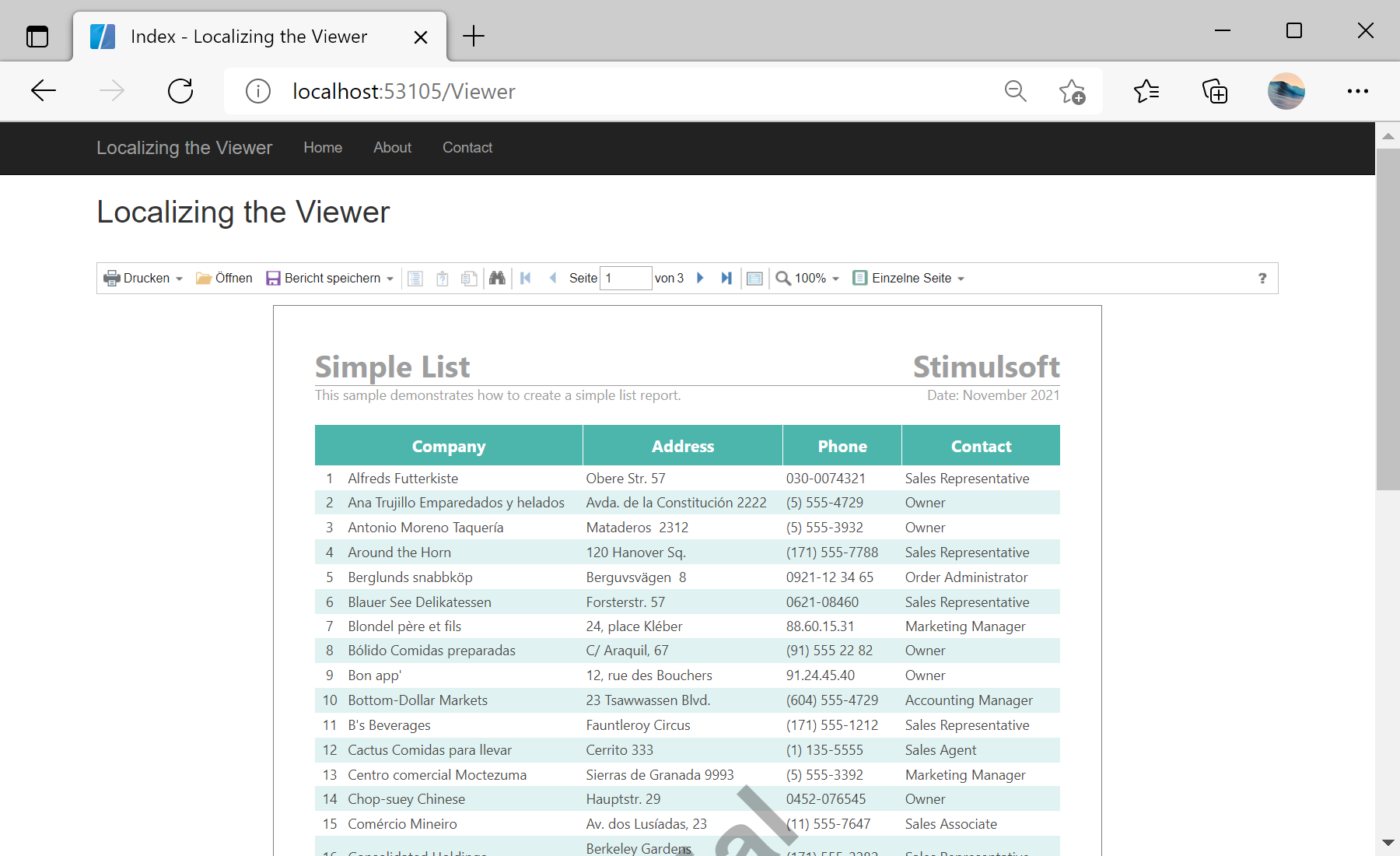
Localization option.First, you need to add the
StiMvcViewer component to the view page. Also you need to pass the StiMvcViewerOptions object to the constructor. In the options you should set two actions - GetReport and ViewerEvent, which are located in the Actions options group. To localize the viewer, you should set the Localization option, the viewer component will automatically load and apply the specified localization:
@using Stimulsoft.Report.Mvc;

...

@Html.Stimulsoft().StiMvcViewer(new StiMvcViewerOptions()
{
	Actions =
	{
		GetReport = "GetReport",
		ViewerEvent = "ViewerEvent"
	},

	Localization = "~/Localization/de.xml"
})
The
GetReport action loads the report and returns the answer to the client part of the viewer using the GetReportResult() static method. In the parameters of this method, the report object should be passed. For example, load the rendered report file:
public ActionResult GetReport()
{
	var report = new StiReport();
	report.Load(Server.MapPath("~/Content/Reports/SimpleList.mrt"));

	return StiMvcViewer.GetReportResult(report);
}
The
ViewerEvent action handles all the viewer events (switching pages, zooming, printing, exporting, interactivity, etc.) and returns the answer to the client using the ViewerEventResult() static method:
public ActionResult ViewerEvent()
{
	return StiMvcViewer.ViewerEventResult();
}
In the screenshot below you can see the result of the sample code: