














You can extend the designer with your own report components that users can drop onto a report like any built-in element.

Registering custom components. Add your component services to StiConfig.Services and save the configuration, so the designer shows them on its toolbox:
StiConfig.Load();

StiConfig.Services.Add(new MyCustomComponent());
StiConfig.Services.Add(new MyCustomComponentWithDataSource());
StiConfig.Services.Add(new MyCustomComponentWithExpression());
StiConfig.Services.Add(new MyCustomComponent2());

StiConfig.Save();

var report = new StiReport();
report.Design();
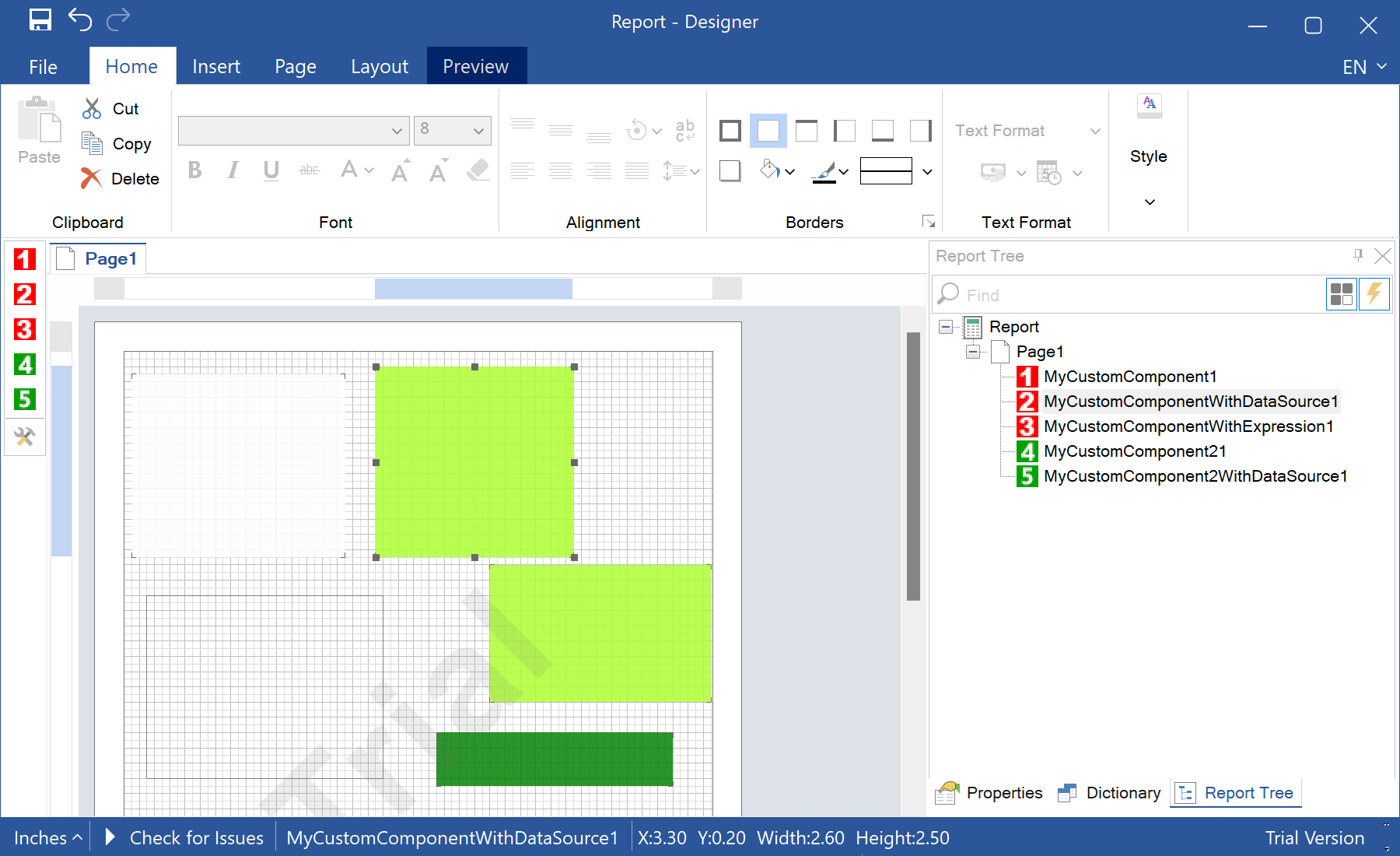

Each custom component is a set of classes describing how it is built, painted and serialized. Once registered they behave like native components — users can place, configure and print them — which makes the designer fully extensible for domain-specific elements.
На скриншоте ниже Вы можете увидеть результат выполнения данного кода:

Adding a Custom Component to the Designer

Используя этот сайт, вы соглашаетесь на использование файлов Cookie для аналитики и персонализированного контента. Файлы Cookie хранят полезную информацию на вашем компьютере, чтобы помочь нам повысить эффективность и удобство использования. Для получения дополнительной информации, пожалуйста, прочтите Конфиденциальность и Использование Cookie.
