




















Printing the Table from Code
Our sample projects and report templates can help you learn the basics of working with our products.A report can be built completely from code, including its data structure and layout, and then printed or shown.
Printing from code. Load and render the report, apply the printer settings, and start the print workflow from application code.
In the screenshot below you can see the result of the sample code:
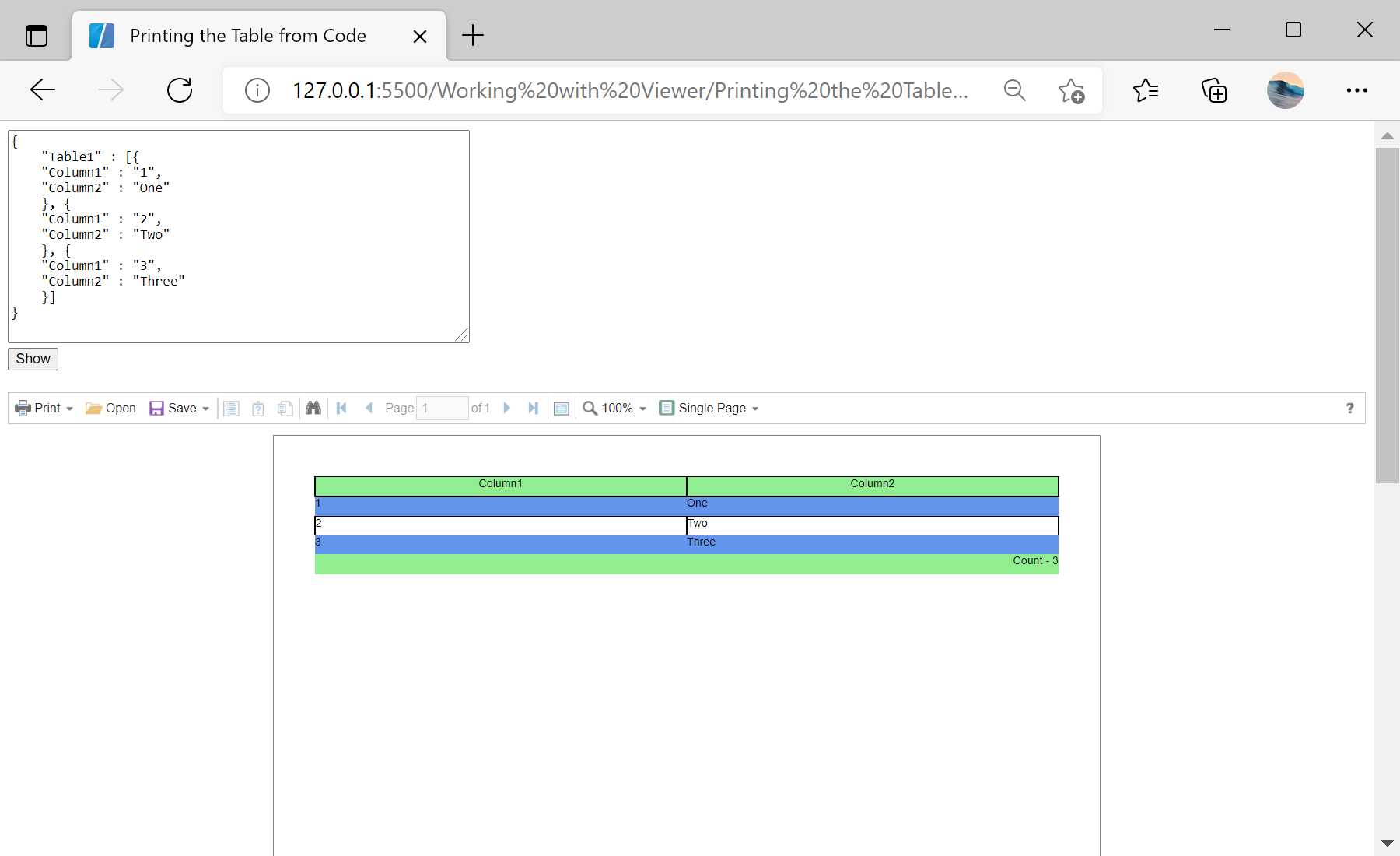
Printing from code. Load and render the report, apply the printer settings, and start the print workflow from application code.
var report = new Stimulsoft.Report.StiReport();
report.regData("data", "data", dataSet);

var dataSource = new Stimulsoft.Report.Dictionary.StiDataTableSource("data", "data", "data");
dataSource.columns.add(new Stimulsoft.Report.Dictionary.StiDataColumn("Column1", "Column1", "Column1"));
report.dictionary.dataSources.add(dataSource);

var page = report.pages.getByIndex(0);
var headerBand = new Stimulsoft.Report.Components.StiHeaderBand();
var dataBand = new Stimulsoft.Report.Components.StiDataBand();

var headerText = new Stimulsoft.Report.Components.StiText();
headerText.brush = new Stimulsoft.Base.Drawing.StiSolidBrush(Stimulsoft.System.Drawing.Color.lightGreen);
headerBand.components.add(headerText);
page.components.add(headerBand);
page.components.add(dataBand);In the screenshot below you can see the result of the sample code: