




















Managing Report Printing and Exporting
Our sample projects and report templates can help you learn the basics of working with our products.When printing and exporting go through the viewer, you can intercept them in the page model to adjust the document or its export settings.
Registering the actions. Name
Customizing export. In the export handler you can read the format and tune the settings before returning the result:
This hook lets you rename the output, apply format-specific settings, enforce security or log activity while the user still exports from the viewer toolbar.
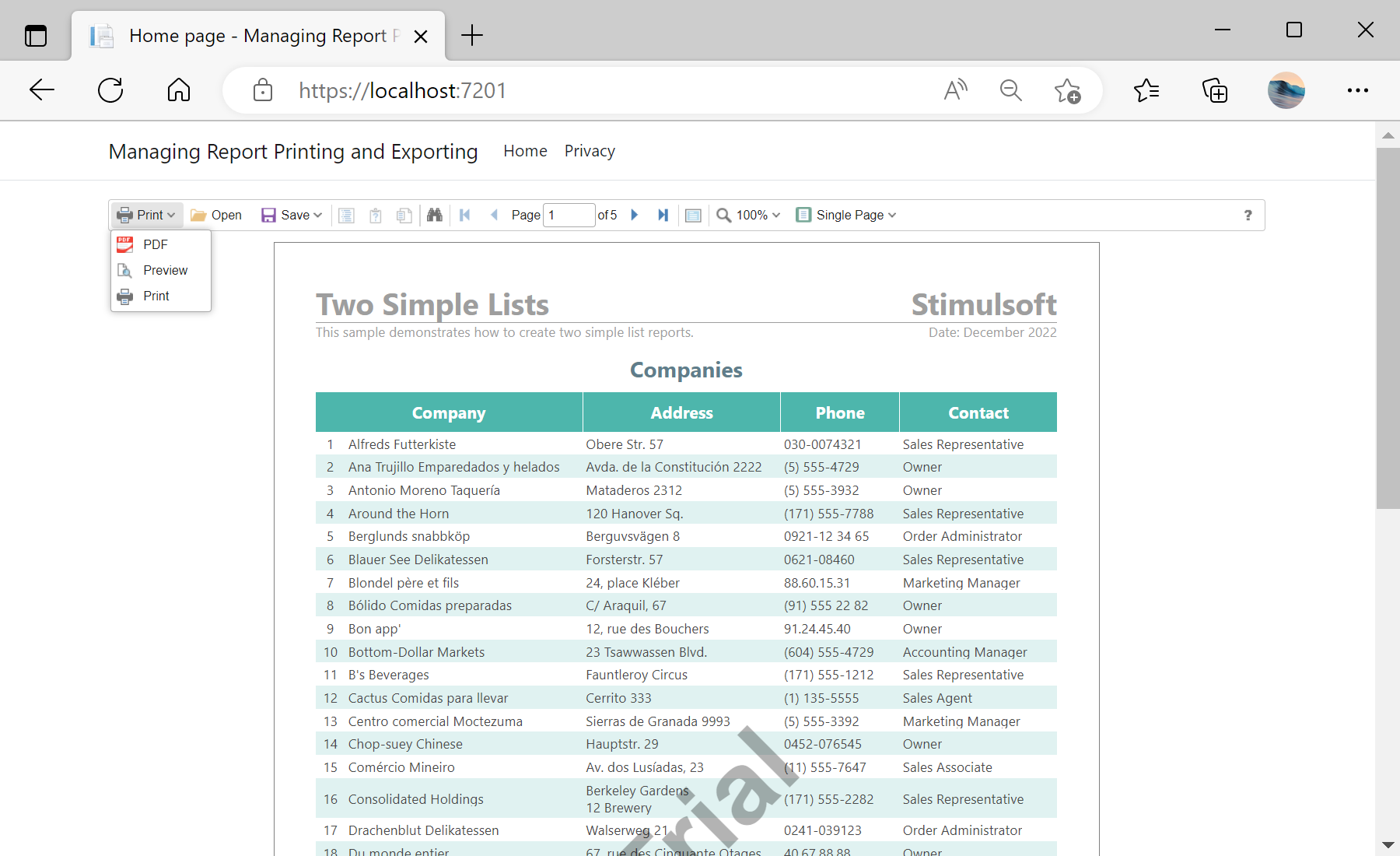
In the screenshot below you can see the result of the sample code:
Registering the actions. Name
PrintReport and ExportReport in the viewer options:@Html.StiNetCoreViewer(new StiNetCoreViewerOptions()
{
Actions =
{
GetReport = "GetReport",
PrintReport = "PrintReport",
ExportReport = "ExportReport",
ViewerEvent = "ViewerEvent"
}
})Customizing export. In the export handler you can read the format and tune the settings before returning the result:
public IActionResult OnPostExportReport()
{
    var report = StiNetCoreViewer.GetReportObject(this);
    var parameters = StiNetCoreViewer.GetRequestParams(this);
    report.ReportName = "MyReportName";

    if (parameters.ExportFormat == StiExportFormat.Pdf)
    {
        var settings = (StiPdfExportSettings)StiNetCoreViewer.GetExportSettings(this);
        settings.CreatorString = "My Company";
        return StiNetCoreViewer.ExportReportResult(this, report, settings);
    }
    return StiNetCoreViewer.ExportReportResult(this, report);
}
This hook lets you rename the output, apply format-specific settings, enforce security or log activity while the user still exports from the viewer toolbar.
In the screenshot below you can see the result of the sample code: