




















Drilling Down Report in Live
Our sample projects and report templates can help you learn the basics of working with our products.Interactive drill-down lets a click on a report element open a second, filtered report — all live in the viewer, without regenerating the whole document.
Handle the click. Read the clicked element's bookmark value and load a detail report filtered by it:
How it works. The master report stays open; each drill-down builds a small filtered report on the fly, so navigation feels instant.
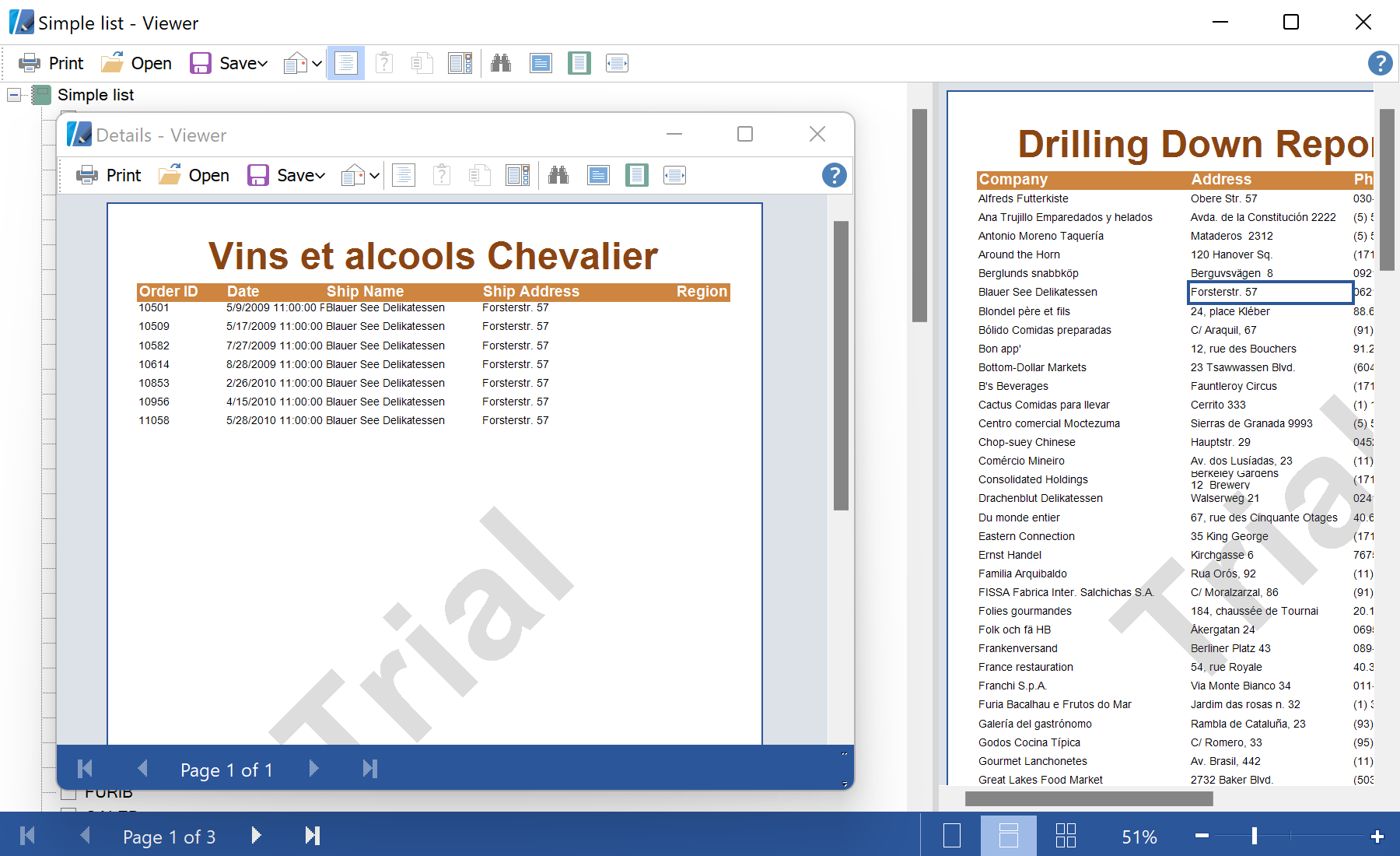
In the screenshot below you can see the result of the sample code:
Handle the click. Read the clicked element's bookmark value and load a detail report filtered by it:
private void click(object sender, EventArgs e)
{
    var comp = sender as StiComponent;
    var customerID = (string)comp.BookmarkValue;
    if (customerID == null) return;

    var report = new StiReport();
    report.RegData(dataSet1);
    report.Load("Details.mrt");

    var dataBand = (StiDataBand)report.Pages["Page1"].Components["DataBand1"];
    dataBand.Filters.Add(new StiFilter("{Orders.CustomerID==\"" + customerID + "\"}"));

    report.Show();
}BookmarkValue— the value carried by the clicked component; used here as the drill-down key.StiFilteradded to the detailStiDataBand— restricts the second report to the matching rows.
How it works. The master report stays open; each drill-down builds a small filtered report on the fly, so navigation feels instant.
In the screenshot below you can see the result of the sample code: