Cloud
Cloud-Dienstleistung für schnelle und effektive Analyse und Visualisierung von Daten für Ihr Business ohne eigene Applikationen zu erstellen oder zu programmieren.
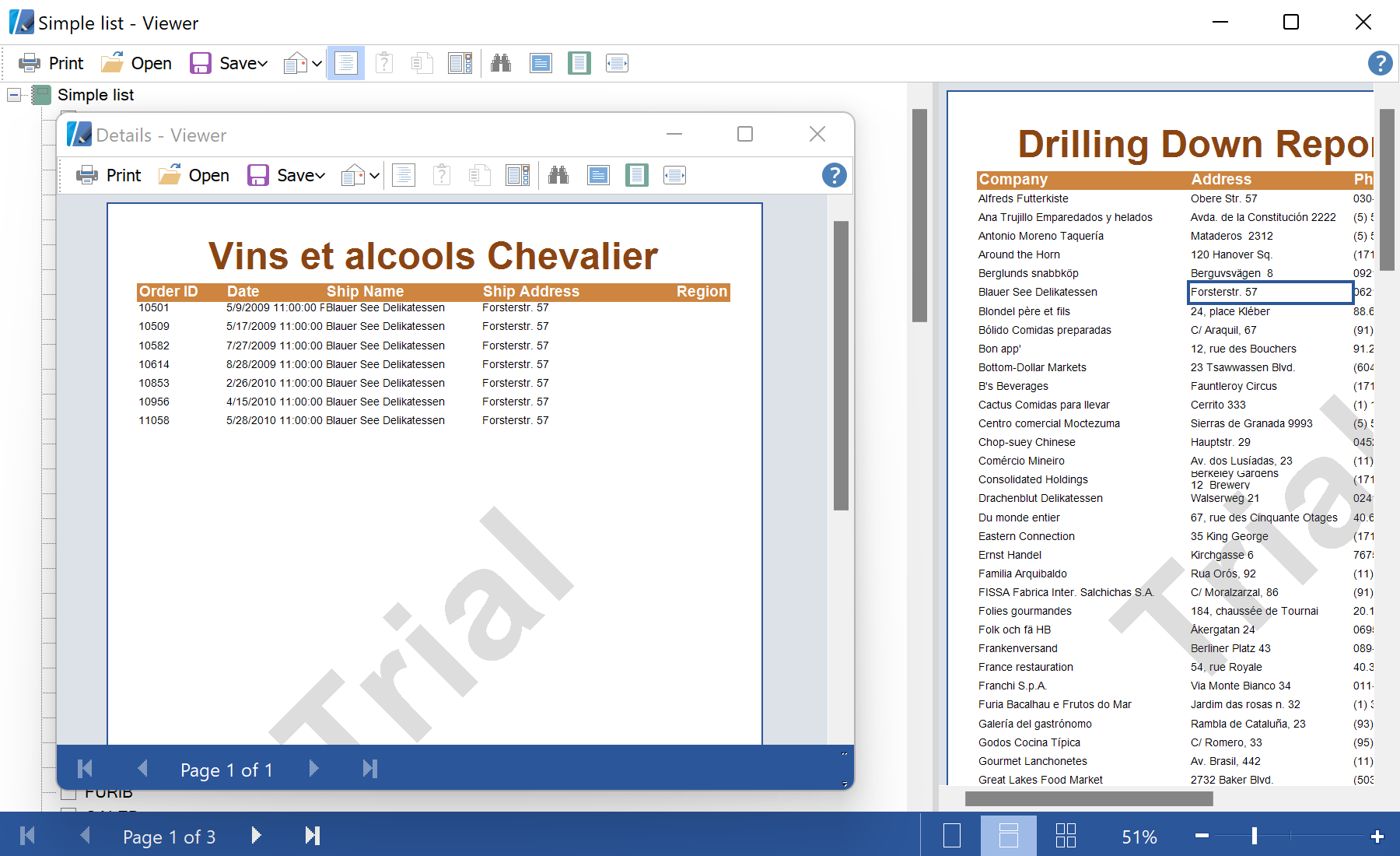
private void click(object sender, EventArgs e)
{
    var comp = sender as StiComponent;
    var customerID = (string)comp.BookmarkValue;
    if (customerID == null) return;

    var report = new StiReport();
    report.RegData(dataSet1);
    report.Load("Details.mrt");

    var dataBand = (StiDataBand)report.Pages["Page1"].Components["DataBand1"];
    dataBand.Filters.Add(new StiFilter("{Orders.CustomerID==\"" + customerID + "\"}"));

    report.Show();
}
BookmarkValue — the value carried by the clicked component; used here as the drill-down key.StiFilter added to the detail StiDataBand — restricts the second report to the matching rows.