




















Customizing the Viewer
Our sample projects and report templates can help you learn the basics of working with our products.Every part of the WinForms viewer — toolbar, side panels, scrollbars — can be shown or hidden at run time through the
Toggle viewer elements. Each option maps to a property; assigning it updates the preview immediately:
How it works. The viewer control exposes a property for every part of its chrome, letting you trim it down to just what your application needs.
In the screenshot below you can see the result of the sample code:
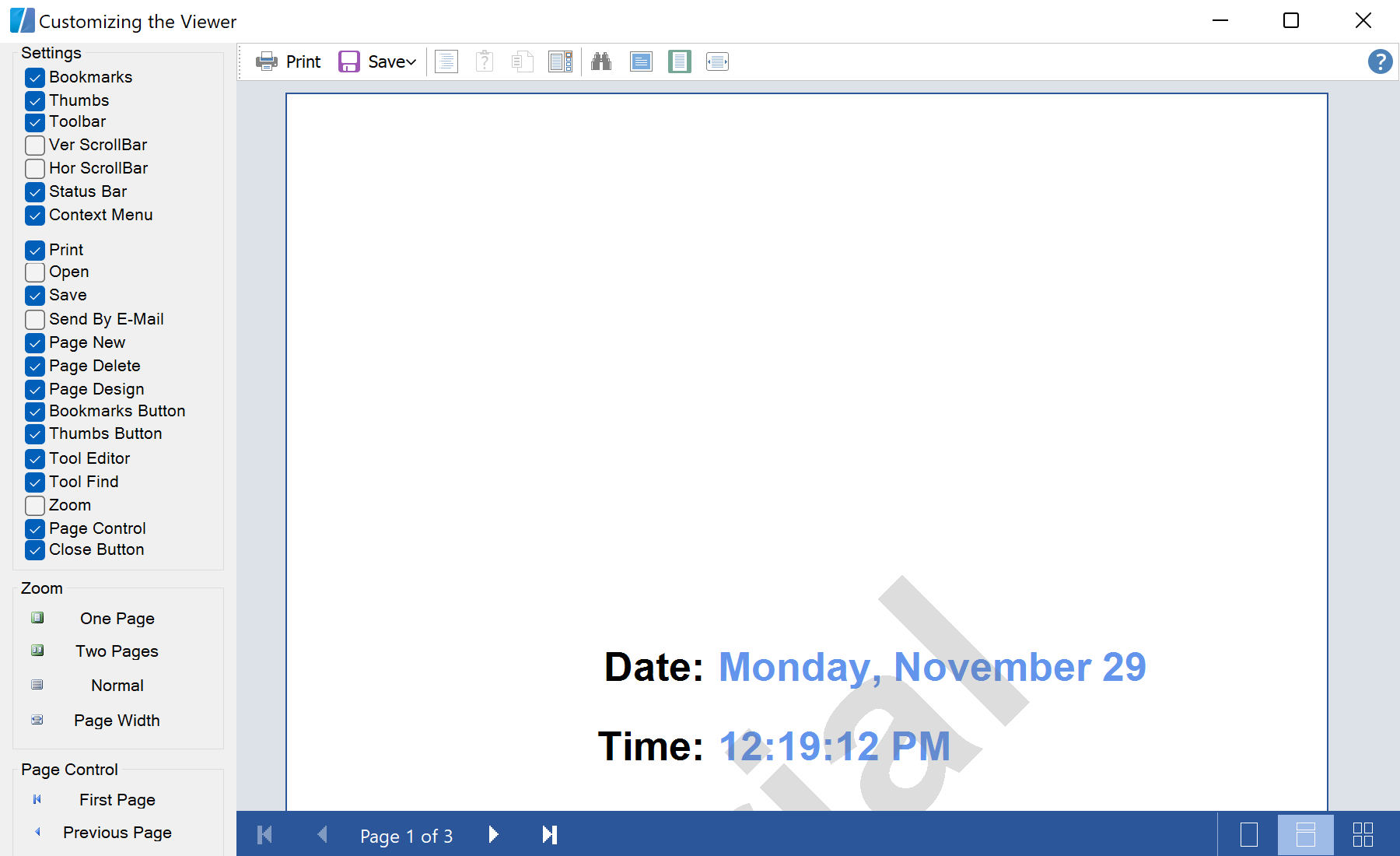
StiViewerControl properties.Toggle viewer elements. Each option maps to a property; assigning it updates the preview immediately:
private void cbToolbar_CheckedChanged(object sender, EventArgs e)
{
    PreviewControl.ShowToolbar = cbToolbar.Checked;
}

private void cbBookmarks_CheckedChanged(object sender, EventArgs e)
{
    PreviewControl.ShowBookmarksPanel = cbBookmarks.Checked;
}

private void cbThumbs_CheckedChanged(object sender, EventArgs e)
{
    PreviewControl.ShowThumbsPanel = cbThumbs.Checked;
}ShowToolbar,ShowBookmarksPanel,ShowThumbsPanel,ShowVertScrollBar… — one boolean per UI element.- Changes take effect live, so the preview reconfigures itself without reloading the report.
How it works. The viewer control exposes a property for every part of its chrome, letting you trim it down to just what your application needs.
In the screenshot below you can see the result of the sample code: