




















Creating Report at Runtime
Our sample projects and report templates can help you learn the basics of working with our products.A report can be built entirely in Java code — create the page, attach a data source, add bands, and place text components on them.
Create the report, page and data source.
How it works. The object tree you build in code is the same one the designer produces, so a fully code-generated report renders identically.
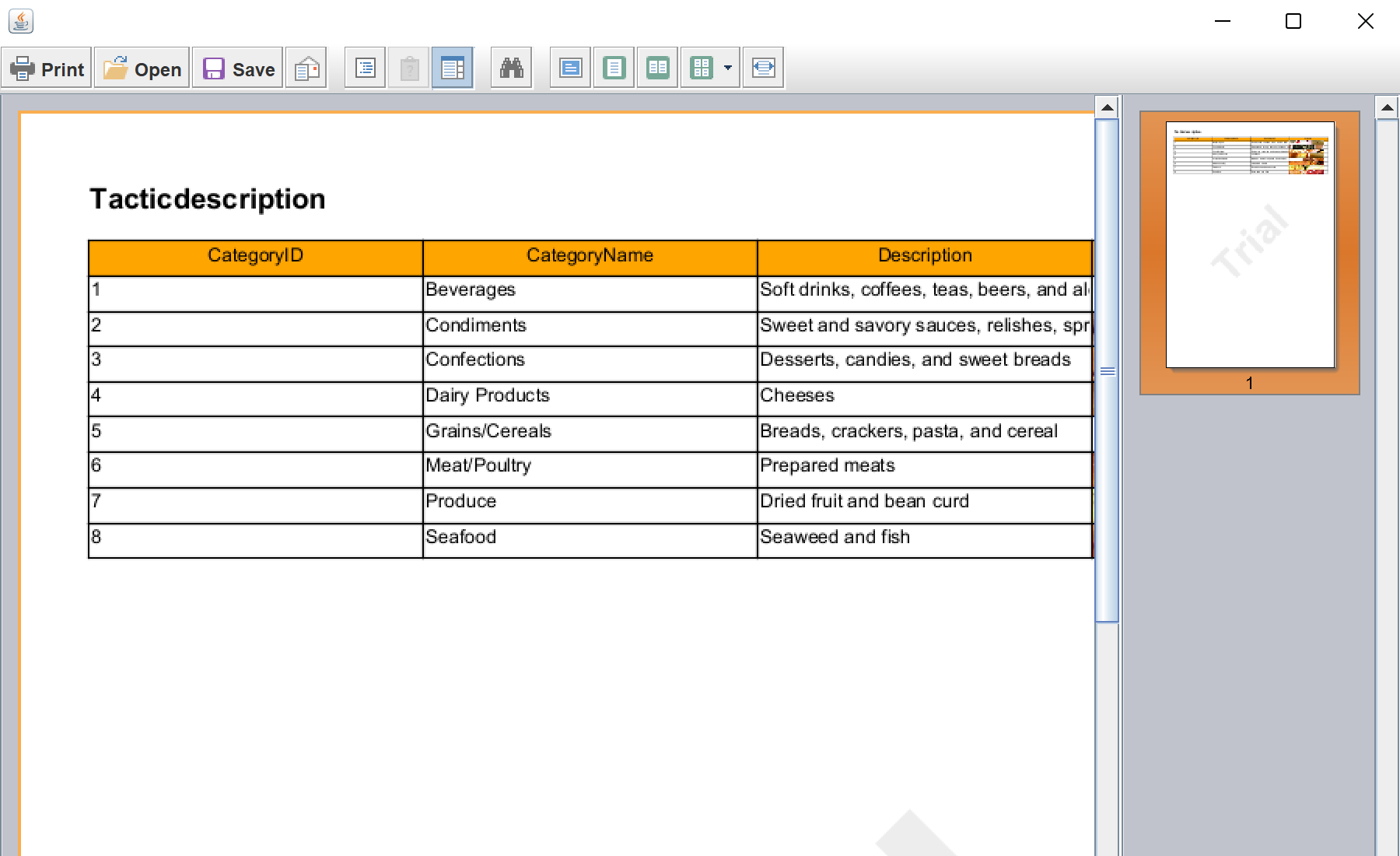
In the screenshot below you can see the result of the sample code:
Create the report, page and data source.
StiReport report = new StiReport();

StiPage page = new StiPage(report);
report.getPages().add(page);

StiXmlDatabase xmlDatabase = new StiXmlDatabase("Demo", "Data/Demo.xsd", "Data/Demo.xml");
report.setDictionary(new StiDictionary(report));
report.getDictionary().getDatabases().add(xmlDatabase);

StiDataTableSource tableSource = new StiDataTableSource("Demo.Categories", "Categories", "Categories");
report.getDictionary().getDataSources().add(tableSource);StiDataBand dataBand = new StiDataBand();
dataBand.setDataSourceName("Categories");
dataBand.setHeight(0.5);
page.getComponents().add(dataBand);
StiText dataText = new StiText(new StiRectangle(0, 0, columnWidth, 0.5));
dataText.setText("{Categories.Name}");
dataBand.getComponents().add(dataText);
report.Render();StiPage+StiDataBand— the report page and the band that repeats per data row.StiTextwithsetText("{Categories.Name}")— an expression cell bound to a data column.report.Render()— builds the document, ready to show inStiViewerFxor export.
How it works. The object tree you build in code is the same one the designer produces, so a fully code-generated report renders identically.
In the screenshot below you can see the result of the sample code: