




















Creating Report at Runtime
Our sample projects and report templates can help you learn the basics of working with our products.Build the report in .NET Framework from code by creating its structure and configuring the required components.
Preparing the report and data. Create the report, register the data, and synchronize the data dictionary so the fields become available:
Adding bands and components. Build the report layout by creating bands and text components and adding them to the page:
Every element you would normally place in the designer — bands, text, images, charts — has a corresponding class, so a report can be generated fully dynamically based on run-time conditions.
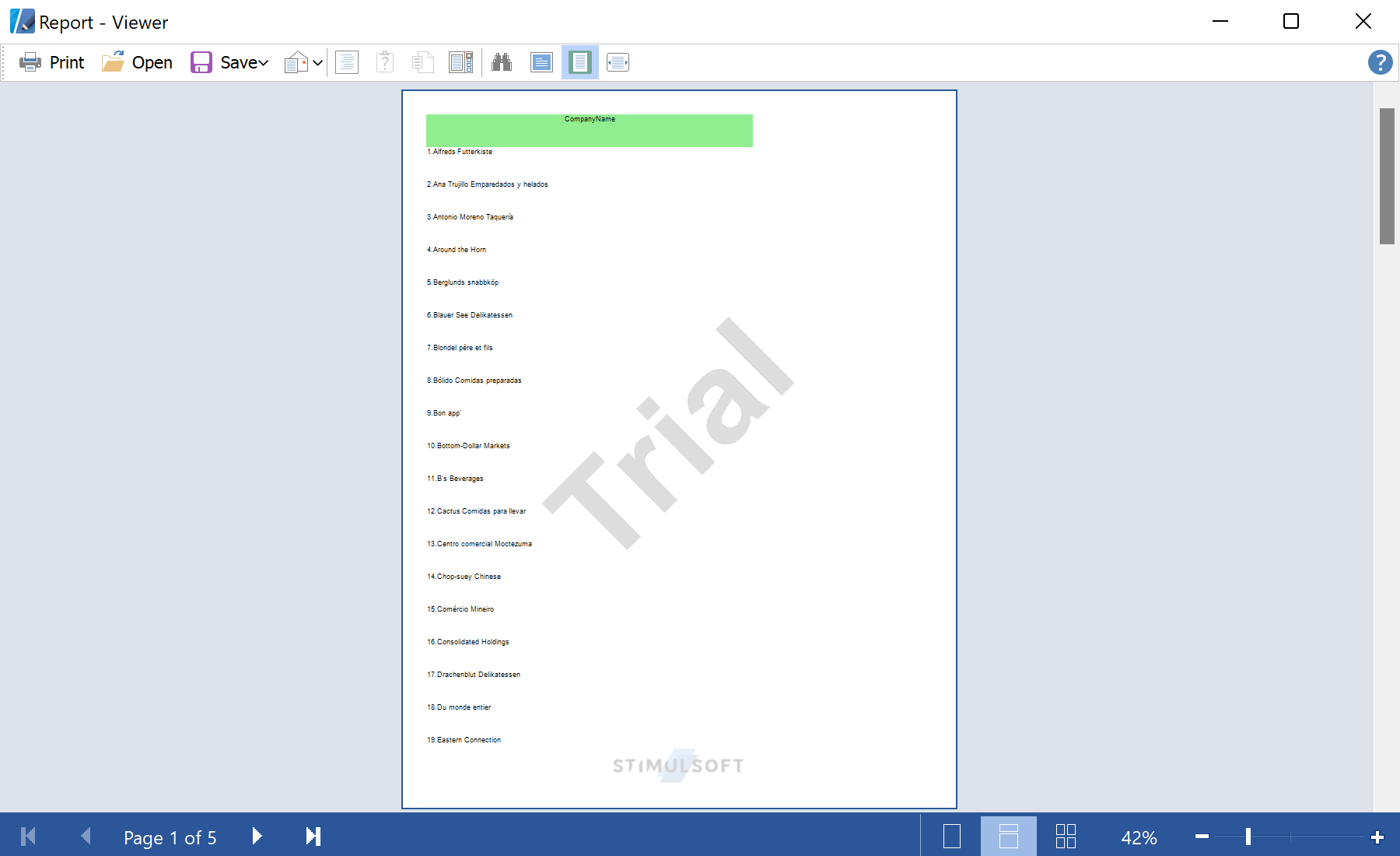
In the screenshot below you can see the result of the sample code:
Preparing the report and data. Create the report, register the data, and synchronize the data dictionary so the fields become available:
var report = new StiReport();
report.RegData(dataSet1);
report.Dictionary.Synchronize();
var page = report.Pages[0];
Adding bands and components. Build the report layout by creating bands and text components and adding them to the page:
var headerBand = new StiHeaderBand();
var headerText = new StiText(new RectangleD(0, 0, 5, 0.5));
headerText.HorAlignment = StiTextHorAlignment.Center;
headerText.Brush = new StiSolidBrush(Color.LightGreen);
headerBand.Components.Add(headerText);

var dataBand = new StiDataBand();
var dataText = new StiText(new RectangleD(0, 0, 5, 0.5));
dataBand.Components.Add(dataText);

page.Components.Add(headerBand);
page.Components.Add(dataBand);
report.Show();
Every element you would normally place in the designer — bands, text, images, charts — has a corresponding class, so a report can be generated fully dynamically based on run-time conditions.
In the screenshot below you can see the result of the sample code: