




















Editing a Report Template in the Designer
Our sample projects and report templates can help you learn the basics of working with our products.Embed the report designer in .NET 6.0, load a template, and connect its editing and save actions.
Opening the designer. Call
Handling the save event. Subscribe to
Setting
In the screenshot below you can see the result of the sample code:
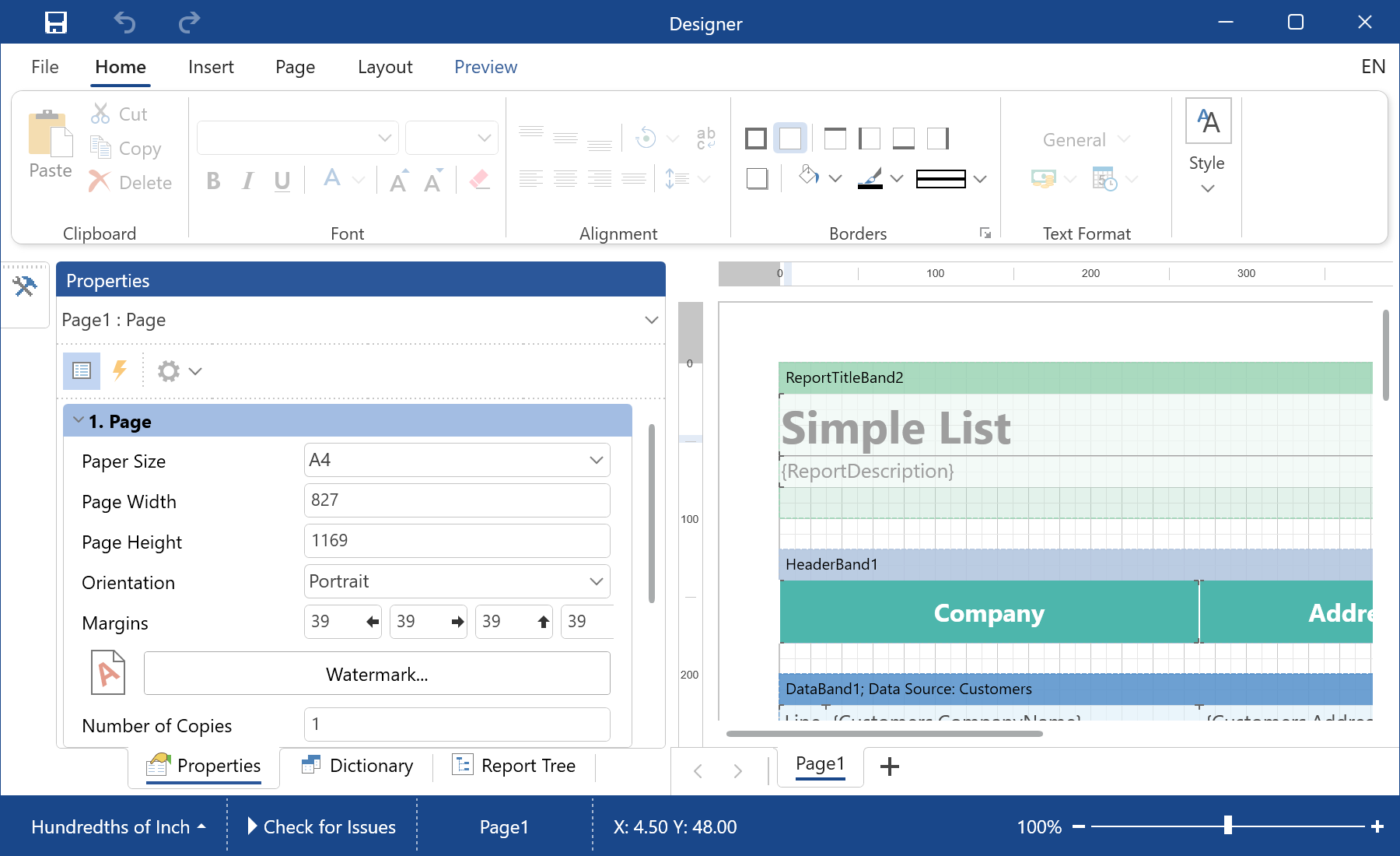
Opening the designer. Call
DesignV2WithWpf() on a report to open the WPF designer:var report = new StiReport();
report.Load(@"Reports\SimpleList.mrt");
report.DesignV2WithWpf();Handling the save event. Subscribe to
StiWpfDesigner.SavingReport to control how and where the template is stored:StiWpfDesigner.SavingReport += GlobalEvents_SaveReport;
private void GlobalEvents_SaveReport(object sender, StiSavingObjectEventArgs e)
{
if (e.EventSource == StiSaveEventSource.SaveAs)
{
e.Processed = false;
return;
}
var report = ((IStiDesignerBase)sender).Report;
// save the report where you need
}Setting
e.Processed tells the designer whether you handled the save yourself, which is how you redirect templates to a database or custom storage.In the screenshot below you can see the result of the sample code: