




















Showing a Report in the Viewer
Our sample projects and report templates can help you learn the basics of working with our products.Set up the report viewer in ASP.NET Core Razor Pages, load a template, and connect the component to the application.
Adding the viewer to a page. On a Razor page, add the
Serving the report from the page model. In Razor Pages the actions map to handler methods named
The viewer requests the report on load and renders it in the browser; the
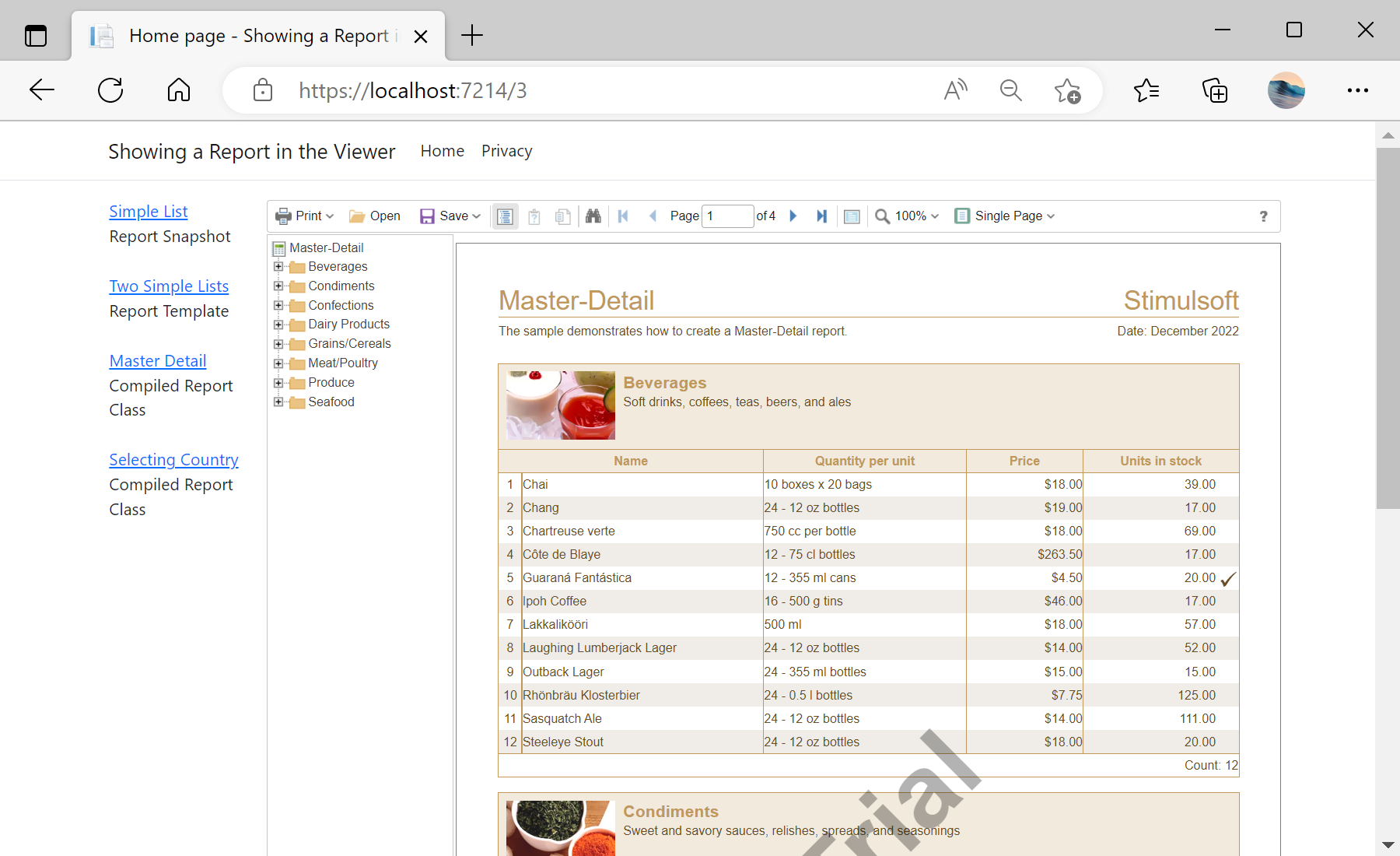
In the screenshot below you can see the result of the sample code:
Adding the viewer to a page. On a Razor page, add the
@Html.StiNetCoreViewer helper with a StiNetCoreViewerOptions object that names the actions:@page
@model IndexModel
@using Stimulsoft.Report.Mvc;
@Html.StiNetCoreViewer(new StiNetCoreViewerOptions()
{
Actions =
{
GetReport = "GetReport",
ViewerEvent = "ViewerEvent"
}
})Serving the report from the page model. In Razor Pages the actions map to handler methods named
On<Verb><Action>:public class IndexModel : PageModel
{
public IActionResult OnPostGetReport()
{
var report = new StiReport();
report.Load(StiNetCoreHelper.MapPath(this, "Reports/TwoSimpleLists.mrt"));
return StiNetCoreViewer.GetReportResult(this, report);
}
public IActionResult OnPostViewerEvent()
{
return StiNetCoreViewer.ViewerEventResult(this);
}
}The viewer requests the report on load and renders it in the browser; the
GetReport action maps to the OnPostGetReport handler, and all further interaction returns to the same page model.In the screenshot below you can see the result of the sample code: