




















Saving a Report Template in the Designer
Our sample projects and report templates can help you learn the basics of working with our products.Embed the report designer in ASP.NET Core Razor Pages, load a template, and connect its editing and save actions.
Enabling save. Register a
Handling the save. The handler receives the edited report and the requested file name, and stores the template yourself:
Because you get the report object and the requested name, the template can be persisted to a database, a cloud store or the file system.
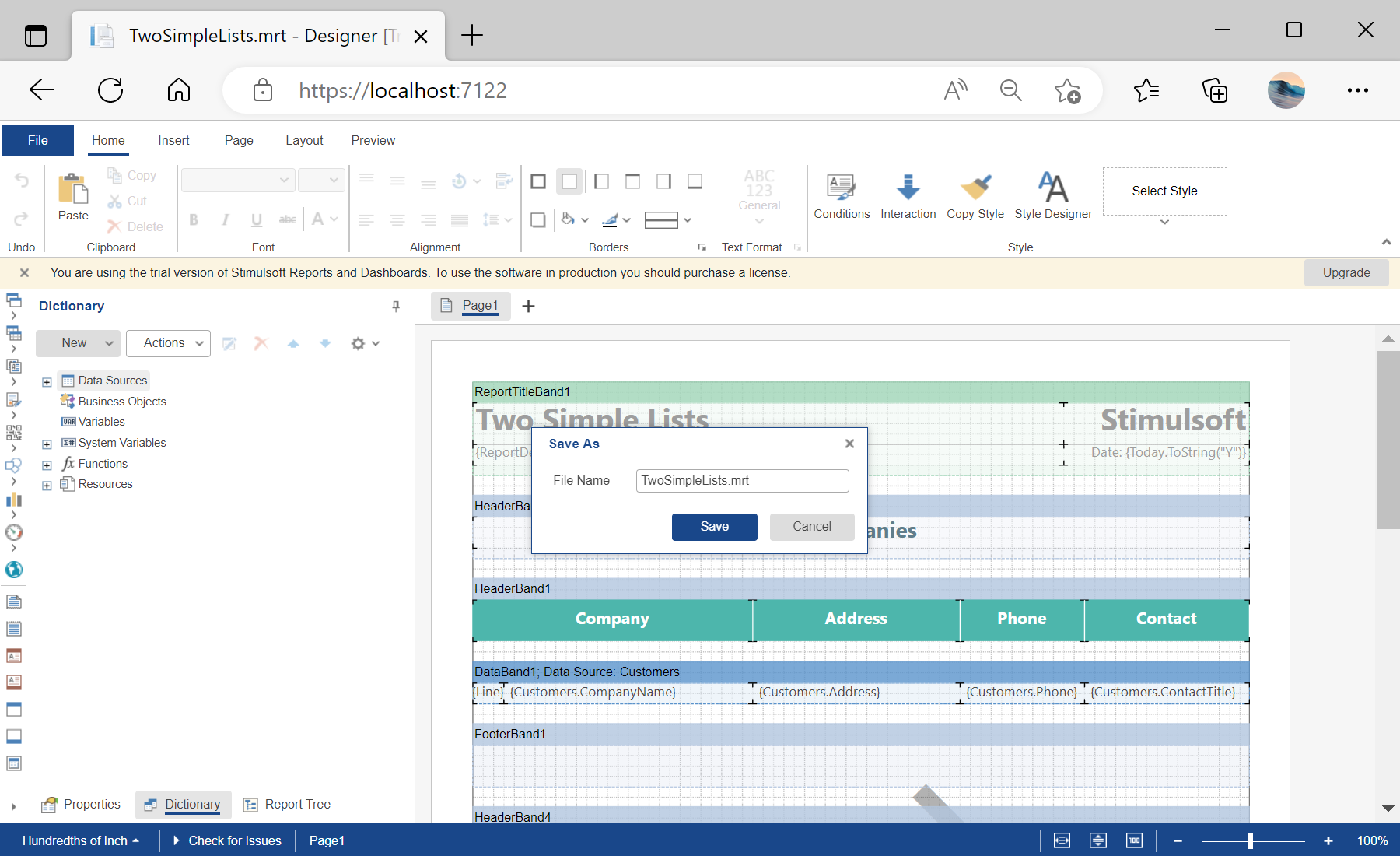
In the screenshot below you can see the result of the sample code:
Enabling save. Register a
SaveReport action in the designer options:@Html.StiNetCoreDesigner(new StiNetCoreDesignerOptions()
{
Actions =
{
GetReport = "GetReport",
SaveReport = "SaveReport",
DesignerEvent = "DesignerEvent"
}
})Handling the save. The handler receives the edited report and the requested file name, and stores the template yourself:
public IActionResult OnPostGetReport()
{
    var report = new StiReport();
    report.Load(StiNetCoreHelper.MapPath(this, "Reports/TwoSimpleLists.mrt"));

    return StiNetCoreDesigner.GetReportResult(this, report);
}

public IActionResult OnPostSaveReport()
{
    var requestParams = StiNetCoreDesigner.GetRequestParams(this);
    var report = StiNetCoreDesigner.GetReportObject(this);

    // Save the report template, for example to a JSON string
    var json = report.SaveToJsonString();

    var name1 = report.ReportName;               // Original report name
    var name2 = requestParams.Designer.FileName; // Name from the Save dialog

    return Content($"{{\"infoMessage\":\"Report file saved successfully as {name2}\"}}");
}
Because you get the report object and the requested name, the template can be persisted to a database, a cloud store or the file system.
In the screenshot below you can see the result of the sample code: