




















Using a Report Export Service
Our sample projects and report templates can help you learn the basics of working with our products.This example is outdated, you can check out the many other new examples in this category.This example shows the report export service. First, check a report file in the
Next, load and render the report template:
After that, use
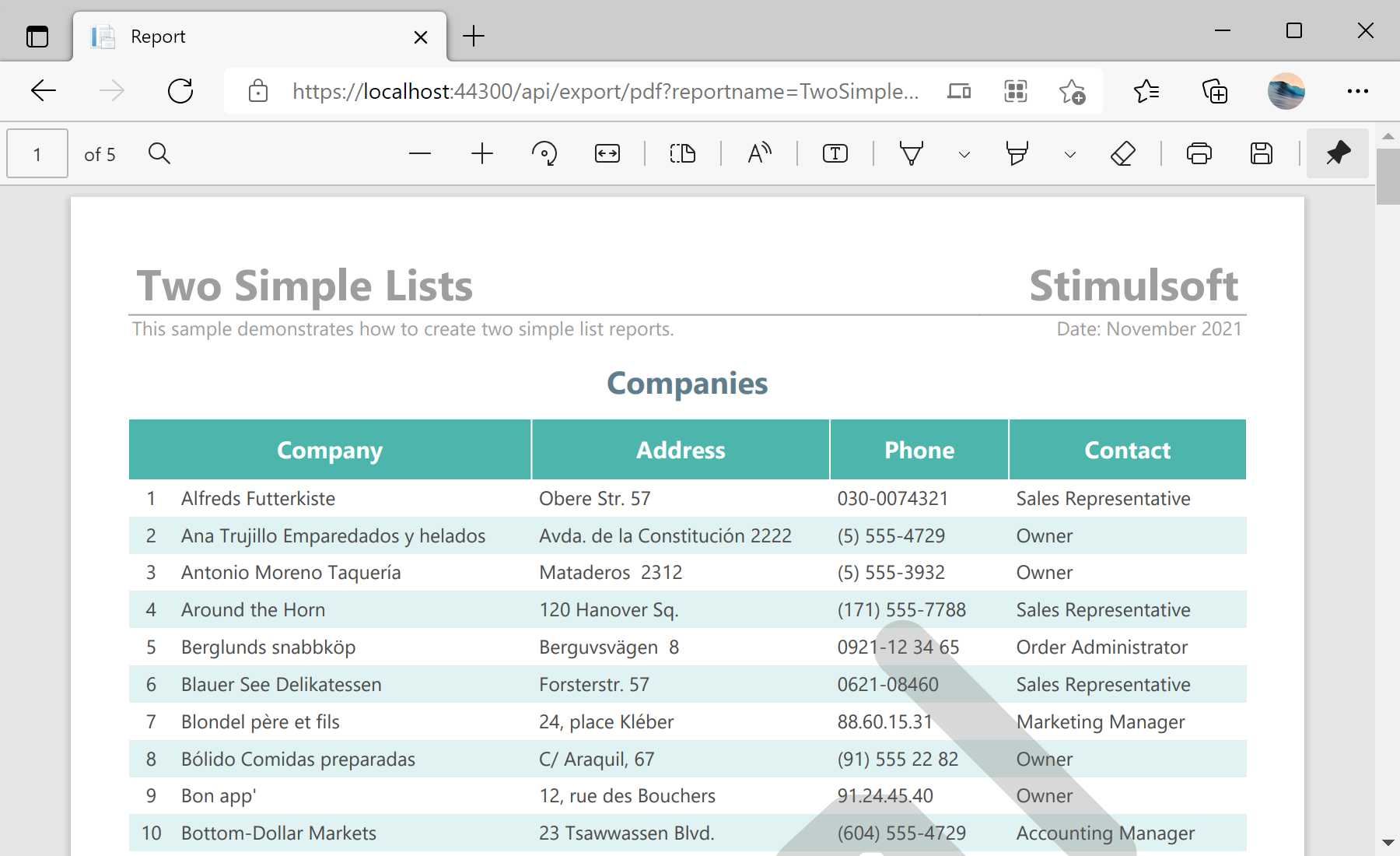
In the screenshot below you can see the result of the sample code:
Reports folder:public HttpResponseMessage Get(string id, string reportName)
{
// Check a report file in the 'Reports' folder
var reportFilePath = Path.Combine(HttpRuntime.AppDomainAppPath, "Reports", reportName + ".mrt");
if (!File.Exists(reportFilePath))
reportFilePath = Path.Combine(HttpRuntime.AppDomainAppPath, "Reports", reportName + ".mdc");
if (!File.Exists(reportFilePath))
return GetHttpResponseMessage("The report file does not exist!");
...Next, load and render the report template:
...

	// Load and render the report template
	var report = new StiReport();
	if (reportFilePath.EndsWith(".mrt"))
	{
		report.Load(reportFilePath);
		report.Render(false);
	}
	// Load the rendered report document
	else
		report.LoadDocument(reportFilePath);

...
After that, use
ExportDocument() method to export document to necessary format:
...

	MemoryStream stream;
	HttpResponseMessage result;

	switch (id)
	{
		// Export to PDF
		case "pdf":
			var pdfSettings = new StiPdfExportSettings();
			// settings, if required

			stream = new MemoryStream();
			report.ExportDocument(StiExportFormat.Pdf, stream, pdfSettings);
			result = GetHttpResponseMessage(stream.ToArray(), "application/pdf");
			stream.Close();
			return result;

		// Export to Excel 2007+
		case "excel":
			var excelSettings = new StiExcel2007ExportSettings();
			// settings, if required

			stream = new MemoryStream();
			report.ExportDocument(StiExportFormat.Excel2007, stream, excelSettings);
			result = GetHttpResponseMessage(stream.ToArray(), "application/vnd.ms-excel");
			stream.Close();
			return result;

		// Export to HTML
		case "html":
			var htmlSettings = new StiHtmlExportSettings();
			// settings, if required

			stream = new MemoryStream();
			report.ExportDocument(StiExportFormat.Html, stream, htmlSettings);
			result = GetHttpResponseMessage(stream.ToArray(), "text/html");
			stream.Close();
			return result;

		default:
			return GetHttpResponseMessage($"The export format [{id}] is not supported!");
	}
}
In the screenshot below you can see the result of the sample code: