




















Adding a Font to the Resource
Our sample projects and report templates can help you learn the basics of working with our products.This example is outdated, you can check out the many other new examples in this category.This sample project demonstrates how you can add custom font to the resource:
Next, load and add a font to resources:
After that, add a font from resources to the font collection
Finally, create a text component:
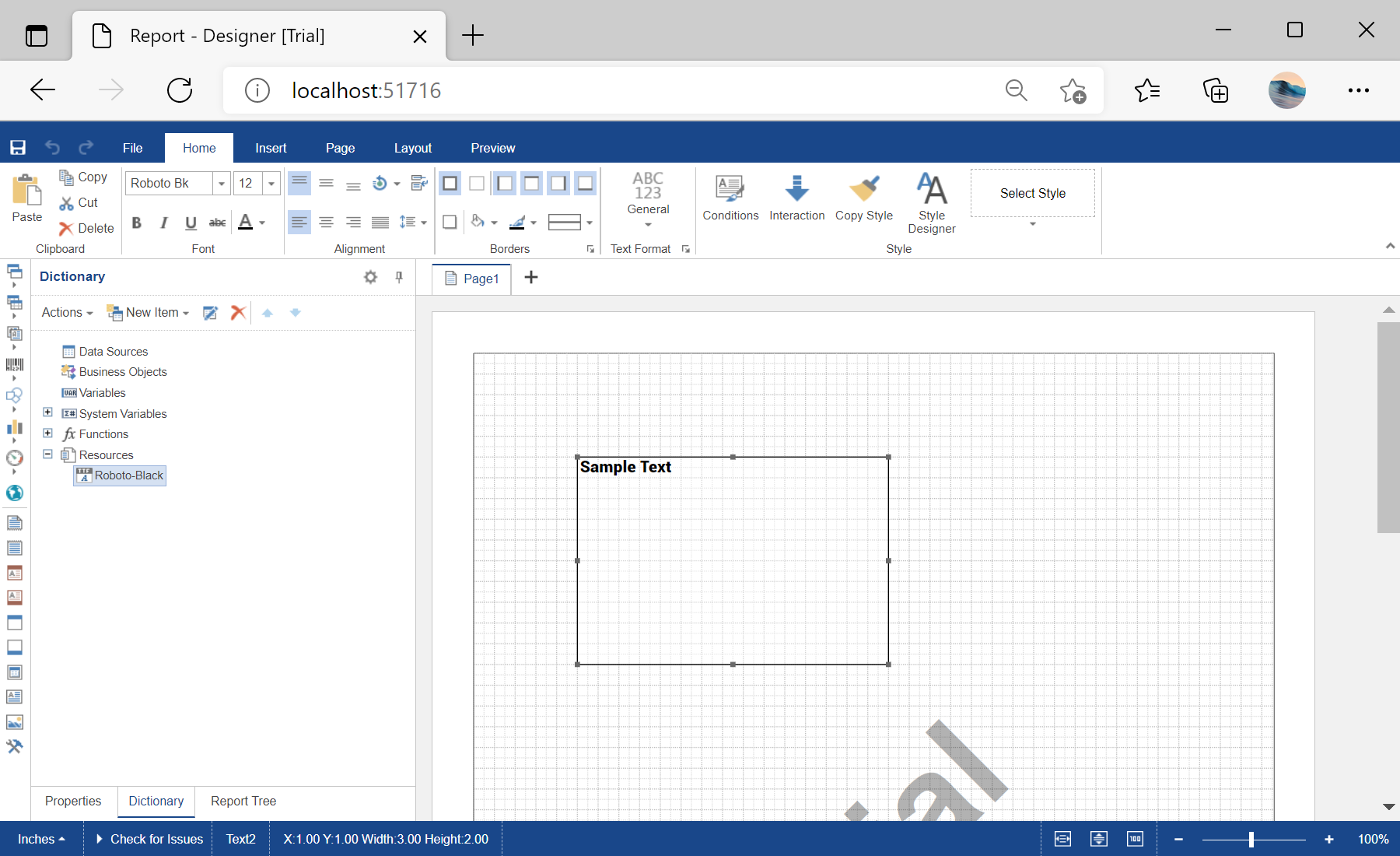
In the screenshot below you can see the result of the sample code:
<%@ Page Language="C#" AutoEventWireup="true" CodeBehind="Default.aspx.cs" Inherits="Adding_a_Font_to_the_Resource.Default" %>
<%@ Register assembly="Stimulsoft.Report.WebDesign" namespace="Stimulsoft.Report.Web" tagprefix="cc1" %>

<!DOCTYPE html>
<html xmlns="http://www.w3.org/1999/xhtml">
<head runat="server">
	<title>Adding a Font to the Resource</title>
</head>
<body>
    <form id="form1" runat="server">
        <cc1:StiWebDesigner ID="StiWebDesigner1" runat="server"
            OnGetReport="StiWebDesigner1_GetReport"
            OnSaveReport="StiWebDesigner1_SaveReport" />
    </form>
</body>
</html>
Next, load and add a font to resources:
...

protected void StiWebDesigner1_GetReport(object sender, StiReportDataEventArgs e)
{
	var report = new StiReport();

	// Loading and adding a font to resources
	var fileContent = System.IO.File.ReadAllBytes(Server.MapPath("Fonts/Roboto-Black.ttf"));
	var resource = new StiResource("Roboto-Black", "Roboto-Black", false, StiResourceType.FontTtf, fileContent, false);
	report.Dictionary.Resources.Add(resource);

...
After that, add a font from resources to the font collection
...

	// Adding a font from resources to the font collection
	StiFontCollection.AddResourceFont(resource.Name, resource.Content, "ttf", resource.Alias);

...
Finally, create a text component:
...

	// Creating a text component
	var dataText = new StiText();
	dataText.ClientRectangle = new RectangleD(1, 1, 3, 2);
	dataText.Text = "Sample Text";
	dataText.Font = StiFontCollection.CreateFont("Roboto-Black", 12, FontStyle.Regular);
	dataText.Border.Side = StiBorderSides.All;

	report.Pages[0].Components.Add(dataText);
	e.Report = report;
}

...
In the screenshot below you can see the result of the sample code: