




















Sending a Report by Email
Our sample projects and report templates can help you learn the basics of working with our products.Create the document in memory in PHP and send it as an e-mail attachment without leaving a temporary file.
Preparing the message. Generate the document in memory, create the message and attachment, and send it without leaving a temporary file on the server.
The viewer prepares the exported attachment and recipient; in
In the screenshot below you can see the result of the sample code:
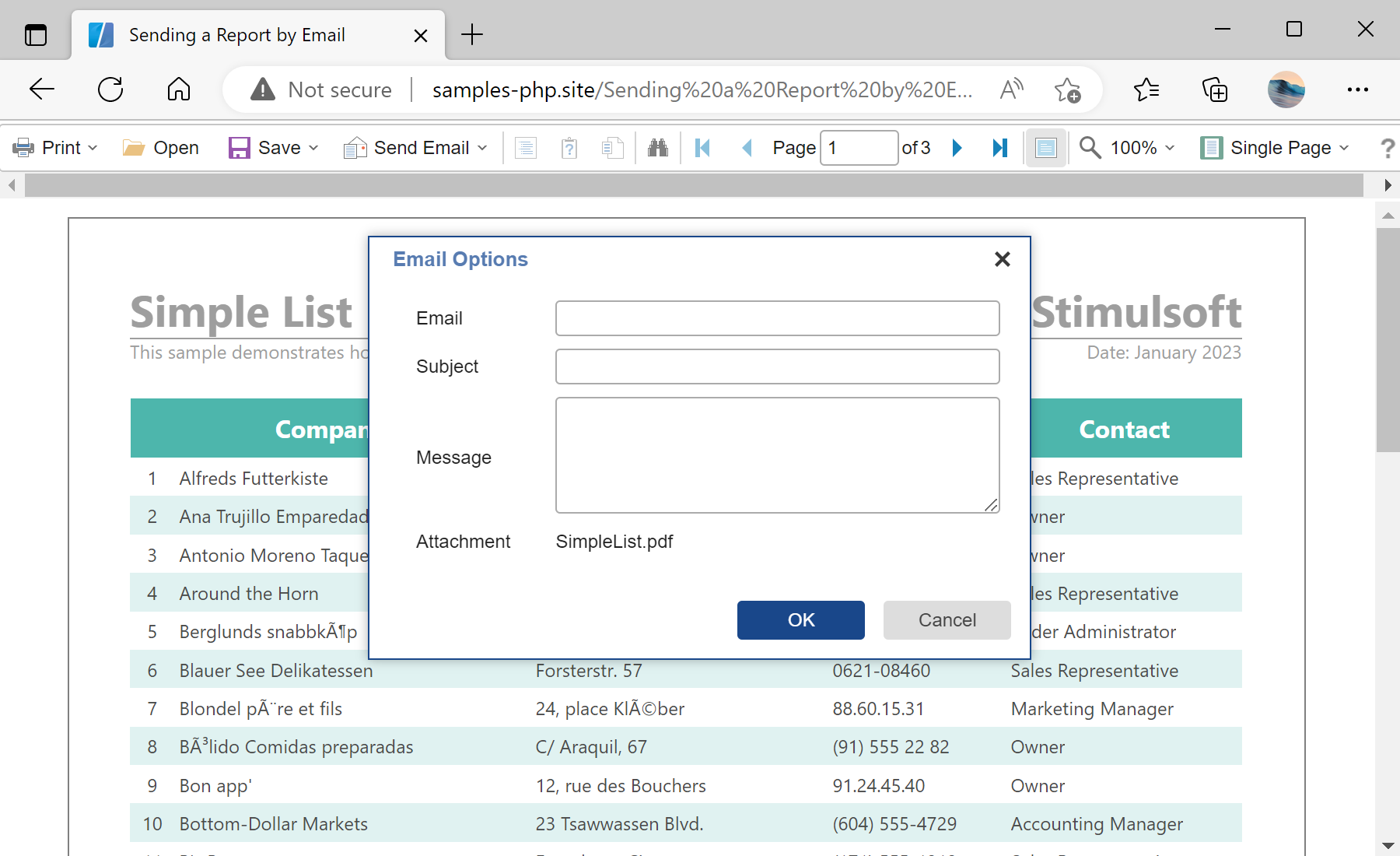
Preparing the message. Generate the document in memory, create the message and attachment, and send it without leaving a temporary file on the server.
$viewer->options->toolbar->showSendEmailButton = true;
$viewer->options->email->defaultEmailAddress = 'recipient@stimulsoft.com';
$viewer->options->email->defaultEmailSubject = 'Default subject';

$viewer->onEmailReport = function (StiEmailEventArgs $args) {
    $args->settings->from = 'sender@stimulsoft.com';
    $args->settings->host = 'smtp.stimulsoft.com';
    $args->settings->login = '********';
    $args->settings->password = '********';
    return StiResult::getSuccess('The Email has been sent successfully.');
};
$viewer->process();toolbar->showSendEmailButton— adds the Send Email button to the viewer toolbar.email->defaultEmailAddress / defaultEmailSubject— pre-fills the recipient and subject in the send dialog.onEmailReport— fires on the server when the user sends; here you set the SMTPhost,loginandpassword.StiResult::getSuccess(...)— returns a result to the viewer confirming the message was sent.
The viewer prepares the exported attachment and recipient; in
onEmailReport you supply the SMTP settings and send the message, returning a result to the viewer.In the screenshot below you can see the result of the sample code: