




















Globalizing Reports
Our sample projects and report templates can help you learn the basics of working with our products.A report can be rendered in different languages and regional formats by assigning a
Render in the selected culture. Point the manager at your resource strings and the chosen
How it works. One template serves every locale: the manager resolves captions from resources and the culture formats the data, so the same report prints correctly in any language.
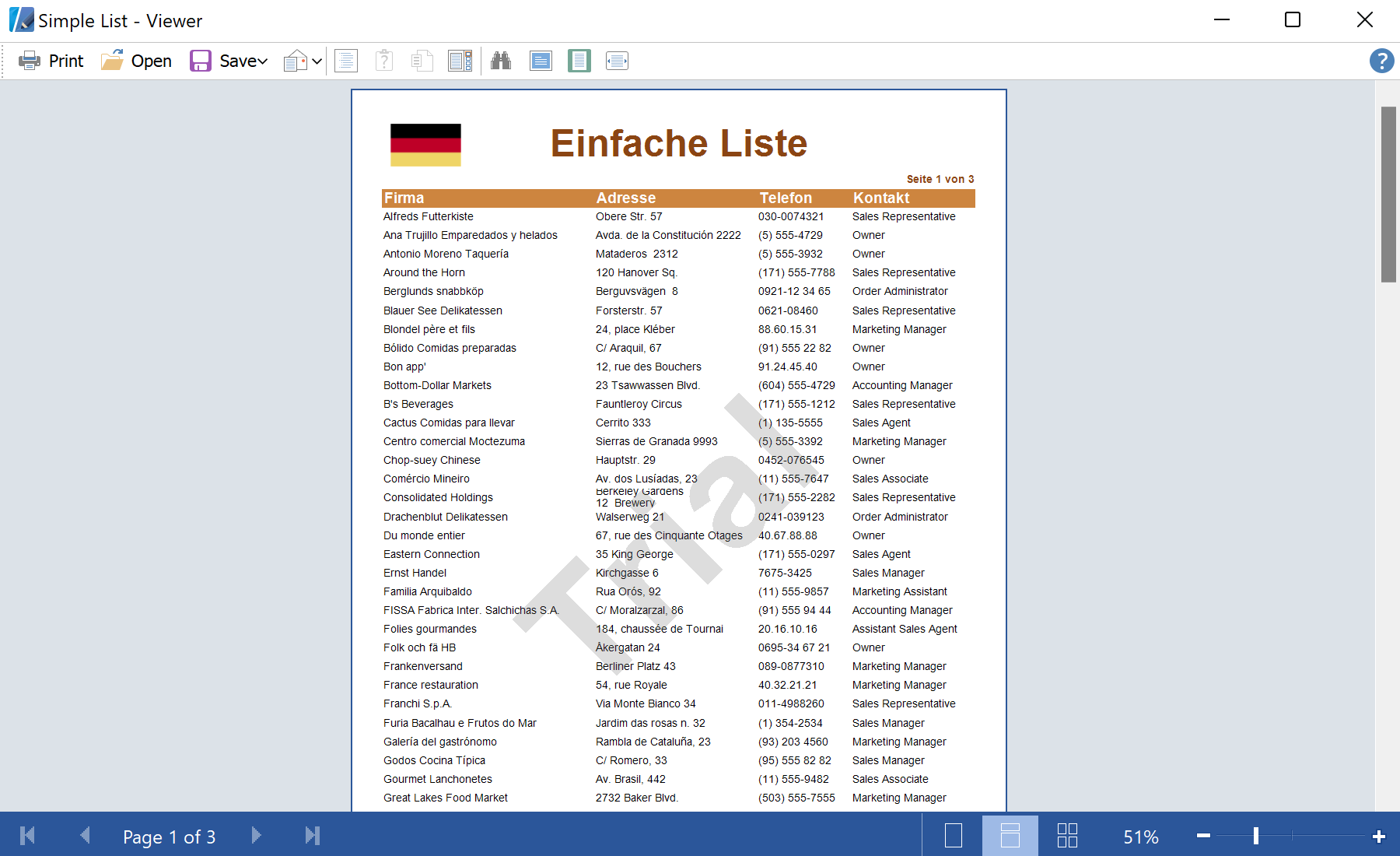
In the screenshot below you can see the result of the sample code:
GlobalizationManager with the target culture before rendering.Render in the selected culture. Point the manager at your resource strings and the chosen
CultureInfo:var report = new StiReport();
// Localized strings + regional formatting for the culture
report.GlobalizationManager = new GlobalizationManager(
"Globalizing_Reports.MyResources", new CultureInfo("de-DE"));
report.RegData(dataSet1);
report.Load("GlobalizedSimpleList.mrt");
report.Show();GlobalizationManager(resources, culture)— supplies the localized strings and the culture used for the report.- The
CultureInfodrives date, number and currency formatting; swap it (fr-FR, ru-RU, …) to switch language.
How it works. One template serves every locale: the manager resolves captions from resources and the culture formats the data, so the same report prints correctly in any language.
In the screenshot below you can see the result of the sample code: