




















Running the Designer and Viewer with Jakarta Faces
Our sample projects and report templates can help you learn the basics of working with our products.With JavaServer Faces the viewer and designer are backed by session-scoped managed beans, and each is shown on its own Facelets page.
Declare the managed beans. In
How it works. JSF manages the component lifecycle through the beans, so the viewer and designer integrate into a Faces application as ordinary managed beans.
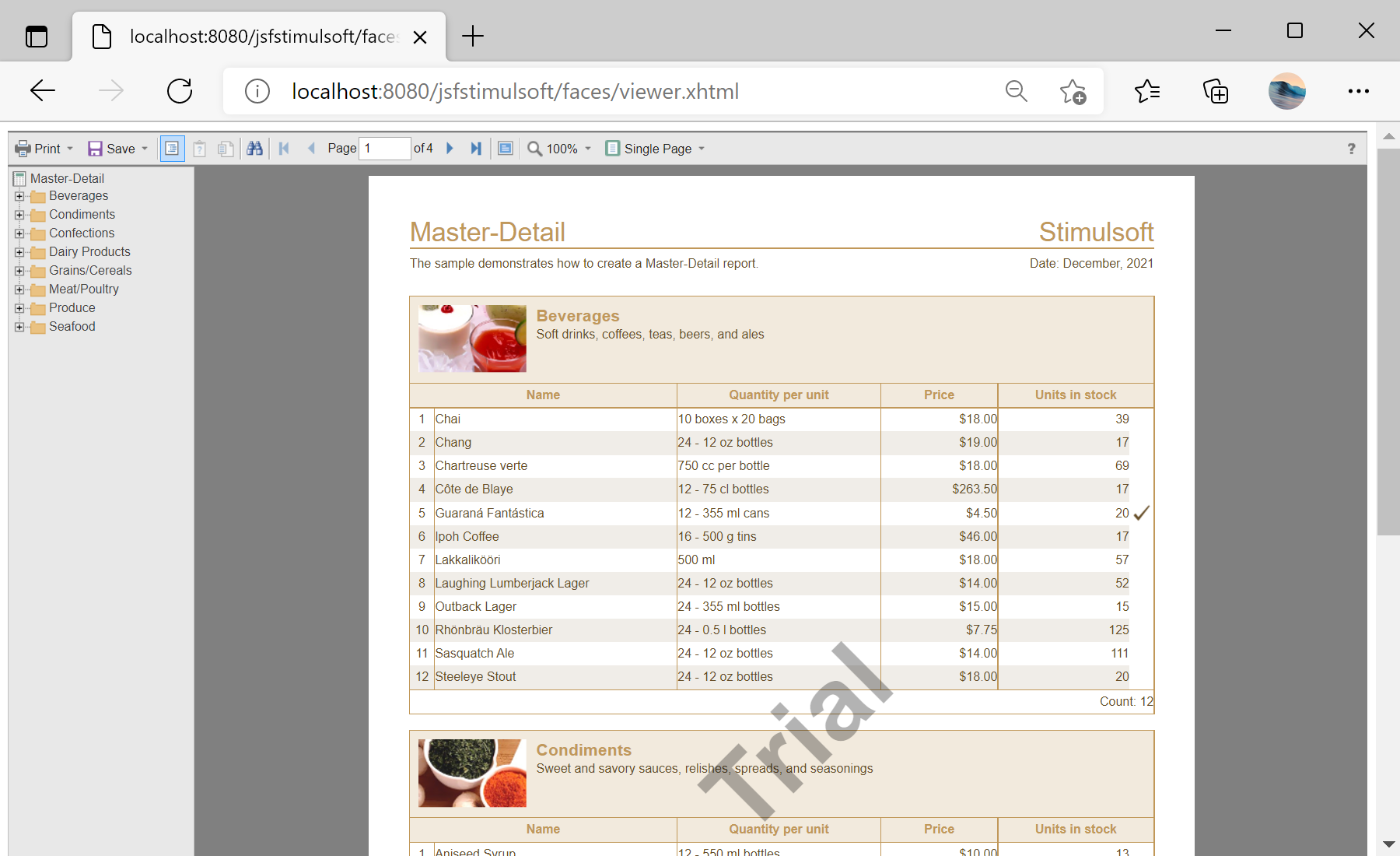
In the screenshot below you can see the result of the sample code:
Declare the managed beans. In
faces-config.xml:<managed-bean>
<managed-bean-name>webviewerBean</managed-bean-name>
<managed-bean-class>com.stimulsoft.StiWebViewerBean</managed-bean-class>
<managed-bean-scope>session</managed-bean-scope>
</managed-bean>
<managed-bean>
<managed-bean-name>webdesignerBean</managed-bean-name>
<managed-bean-class>com.stimulsoft.StiWebDesignerBean</managed-bean-class>
<managed-bean-scope>session</managed-bean-scope>
</managed-bean>StiWebViewerBean/StiWebDesignerBean— session beans that hold the viewer and designer state.- Each bean is bound to its Facelets page (
viewer.xhtml/designer.xhtml) via the Stimulsoft JSF components.
How it works. JSF manages the component lifecycle through the beans, so the viewer and designer integrate into a Faces application as ordinary managed beans.
In the screenshot below you can see the result of the sample code: