




















Showing a Dashboard in the WPF Viewer
Our sample projects and report templates can help you learn the basics of working with our products.In a WPF app a dashboard displays either in a ready-made window or embedded in a
Load, then show or embed.
How it works. The WPF viewer control hosts the dashboard inside your interface, while
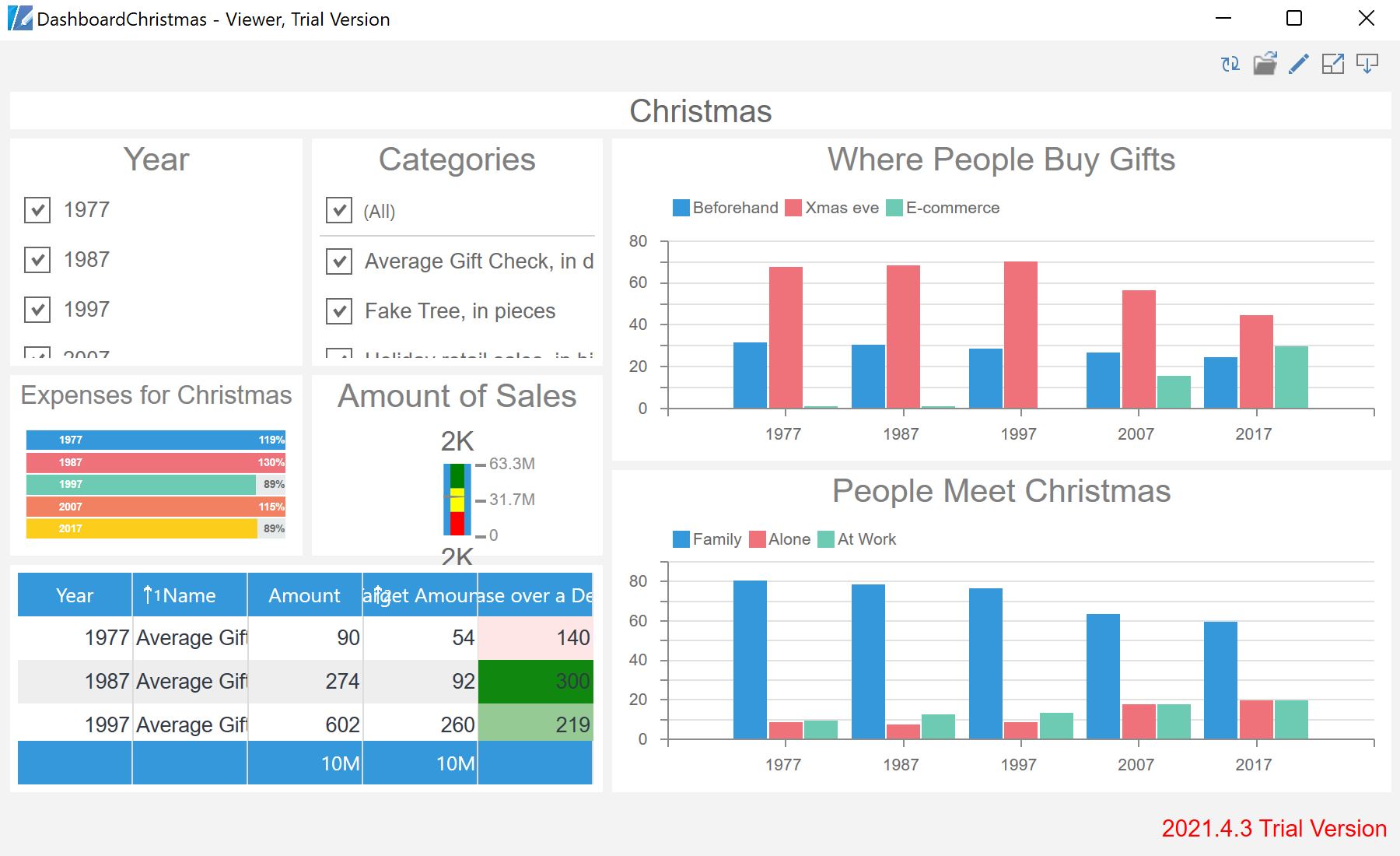
In the screenshot below you can see the result of the sample code:
StiViewerControl.Load, then show or embed.
var report = StiReport.CreateNewDashboard();
report.Load("Dashboards\\DashboardChristmas.mrt");

report.ShowWithWpf();                  // ready-made WPF window
// or: ViewerControl.Report = report; // embedded controlShowWithWpf()— opens the dashboard in a built-in WPF preview window.ViewerControl.Report— assign the report to aStiViewerControlplaced in your own layout.
How it works. The WPF viewer control hosts the dashboard inside your interface, while
ShowWithWpf() is the quickest way to preview without designing a window.In the screenshot below you can see the result of the sample code: