




















Adding a Custom Function to the Designer
Our sample projects and report templates can help you learn the basics of working with our products.This example is outdated, you can check out the many other new examples in this category.This example illustrates how to add a custom function to the designer and use it in the dashboard template.
Now, add the resulting methods for the specified actions:
Add a custom function, it must be static. For example, this would be a function
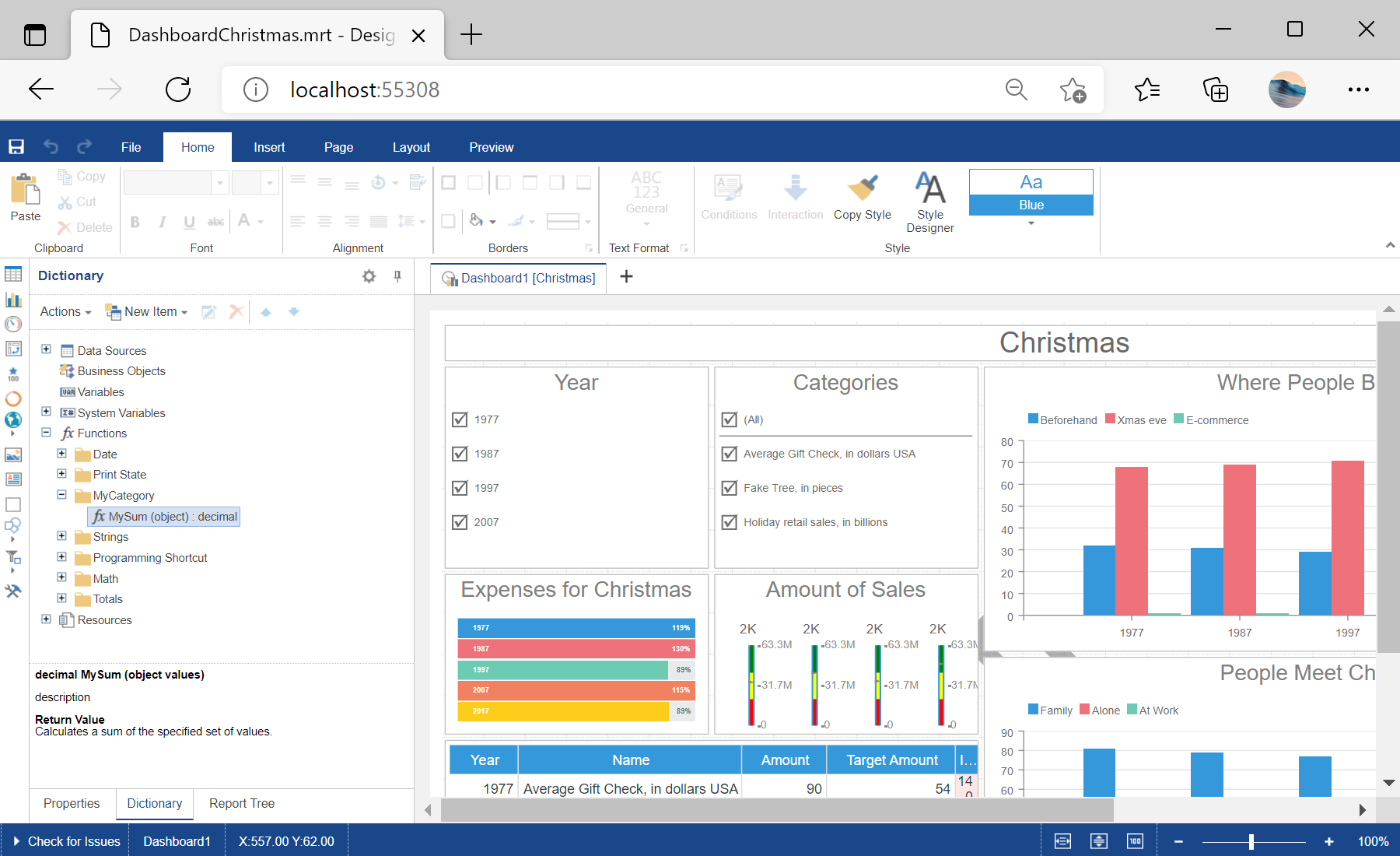
In the screenshot below you can see the result of the sample code:
<%@ Page Language="C#" AutoEventWireup="true" CodeBehind="Default.aspx.cs" Inherits="Adding_a_Custom_Function_to_the_Designer.Default" %>
<%@ Register assembly="Stimulsoft.Report.WebDesign" namespace="Stimulsoft.Report.Web" tagprefix="cc2" %>

<!DOCTYPE html>

<html xmlns="http://www.w3.org/1999/xhtml">
<head runat="server">
    <title></title>
</head>
<body>
    <form id="form1" runat="server">
        <cc2:StiWebDesigner ID="StiWebDesigner1" runat="server"
            OnGetReport="StiWebDesigner1_GetReport" />
    </form>
</body>
</html>
Now, add the resulting methods for the specified actions:
protected void StiWebDesigner1_GetReport(object sender, Stimulsoft.Report.Web.StiReportDataEventArgs e)
{
	var dashboardPath = Server.MapPath("Dashboards/DashboardChristmas.mrt");
	var report = StiReport.CreateNewDashboard();
	report.Load(dashboardPath);

	e.Report = report;
}

public ActionResult DesignerEvent()
{
	return StiMvcDesigner.DesignerEventResult();
}
Add a custom function, it must be static. For example, this would be a function
MySum() that sums all the values in the list:
public static decimal MySum(object value)
{
	if (!ListExt.IsList(value))
		return Stimulsoft.Base.Helpers.StiValueHelper.TryToDecimal(value);

	return Stimulsoft.Data.Functions.Funcs.SkipNulls(ListExt.ToList(value))
		.TryCastToDecimal()
		.Sum();
}StiFunctions.AddFunction() method. In the arguments of this method you should specify all the required parameters - category, function name, description, types of input and return parameters:
static Default()
{
	StiFunctions.AddFunction("MyCategory", "MySum",
		"description", typeof(Default),
		typeof(decimal), "Calculates a sum of the specified set of values.",
		new[] { typeof(object) },
		new[] { "values" },
		new[] { "A set of values" }).UseFullPath = false;
}
In the screenshot below you can see the result of the sample code: