




















Editing a Dashboard in the Designer using JavaScript
Our sample projects and report templates can help you learn the basics of working with our products.This example is outdated, you can check out the many other new examples in this category.This example shows how to edit a dashboard template in the Stimulsoft Designer using JavaScript with server-side data handling. First, include the Stimulsoft libraries:
Next, create and configure an event handler object. By default, all requests are processed on the current page. You can also specify a custom handler file:
Define server-side events before processing. You can assign a PHP function, the name of a JavaScript function, or a JavaScript function as a string. Multiple event handlers can be added using the append() method. In this example, onBeginProcessData is defined for handling dashboard data requests:
Process incoming requests using process():
In the HTML head, include the necessary JavaScript libraries for reports, viewer, designer, blockly editor, and dashboards:
Create the designer options object and configure appearance:
Create the designer object with the configured options:
Define designer events. The onBeginProcessData event will call the server-side handler to process data requests:
Create a report object and load a dashboard template using loadFile():
Finally, render the designer in the specified HTML element using renderHtml():
Include the HTML element for the designer and call the onLoad function:
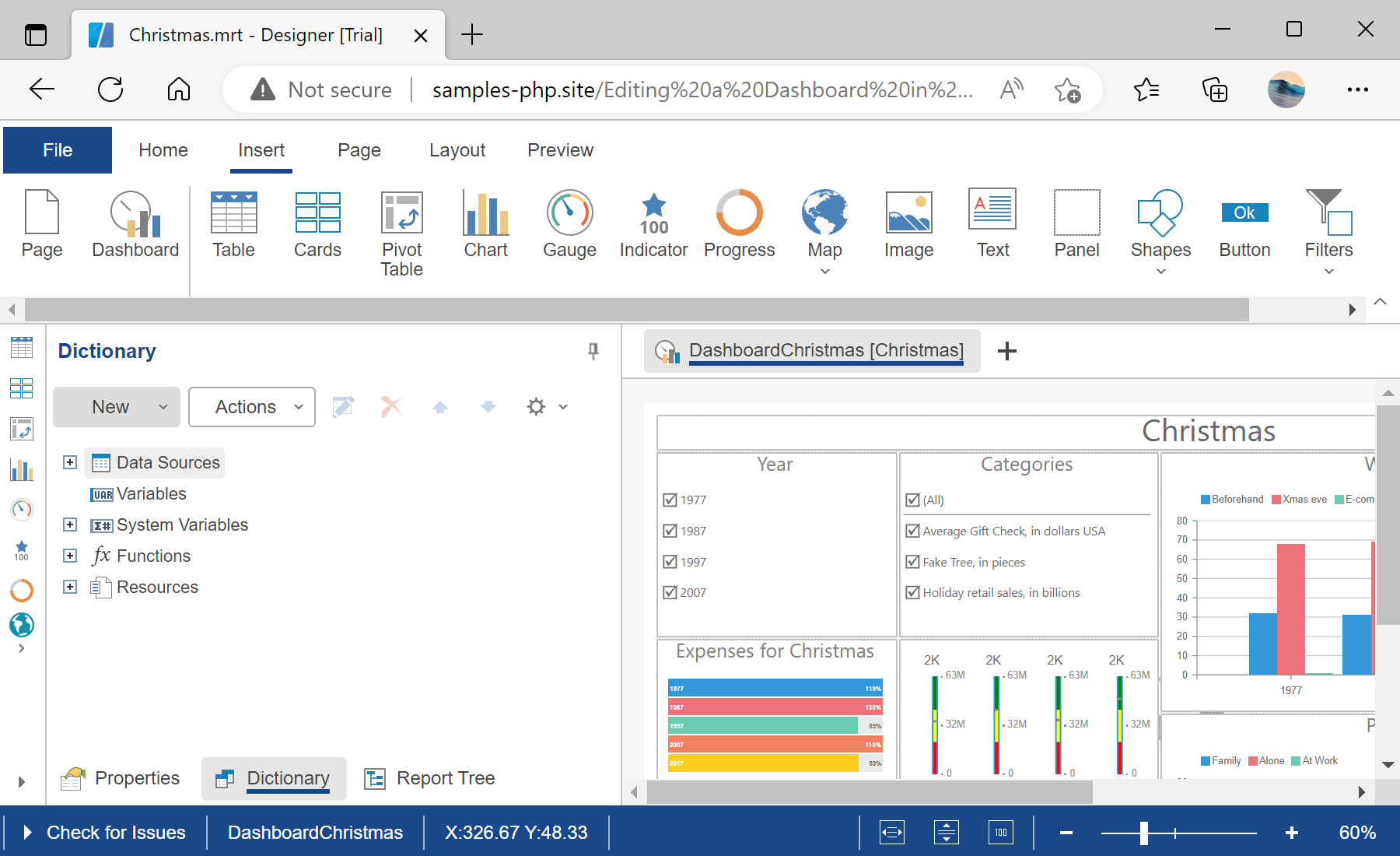
In the screenshot below you can see the result of the sample code:
<?php
require_once '../vendor/autoload.php';

use Stimulsoft\Events\StiDataEventArgs;
use Stimulsoft\StiHandler;
?>
Next, create and configure an event handler object. By default, all requests are processed on the current page. You can also specify a custom handler file:
$handler = new StiHandler();
// $handler = new StiHandler('handler.php');
Define server-side events before processing. You can assign a PHP function, the name of a JavaScript function, or a JavaScript function as a string. Multiple event handlers can be added using the append() method. In this example, onBeginProcessData is defined for handling dashboard data requests:
$handler->onBeginProcessData = function (StiDataEventArgs $args) {
    // Server-side processing logic can be added here
};
Process incoming requests using process():
$handler->process();In the HTML head, include the necessary JavaScript libraries for reports, viewer, designer, blockly editor, and dashboards:
<script src="/../vendor/stimulsoft/reports-php/scripts/stimulsoft.reports.js"></script>
<script src="/../vendor/stimulsoft/reports-php/scripts/stimulsoft.viewer.js"></script>
<script src="/../vendor/stimulsoft/reports-php/scripts/stimulsoft.designer.js"></script>
<script src="/../vendor/stimulsoft/reports-php/scripts/stimulsoft.blockly.editor.js"></script>
<script src="/../vendor/stimulsoft/dashboards-php/scripts/stimulsoft.dashboards.js"></script>

<?php
$handler->renderHtml();
?>
Create the designer options object and configure appearance:
let options = new Stimulsoft.Designer.StiDesignerOptions();
options.appearance.fullScreenMode = true;
Create the designer object with the configured options:
let designer = new Stimulsoft.Designer.StiDesigner(options, "StiDesigner", false);Define designer events. The onBeginProcessData event will call the server-side handler to process data requests:
designer.onBeginProcessData = function (args, callback) {
    Stimulsoft.handler.process(args, callback);
};
Create a report object and load a dashboard template using loadFile():
let report = new Stimulsoft.Report.StiReport();
report.loadFile("../reports/Christmas.mrt");
designer.report = report;
Finally, render the designer in the specified HTML element using renderHtml():
function onLoad() {
    designer.renderHtml("designerContent");
}
Include the HTML element for the designer and call the onLoad function:
<body onload="onLoad();">
<h2>Editing a Dashboard Template in the Designer using JavaScript</h2>
<hr>
<div id="designerContent"></div>
</body>
In the screenshot below you can see the result of the sample code: