




















PDF417 has long been used where data must be read accurately. However, its capacity is limited: a single barcode can store just over 1 KB of data. When more data needs to be encoded, Macro PDF417 provides a solution. This extension of the standard distributes data across a sequence of multiple barcodes. Starting with version 2025.2, this barcode type is available in Stimulsoft products.
What is Macro PDF417?
Macro PDF417 is an extension of the PDF417 standard designed to encode data that cannot fit into a single barcode. The data is divided into segments, and each segment is encoded as a separate barcode. When combined, the segments form a single data sequence. Each barcode contains additional control information, such as the segment number, the total number of segments, and a file identifier. As a result, the barcodes can be scanned in any order, while the scanning software automatically reconstructs the data in its original sequence. This approach overcomes the data capacity limitations of a standard PDF417 barcode.Use cases
PDF417 is widely used for boarding passes (IATA BCBP), driver’s licenses (AAMVA), cargo labels, and payment documents. In all these cases, the data fits into a single barcode.Macro PDF417 becomes useful when significantly more data needs to be encoded. Typical use cases include multi-page waybills and manifests, detailed medical records and examination results, and transferring documents between systems in printed form. In these scenarios, the data is distributed across a sequence of barcodes and automatically reconstructed when the barcodes are scanned.
We have prepared an example report containing multiple Macro PDF417 barcode segments:
How to create a report with Macro PDF417 in Stimulsoft Reports?
Creating a report with a Macro PDF417 barcode in Stimulsoft Reports takes just a few minutes. Here’s how to do it:- Open an existing report or create a new one in Stimulsoft Report Designer.
- Drag the Bar Code component to the desired location on the report.
- Select Macro PDF417 as the barcode type.
Configuring Macro PDF417
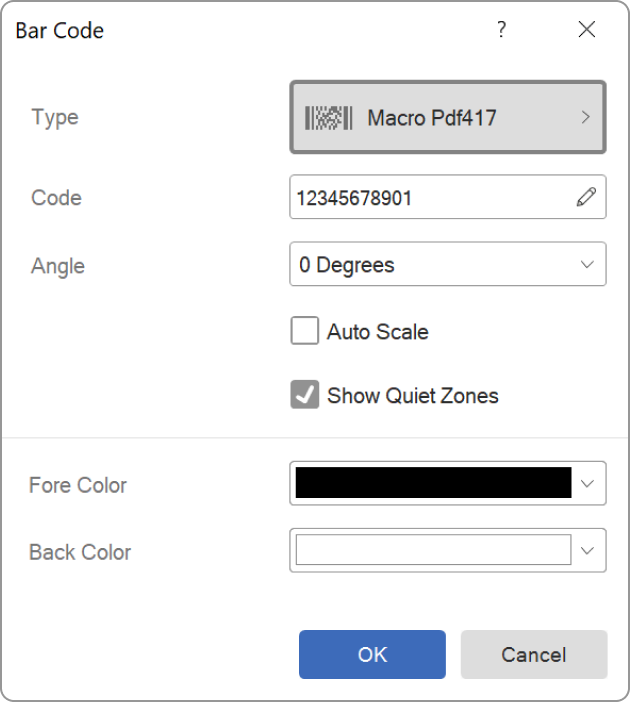
To configure the barcode, double-click it. In the dialog that appears, you can configure the appearance and data of the Macro PDF417 barcode. More advanced configuration options are available in the Properties panel.The Bar Code section contains the same settings as a standard PDF417 barcode, as the Macro variant inherits all of its parameters. The most commonly used settings include Encoding Mode, Error Correction Level, Module, Aspect Ratio, and Ratio Y.
The Macro Data section contains three parameters that are included in the control information of each barcode in the sequence.
- File ID – an identifier for the data set that is shared by all segments in the sequence. The scanner uses it to determine which barcodes belong to the same message. The value consists of a sequence of three-digit codewords ranging from 000 to 899, for example, 017053.
- Segment Count – the total number of segments into which the data is divided. The value can range from 1 to 99999.
- Segment Index – the index of the current segment. Indexing starts at zero: the first barcode has an index of 0, the second has an index of 1, and so on, up to a maximum of 99998. The segment index must always be less than the segment count. If a larger value is specified, the designer automatically increases the Segment Count.