Cloud
Облачный сервис для быстрого и эффективного анализа и визуализации данных для вашего бизнеса без необходимости создания своих приложений и программирования.
StiNetCoreViewer component to the view page. Also you need to pass the StiNetCoreViewerOptions object to the constructor. The minimum required options are two actions - GetReport and ViewerEvent, they are located in the Actions options group:
@using Stimulsoft.Report.Mvc;

...

@Html.StiNetCoreViewer(new StiNetCoreViewerOptions()
{
	Actions =
	{
		GetReport = "GetReport",
		ViewerEvent = "ViewerEvent"
	}
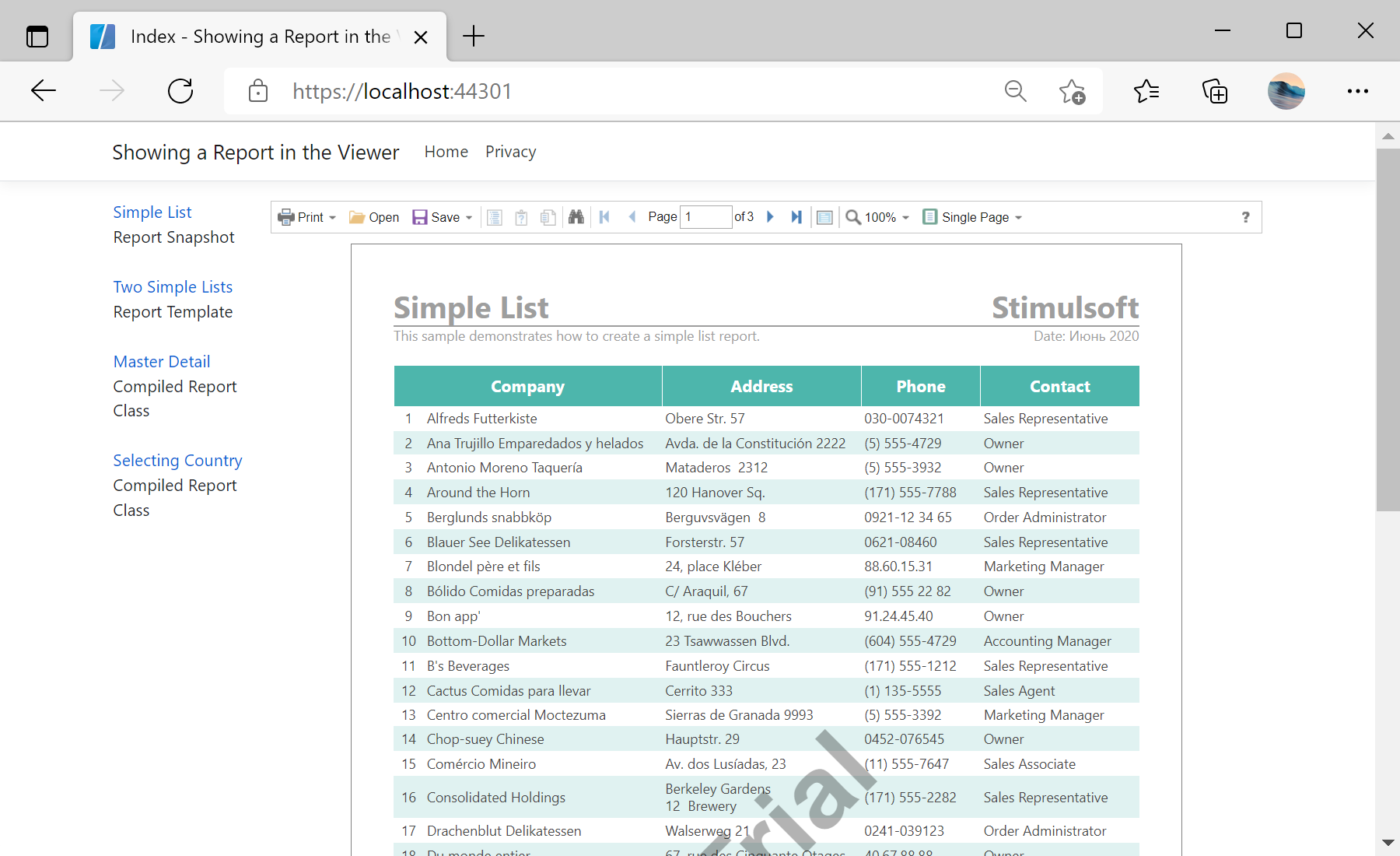
})id parameter in the link:
<table>
	<tr>
		<td class="reports" valign="top">
			<div style="width: 150px;">
				@Html.ActionLink("Simple List", "Index", new { id = "1" })
				<br />Report Snapshot

				<br /><br />
				@Html.ActionLink("Two Simple Lists", "Index", new { id = "2" })
				<br />Report Template

				<br /><br />
				@Html.ActionLink("Master Detail", "Index", new { id = "3" })
				<br />Compiled Report Class

				<br /><br />
				@Html.ActionLink("Selecting Country", "Index", new { id = "4" })
				<br />Compiled Report Class
			</div>
		</td>
		<td style="width: 100%;" valign="top">
			@Html.StiNetCoreViewer(new StiNetCoreViewerOptions()
			{
				Actions =
				{
					GetReport = "GetReport",
					ViewerEvent = "ViewerEvent"
				}
			})
		</td>
	</tr>
</table>GetReport action loads the report depending on the id parameter of the URL, and returns an answer to the client part of the viewer using the GetReportResult() static method. In the parameters of this method, the report object should be passed:
public IActionResult GetReport(int id = 1)
{
	// Create the report object
	var report = new StiReport();

	// Load report
	switch (id)
	{
	// Load report snapshot
	case 1:
		report.LoadDocument(StiNetCoreHelper.MapPath(this, "Reports/SimpleList.mdc"));
		break;

	// Load report template
	case 2:
		report.Load(StiNetCoreHelper.MapPath(this, "Reports/TwoSimpleLists.mrt"));
		break;

	// Load compiled report class
	case 3:
		report = new StiMasterDetail();
		break;

	// Load compiled report class
	case 4:
		report = new StiParametersSelectingCountryReport();
		break;
	}

	// Load data from JSON file for report template
	if (!report.IsDocument)
	{
		var data = StiJsonToDataSetConverterV2.GetDataSetFromFile(StiNetCoreHelper.MapPath(this, "Data/Demo.json"));
		report.Dictionary.Databases.Clear();
		report.RegData(data);
	}

	return StiNetCoreViewer.GetReportResult(this, report);
}ViewerEvent action handles all the viewer events (switching pages, zooming, printing, exporting, interactivity, etc.) and returns the answer to the client using the ViewerEventResult() static method. Also this action used to load the scripts of the viewer component:
public IActionResult ViewerEvent()
{
	return StiNetCoreViewer.ViewerEventResult();
}