




















Sending a Report by Email
Our sample projects and report templates can help you learn the basics of working with our products.This example is outdated, you can check out the many other new examples in this category.This example shows how to send exported reports by Email using the viewer. The report can be exported in different formats: PDF, Excel, HTML, Rich Text, image and many other, the viewer can send this file by Email.
First, you need to add the
In the options above we define several actions, and we need to add it in the controller.
The
The
The
To prepare the answer for the client you should use the
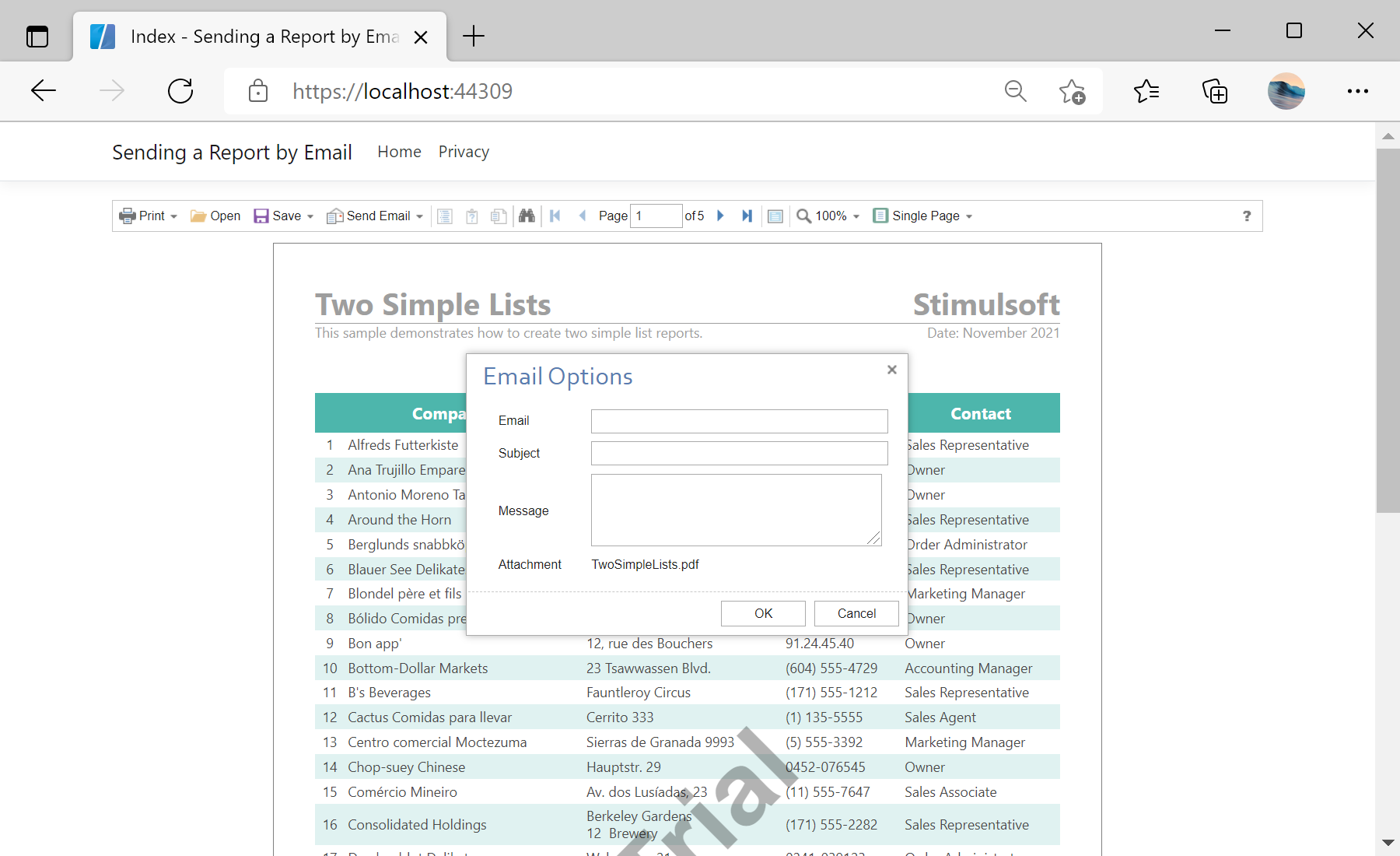
In the screenshot below you can see the result of the sample code:
First, you need to add the
StiNetCoreViewer component to the view page. Also you need to pass the StiNetCoreViewerOptions object to the constructor. In the options, you should set the next actions - GetReport, EmailReport and ViewerEvent. They are located in the Actions options group. To enable the the ability to send Email, you should set the ShowSendEmailButton option in the Toolbar group to true:
@using Stimulsoft.Report.Mvc;

...

@Html.StiNetCoreViewer(new StiNetCoreViewerOptions()
{
	Actions =
	{
		GetReport = "GetReport",
		EmailReport = "EmailReport",
		ViewerEvent = "ViewerEvent"
	},
	Toolbar =
	{
		ShowSendEmailButton = true
	}
})
In the options above we define several actions, and we need to add it in the controller.
The
GetReport action loads the report and returns the answer to the client part of the viewer using the GetReportResult() static method. In the parameters of this method, the report object should be passed:
 public IActionResult GetReport()
{
	// Create the report object
	var report = new StiReport();
	report.Load(StiNetCoreHelper.MapPath(this, "Reports/TwoSimpleLists.mrt"));

	return StiNetCoreViewer.GetReportResult(this, report);
}
The
ViewerEvent action handles all the viewer events (switching pages, zooming, etc.) and returns the answer to the client using the ViewerEventResult() static method:
public IActionResult ViewerEvent()
{
	return StiNetCoreViewer.ViewerEventResult(this);
}
The
EmailReport action will be invoked when you send a report by Email through menu of the viewer. In this action, you can get the email options object of the StiEmailOptions type. In these options will be passed all the data required for sending the Email. You need to fill the necessary options, such as server address, login, password and other. Also you can change the address of the recipient, email subject and body, if it is important (these options are requested in the viewer dialog).To prepare the answer for the client you should use the
EmailReportResult() static method. In the parameters of this method, the email options object should be passed:
public IActionResult EmailReport()
{
	var options = StiNetCoreViewer.GetEmailOptions(this);

	options.AddressFrom = "admin@test.com";
	//options.AddressTo = "manager@test.com";
	//options.Subject = "Quarterly Report";
	//options.Body = "Quarterly report on arrival of the goods.";

	options.Host = "smtp.test.com";
	//options.Port = 465;
	options.UserName = "admin@test.com";
	options.Password = "************";

	return StiNetCoreViewer.EmailReportResult(this, options);
}
In the screenshot below you can see the result of the sample code: