




















Editing a Report Template in the Designer
Our sample projects and report templates can help you learn the basics of working with our products.Besides the viewer, Stimulsoft provides a full web report designer that you can embed in an ASP.NET Core MVC application.
Adding the designer to a view. Use the
Providing the template. The controller supplies the report to edit and handles the designer's events:
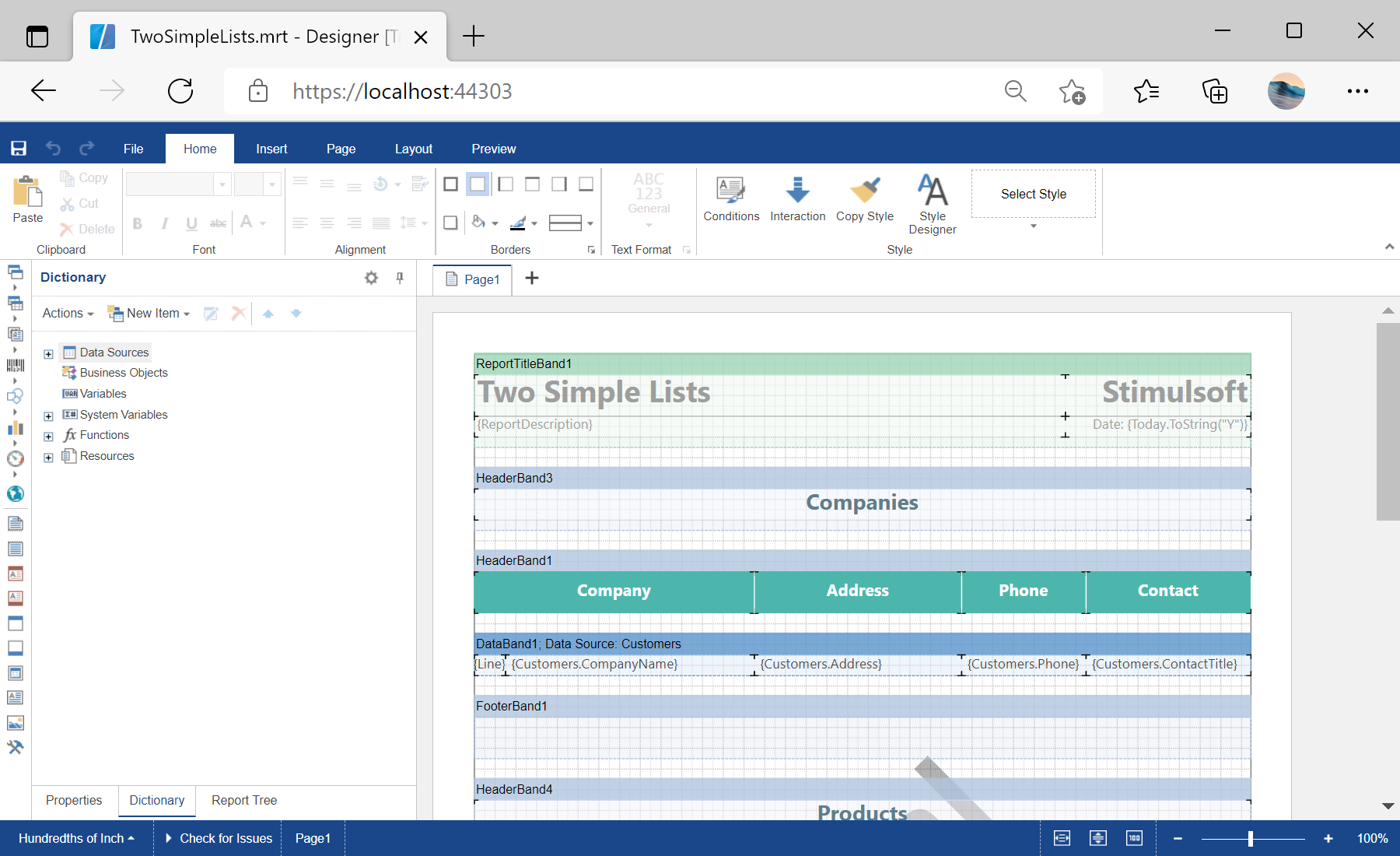
The full designer — toolbox, dictionary, property panels — runs in the browser, letting users build and edit report templates without any desktop software.
In the screenshot below you can see the result of the sample code:
Adding the designer to a view. Use the
@Html.StiNetCoreDesigner helper with a StiNetCoreDesignerOptions object:@using Stimulsoft.Report.Mvc;
@Html.StiNetCoreDesigner(new StiNetCoreDesignerOptions()
{
Actions =
{
GetReport = "GetReport",
DesignerEvent = "DesignerEvent"
}
})Providing the template. The controller supplies the report to edit and handles the designer's events:
public IActionResult GetReport()
{
    var report = new StiReport();
    report.Load(StiNetCoreHelper.MapPath(this, "Reports/TwoSimpleLists.mrt"));
    return StiNetCoreDesigner.GetReportResult(this, report);
}

public IActionResult DesignerEvent()
{
    return StiNetCoreDesigner.DesignerEventResult(this);
}
The full designer — toolbox, dictionary, property panels — runs in the browser, letting users build and edit report templates without any desktop software.
In the screenshot below you can see the result of the sample code: