




















Using Designer Events
Our sample projects and report templates can help you learn the basics of working with our products.This example is outdated, you can check out the many other new examples in this category.This example shows how to use designer events. First, import scripts:
Next, define URL template to server controller, initial action and parameters of designer and viewer:
Then, create
After that, load a report:
Next, create a method to save report:
Finally, create
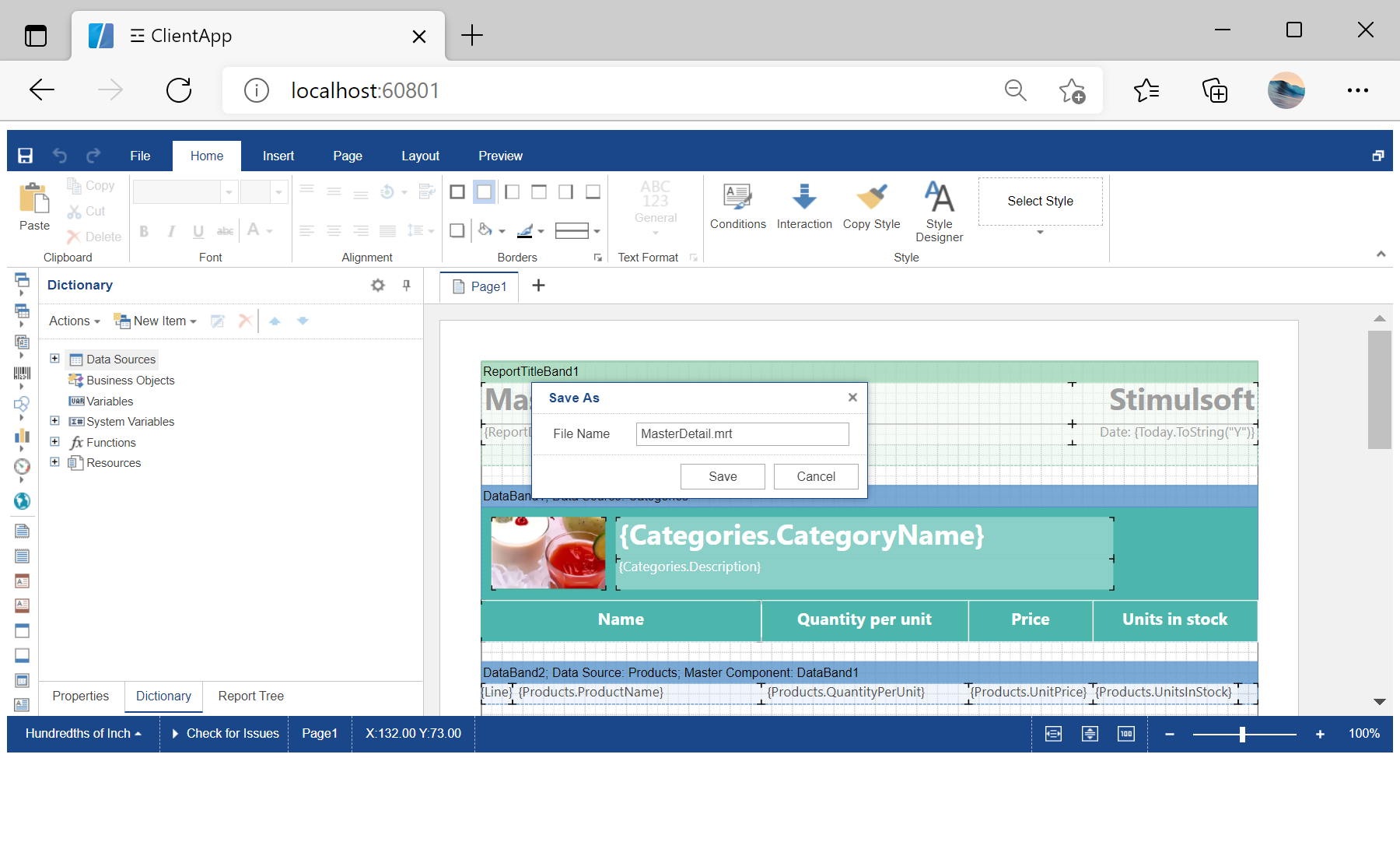
In the screenshot below you can see the result of the sample code:
...

import { StimulsoftViewerModule } from 'stimulsoft-viewer-angular';
import { StimulsoftDesignerModule } from  'stimulsoft-designer-angular';

...

	imports: [
		...
		StimulsoftViewerModule,
		StimulsoftDesignerModule,
		...
	],

...
Next, define URL template to server controller, initial action and parameters of designer and viewer:
<stimulsoft-viewer-angular
  *ngIf="showViewer"
  [requestUrl]="'http://localhost:60801/Viewer/{action}'"
  [action]="'InitViewer'"
  [height]="'600px'"
  (design)="showViewer = false"
></stimulsoft-viewer-angular>
<stimulsoft-designer-angular
  *ngIf="!showViewer"
  [requestUrl]="'http://localhost:60801/api/designer'"
  [height]="'600px'"
  [width]="'100%'"
>
  Loading designer...
</stimulsoft-designer-angular>
Then, create
DesignerController. Next, set the required options on the server side:
...

[HttpPost]
public IActionResult Get()
{
	// Setting the required options on the server side
	var requestParams = StiAngularDesigner.GetRequestParams(this);
	if (requestParams.Action == StiAction.Undefined)
	{
		var options = new StiAngularDesignerOptions();
		return StiAngularDesigner.DesignerDataResult(requestParams, options);
	}

	return StiAngularDesigner.ProcessRequestResult(this);
}

[HttpPost]
public IActionResult Post()
{
	var requestParams = StiAngularDesigner.GetRequestParams(this);
	if (requestParams.ComponentType == StiComponentType.Designer)
	{
		switch (requestParams.Action)
		{
			case StiAction.GetReport:
				return GetReport();

			case StiAction.SaveReport:
				return SaveReport();
		}
	}

	return StiAngularDesigner.ProcessRequestResult(this);
}

...
After that, load a report:
...

public IActionResult GetReport()
{
	var report = StiReport.CreateNewReport();
	var path = StiAngularHelper.MapPath(this, $"Reports/MasterDetail.mrt");
	report.Load(path);

	return StiAngularViewer.GetReportResult(this, report);
}

...
Next, create a method to save report:
...

public IActionResult SaveReport()
{
	var report = StiAngularDesigner.GetReportObject(this);

	var path = StiAngularHelper.MapPath(this, "Reports/MasterDetail.mrt");
	report.Save(path);

	return StiAngularDesigner.SaveReportResult(this);
}

...
Finally, create
ViewerController and enable design button in the viewer options in initialization:
...

[HttpPost]
public IActionResult InitViewer()
{
	var requestParams = StiAngularViewer.GetRequestParams(this);

	var options = new StiAngularViewerOptions();
	options.Actions.GetReport = "GetReport";
	options.Actions.ViewerEvent = "ViewerEvent";
	options.Appearance.ScrollbarsMode = true;
	options.Toolbar.ShowDesignButton = true;

	return StiAngularViewer.ViewerDataResult(requestParams, options);
}

...
In the screenshot below you can see the result of the sample code: