




















Supply Custom Headers for JSON Database
Our sample projects and report templates can help you learn the basics of working with our products.This example is outdated, you can check out the many other new examples in this category.This example shows how to supply custom headers for JSON Database. First, create the new report instance and load file:
Then, in
After that, adjust database PathData to always link to the server:
Next, show report in the viewer:
Use
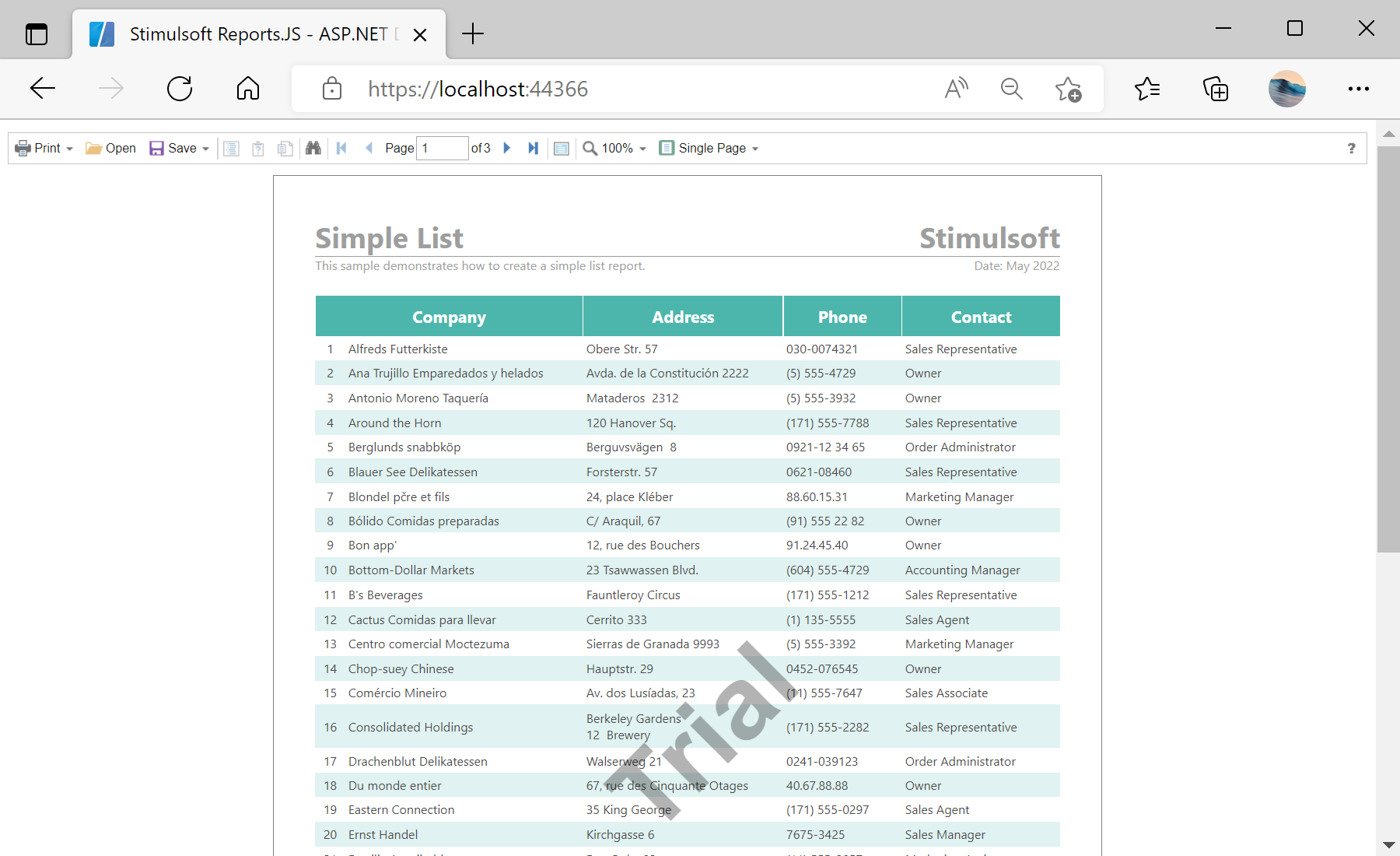
In the screenshot below you can see the result of the sample code:
function onSelectReport() {
	var report = new Stimulsoft.Report.StiReport();
	report.loadFile("/GetReport");

...
Then, in
onBeginProcessData event handler add custom HTTP headers:
...

	// In `onBeginProcessData` event handler add custom HTTP headers
	report.onBeginProcessData = args => {
		if (args.database === "JSON" && args.command === "GetData" && args.pathData && args.pathData.endsWith("/GetJson")) {
			// Add custom header to pass through server protection
			args.headers.push({ key: "X-Auth-Token", value: "*YOUR TOKEN*" });
		}
	};

...
After that, adjust database PathData to always link to the server:
...

	// Adjust database PathData to always link to our server
	report.dictionary.databases.getByIndex(0).pathData = `${window.location.origin}/GetJson`;

...
Next, show report in the viewer:
...

	// View report in Viewer
	var viewer = new Stimulsoft.Viewer.StiViewer(null, "StiViewer", false);
	viewer.report = report;
	viewer.renderHtml("viewer");
}
onSelectReport();
Use
Configure() method to configure the HTTP request pipeline:
...

public void Configure(IApplicationBuilder app, IWebHostEnvironment env)
{
	if (env.IsDevelopment())
	{
		app.UseDeveloperExceptionPage();
	}
	else
	{
		// The default HSTS value is 30 days. You may want to change this for production scenarios, see https://aka.ms/aspnetcore-hsts.
		app.UseHsts();
	}

	app.UseHttpsRedirection();
	app.UseStaticFiles();

	app.UseRouting();

	app.UseAuthorization();

	app.UseEndpoints(endpoints =>
	{
		endpoints.MapRazorPages();

		endpoints.MapGet("/GetReport", async context =>
		{
			if (await SendJsonFile(context, env, "SimpleListWithProtectedJson.mrt")) return;
			context.Response.StatusCode = 404;
		});

		endpoints.MapGet("/GetJson", async context =>
		{
			if (context.Request.Headers["x-auth-token"] == "*YOUR TOKEN*")
			{
				if (await SendJsonFile(context, env, "ProtectedDemo.json")) return;
			}
		context.Response.StatusCode = 403;
		});
	});
}

private async Task<bool> SendJsonFile(HttpContext context, IWebHostEnvironment env, string FileName)
{
	var fileInfo = env.WebRootFileProvider.GetFileInfo(string.Format("Reports/{0}", FileName));
	if (fileInfo.Exists)
	{
		context.Response.Headers.Add("Content-Type", "application/json; charset=utf-8");
		using (var reportStream = fileInfo.CreateReadStream())
		{
			await reportStream.CopyToAsync(context.Response.Body);
		}
		await context.Response.CompleteAsync();
		return true;
	}
	return false;
}
In the screenshot below you can see the result of the sample code: