Cloud
Cloud-Dienstleistung für schnelle und effektive Analyse und Visualisierung von Daten für Ihr Business ohne eigene Applikationen zu erstellen oder zu programmieren.
function onSelectReport() {
	var report = new Stimulsoft.Report.StiReport();
	report.loadFile("/GetReport");

...onBeginProcessData event handler add custom HTTP headers:
...

	// In `onBeginProcessData` event handler add custom HTTP headers
	report.onBeginProcessData = args => {
		if (args.database === "JSON" && args.command === "GetData" && args.pathData && args.pathData.endsWith("/GetJson")) {
			// Add custom header to pass through server protection
			args.headers.push({ key: "X-Auth-Token", value: "*YOUR TOKEN*" });
		}
	};

......
// Adjust database PathData to always link to our server
report.dictionary.databases.getByIndex(0).pathData = `${window.location.origin}/GetJson`;
......
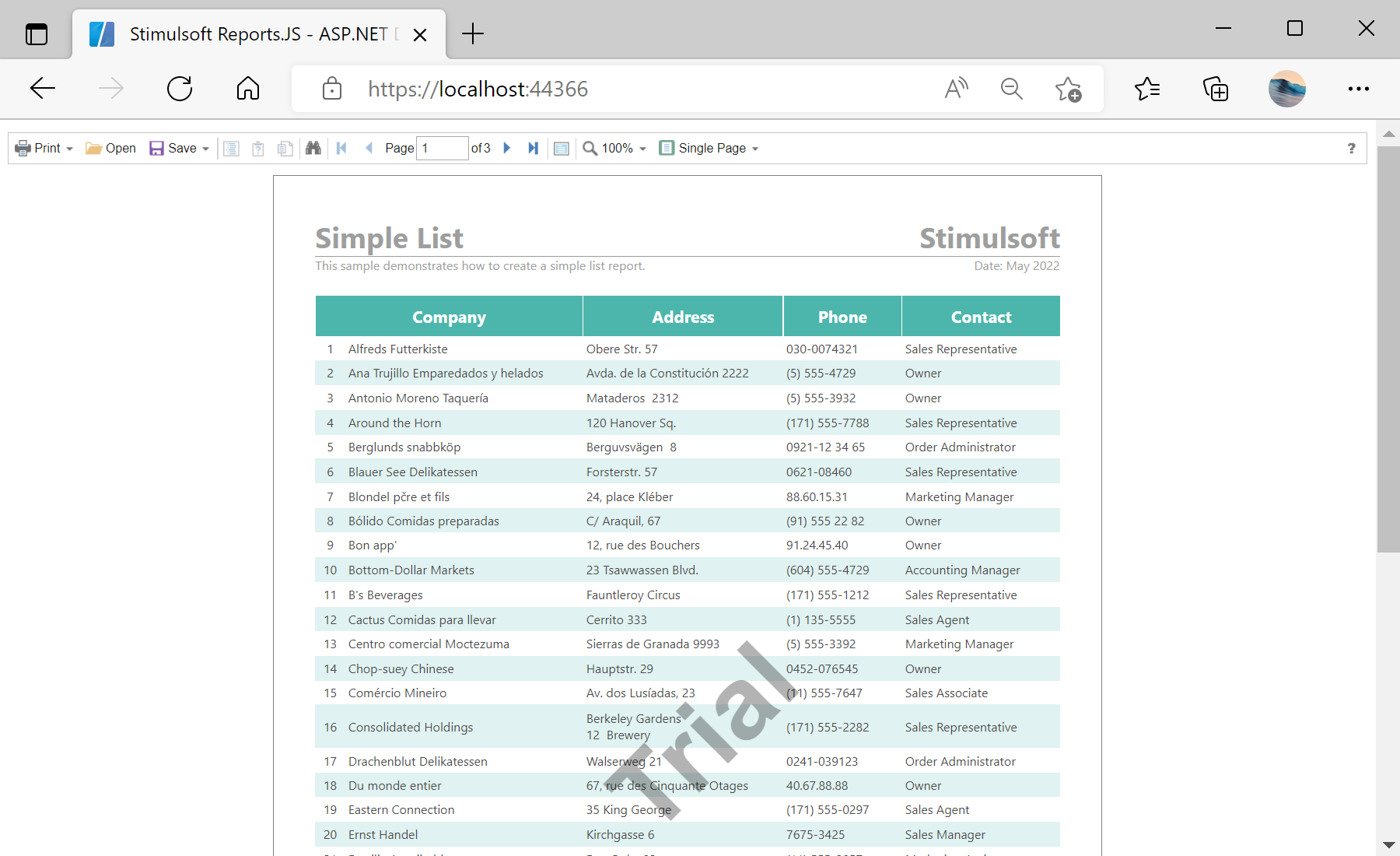
// View report in Viewer
var viewer = new Stimulsoft.Viewer.StiViewer(null, "StiViewer", false);
viewer.report = report;
viewer.renderHtml("viewer");
}
onSelectReport();Configure() method to configure the HTTP request pipeline:
...

public void Configure(IApplicationBuilder app, IWebHostEnvironment env)
{
	if (env.IsDevelopment())
	{
		app.UseDeveloperExceptionPage();
	}
	else
	{
		// The default HSTS value is 30 days. You may want to change this for production scenarios, see https://aka.ms/aspnetcore-hsts.
		app.UseHsts();
	}

	app.UseHttpsRedirection();
	app.UseStaticFiles();

	app.UseRouting();

	app.UseAuthorization();

	app.UseEndpoints(endpoints =>
	{
		endpoints.MapRazorPages();

		endpoints.MapGet("/GetReport", async context =>
		{
			if (await SendJsonFile(context, env, "SimpleListWithProtectedJson.mrt")) return;
			context.Response.StatusCode = 404;
		});

		endpoints.MapGet("/GetJson", async context =>
		{
			if (context.Request.Headers["x-auth-token"] == "*YOUR TOKEN*")
			{
				if (await SendJsonFile(context, env, "ProtectedDemo.json")) return;
			}
		context.Response.StatusCode = 403;
		});
	});
}

private async Task<bool> SendJsonFile(HttpContext context, IWebHostEnvironment env, string FileName)
{
	var fileInfo = env.WebRootFileProvider.GetFileInfo(string.Format("Reports/{0}", FileName));
	if (fileInfo.Exists)
	{
		context.Response.Headers.Add("Content-Type", "application/json; charset=utf-8");
		using (var reportStream = fileInfo.CreateReadStream())
		{
			await reportStream.CopyToAsync(context.Response.Body);
		}
		await context.Response.CompleteAsync();
		return true;
	}
	return false;
}