




















Adding a Font to the Resource
Our sample projects and report templates can help you learn the basics of working with our products.Fonts can be embedded into a report as resources so it renders identically everywhere. This example adds a TrueType font to the report dictionary.
Registering the resource. Load or register the external resource before rendering so the finished report remains portable across environments.
In the screenshot below you can see the result of the sample code:
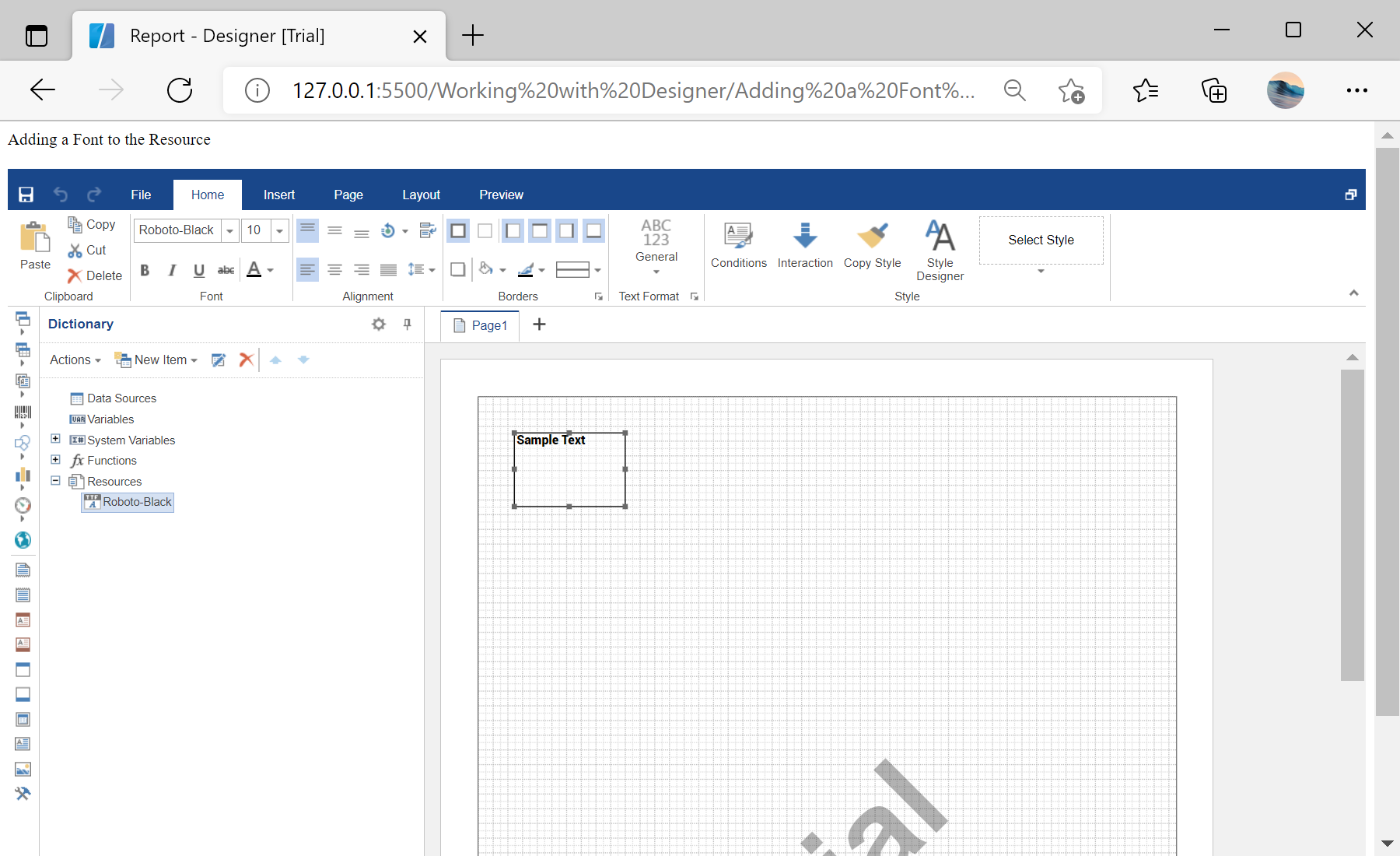
Registering the resource. Load or register the external resource before rendering so the finished report remains portable across environments.
var report = new Stimulsoft.Report.StiReport();

var fontFileContent = Stimulsoft.System.IO.File.getFile("../reports/Roboto-Black.ttf", true);
var resource = new Stimulsoft.Report.Dictionary.StiResource(
    "Roboto-Black", "Roboto-Black", false,
    Stimulsoft.Report.Dictionary.StiResourceType.FontTtf, fontFileContent);
report.dictionary.resources.add(resource);

var dataText = new Stimulsoft.Report.Components.StiText();
dataText.font = new Stimulsoft.System.Drawing.Font("Roboto-Black");
report.pages.getByIndex(0).components.add(dataText);StiResource of type FontTtf. Once in the dictionary it travels with the report, so text using that font renders and exports correctly even where the font is not installed.In the screenshot below you can see the result of the sample code: