
















Connecting to Data from Code
Our sample projects and report templates can help you learn the basics of working with our products.This example shows how to connect to data from code. First, load scripts:
Next, add buttons:
Then, add report viewer:
After that, create empty report object and load report template:
Next, set first dataset:
Then, set second dataset:
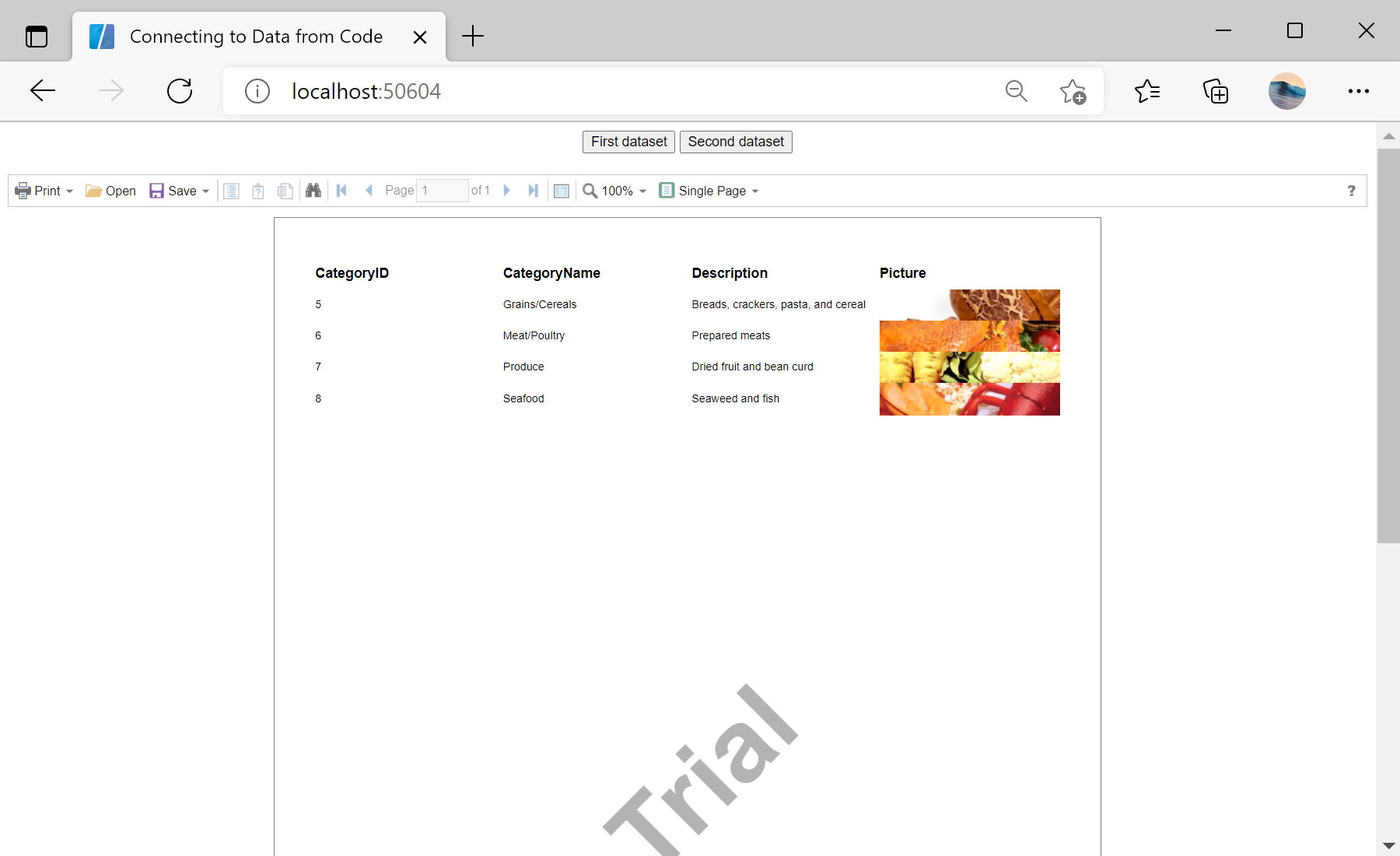
In the screenshot below you can see the result of the sample code:
@using Stimulsoft.Base
@using Stimulsoft.Report
@using Stimulsoft.Report.Blazor
Next, add buttons:
<div align="center">
<button class="alert" @onclick="SetFirstDataSet">First dataset</button>
<button class="alert" @onclick="SetSecondDataSet">Second dataset</button>
</div>
<br />
Then, add report viewer:
<StiBlazorViewer Report="@Report" />
After that, create empty report object and load report template:
@code
{
private StiReport Report;
protected override async Task OnInitializedAsync()
{
await base.OnInitializedAsync();
//Create empty report object
this.Report = new StiReport();
//Load report template
var reportBytes = await Http.GetByteArrayAsync("Reports/Report.mrt");
this.Report.Load(reportBytes);
}
...
Next, set first dataset:
...
private void SetFirstDataSet()
{
//Get a copy of the report into a new report object
var report = this.Report.Clone() as StiReport;
//Delete connections in the report template
report.Dictionary.Databases.Clear();
//Load new data from XML file
var data = new System.Data.DataSet();
var dataStream = await Http.GetStreamAsync("Data/Demo1.xml");
data.ReadXml(dataStream);
//Register new data in the report template
report.RegData(data);
//Synchronize the dictionary with registered data
//Not necessary if the structure of the loaded data is the same as in the template
report.Dictionary.Synchronize();
//Re-render report
report.Render();
//Assign new report to the Viewer
this.Report = report;
//Refresh razor page view
StateHasChanged();
}
...
Then, set second dataset:
...
private void SetSecondDataSet()
{
//Get a copy of the report into a new report object
var report = this.Report.Clone() as StiReport;
//Delete connections in the report template
report.Dictionary.Databases.Clear();
//Load new data from XML file
var data = new System.Data.DataSet();
var dataStream = await Http.GetStreamAsync("Data/Demo2.xml");
data.ReadXml(dataStream);
//Register new data in the report
report.RegData(data);
//Synchronize the dictionary with registered data
//Not necessary if the structure of the loaded data is the same as in the template
report.Dictionary.Synchronize();
//Re-render report
report.Render();
//Assign new report to the Viewer
this.Report = report;
//Refresh razor page view
StateHasChanged();
}
}In the screenshot below you can see the result of the sample code:
