













Using Business Objects in the Report
Unsere Beispiele der Projekte und Berichtsvorlagen helfen Ihnen, die Grundlagen der Arbeit mit unserer Software zu erlernen.This example shows how to create a report with the Business Objects collection. Business Objects is an object class data with which the data can be presented in different structures: tables, lists, arrays, etc. This example uses two variants of Business Objects -
Also we need to add these actions in the methods. The
The
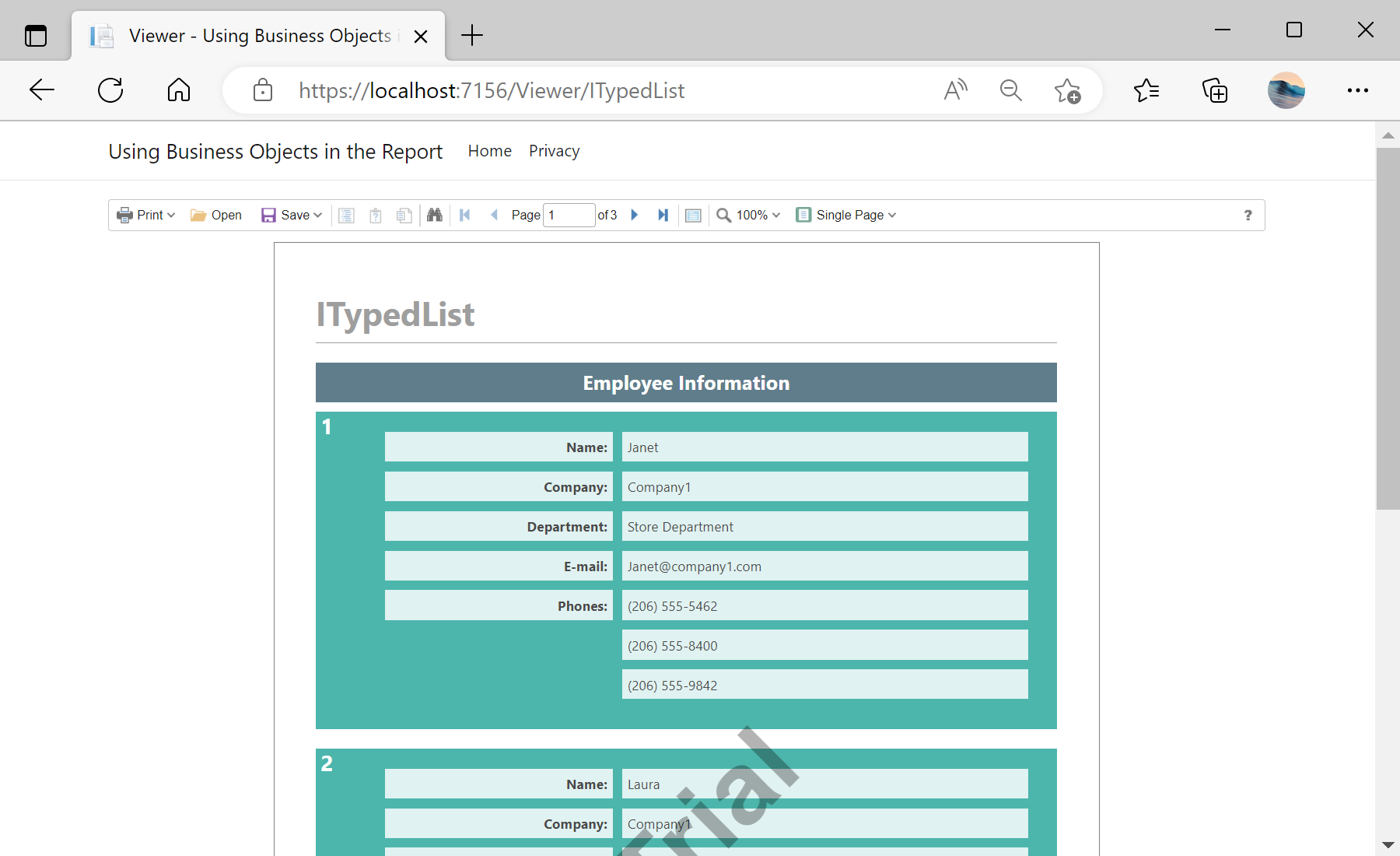
Auf dem Screenshot unten Sie können das Ergebnis des Beispiel-Codes ansehen:

IEnumerable and ITypedList. You need to define the GetReport and the ViewerEvent actions:
@using Stimulsoft.Report.Mvc;
...
@Html.StiNetCoreViewer(new StiNetCoreViewerOptions()
{
Actions =
{
GetReport = "GetReport",
ViewerEvent = "ViewerEvent"
}
})
Also we need to add these actions in the methods. The
OnPostGetReport action loads the IEnumerable and the GetReportITypedList report and register data for it:public IActionResult OnPostGetReport()
{
var report = new StiReport();
report.Load(StiNetCoreHelper.MapPath(this, $"Reports/BusinessObjects_{id}.mrt"));
switch (id)
{
case "IEnumerable":
report.RegData("EmployeeIEnumerable", CreateBusinessObjectsIEnumerable.GetEmployees());
break;
case "ITypedList":
report.RegData("EmployeeITypedList", CreateBusinessObjectsITypedList.GetEmployees());
break;
case "IEnumerable_BO":
report.RegBusinessObject("EmployeeIEnumerable", CreateBusinessObjectsIEnumerable.GetEmployees());
report.Dictionary.SynchronizeBusinessObjects(2);
break;
case "ITypedList_BO":
report.RegBusinessObject("EmployeeITypedList", CreateBusinessObjectsITypedList.GetEmployees());
report.Dictionary.SynchronizeBusinessObjects(2);
break;
}
return StiNetCoreViewer.GetReportResult(this, report);
}
The
ViewerEvent action handles all the viewer events (switching pages, zooming, printing, exporting, interactivity, etc.) and returns the answer to the client using the ViewerEventResult() static method:
public IActionResult OnGetViewerEvent()
{
return StiNetCoreViewer.ViewerEventResult(this);
}
public IActionResult OnPostViewerEvent()
{
return StiNetCoreViewer.ViewerEventResult(this);
}Auf dem Screenshot unten Sie können das Ergebnis des Beispiel-Codes ansehen: