Cloud
Cloud-Dienstleistung für schnelle und effektive Analyse und Visualisierung von Daten für Ihr Business ohne eigene Applikationen zu erstellen oder zu programmieren.
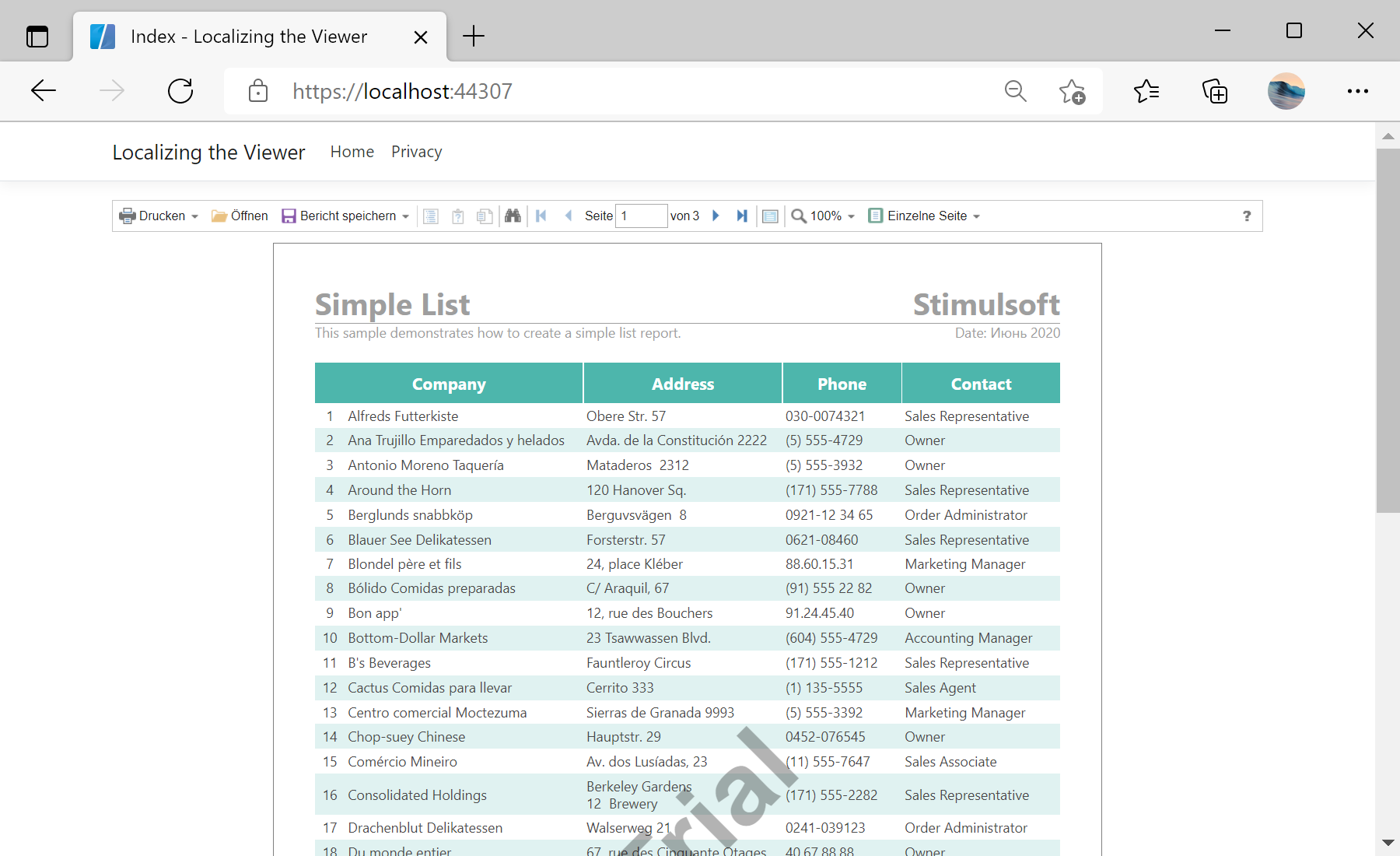
Localization option.StiNetCoreViewer component to the view page. Also you need to pass the StiNetCoreViewerOptions object to the constructor. In the options you should set two actions - GetReport and ViewerEvent, which are located in the Actions options group. To localize the viewer, you should set the Localization option, the viewer component will automatically load and apply the specified localization:
@using Stimulsoft.Report.Mvc;

...

@Html.StiNetCoreViewer(new StiNetCoreViewerOptions()
{
	Actions =
	{
		GetReport = "GetReport",
		ViewerEvent = "ViewerEvent"
	},

	Localization = "Localization/de.xml"
})GetReport action loads the report and returns the answer to the client part of the viewer using the GetReportResult() static method. In the parameters of this method, the report object should be passed. For example, load the rendered report file:
public IActionResult GetReport()
{
	StiReport report = new StiReport();
	report.LoadDocument(StiNetCoreHelper.MapPath(this, "Reports/SimpleList.mdc"));

	return StiNetCoreViewer.GetReportResult(this, report);
}ViewerEvent action handles all the viewer events (switching pages, zooming, printing, exporting, interactivity, etc.) and returns the answer to the client using the ViewerEventResult() static method:
public IActionResult ViewerEvent()
{
	return StiNetCoreViewer.ViewerEventResult(this);
}