Cloud
Cloud-Dienstleistung für schnelle und effektive Analyse und Visualisierung von Daten für Ihr Business ohne eigene Applikationen zu erstellen oder zu programmieren.
<%@ Page Language="C#" AutoEventWireup="true" CodeBehind="Default.aspx.cs" Inherits="Add_Custom_Function_to_the_Designer.Default" %>
<%@ Register assembly="Stimulsoft.Report.WebDesign" namespace="Stimulsoft.Report.Web" tagprefix="cc1" %>

<!DOCTYPE html>
<html xmlns="http://www.w3.org/1999/xhtml">
<head runat="server">
	<title>Add Custom Function to the Designer</title>
</head>
<body>
	<form id="form1" runat="server">
		<cc1:StiWebDesigner ID="StiWebDesigner1" runat="server"
			OnGetReport="StiWebDesigner1_GetReport"
			OnSaveReport="StiWebDesigner1_SaveReport" />
	</form>
</body>
</html>public static string MyFunc(string value)
{
return value.ToUpper();
}
static Default()
{
var ParamNames = new string[1];
var ParamTypes = new Type[1];
var ParamDescriptions = new string[1];
ParamNames[0] = "value";
ParamDescriptions[0] = "Descriptions";
ParamTypes[0] = typeof(string);
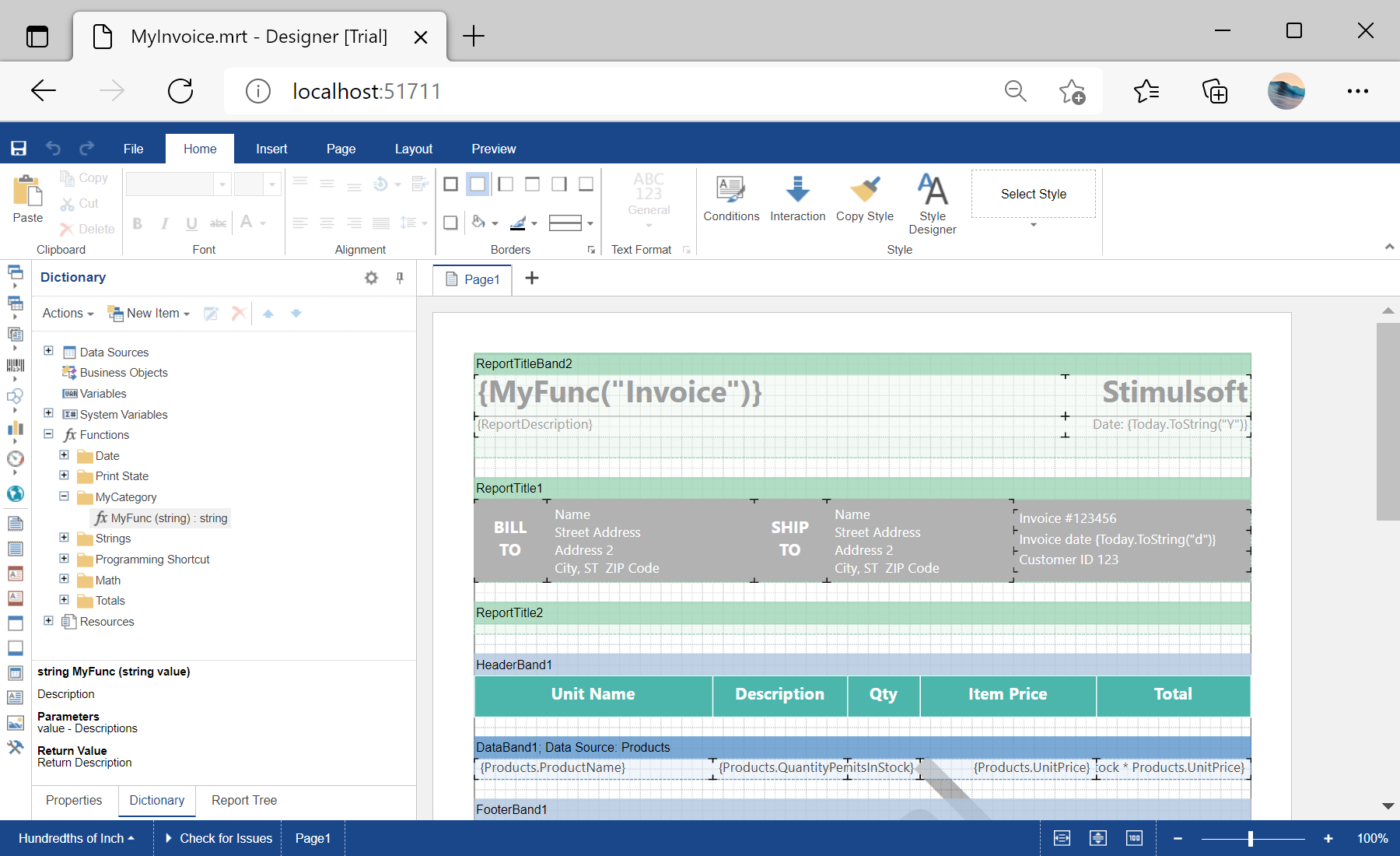
// How to add my function
StiFunctions.AddFunction(
"MyCategory",
"MyFunc",
"MyFunc",
"Description",
typeof(Default),
typeof(string),
"Return Description",
ParamTypes,
ParamNames,
ParamDescriptions);
}
......
protected void StiWebDesigner1_GetReport(object sender, StiReportDataEventArgs e)
{
var report = new StiReport();
report.Load(Server.MapPath(@"Reports\MyInvoice.mrt"));
// Add System.Web.dll library to the report references
var assemblies = new string[report.ReferencedAssemblies.Length + 1];
Array.Copy(report.ReferencedAssemblies, assemblies, report.ReferencedAssemblies.Length);
assemblies[assemblies.Length - 1] = "System.Web.dll";
report.ReferencedAssemblies = assemblies;
e.Report = report;
}