


















Cloud
Cloud-Dienstleistung für schnelle und effektive Analyse und Visualisierung von Daten für Ihr Business ohne eigene Applikationen zu erstellen oder zu programmieren.



$viewer = new StiViewer();
$viewer->options->appearance->fullScreenMode = true;
$viewer->options->appearance->theme = StiViewerTheme::Office2022BlackGreen;
$viewer->options->toolbar->displayMode = StiToolbarDisplayMode::Separated;
$viewer->options->toolbar->showFullScreenButton = false;
$viewer->process();
options->appearance->theme — sets the interface theme from the StiViewerTheme enumeration (here a dark green theme).options->appearance->fullScreenMode — makes the viewer occupy the whole browser window.options->toolbar->displayMode — controls how toolbar items are grouped (here separated rows).options->toolbar->showFullScreenButton — hides or shows an individual toolbar button.options->appearance and options->toolbar groups mirror the JavaScript viewer options; the theme comes from StiViewerTheme, so the viewer matches the look of your site.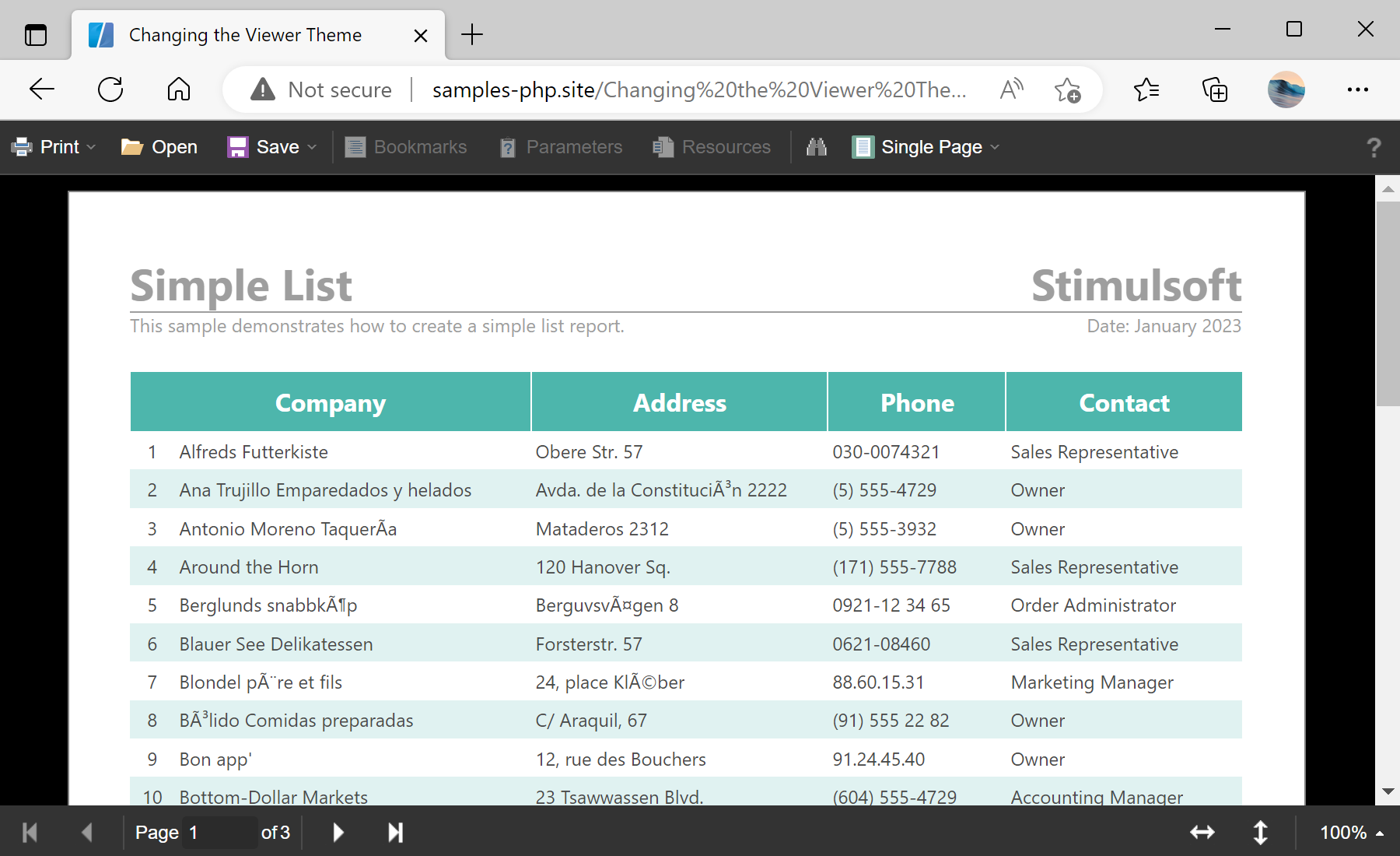
sti_CartProducts, sti_Consent, sti_Currency, sti_Localization, sti_RememberMe, sti_SessionKey, sti_UserKey, sti_WorkspaceKey
Bis zu 12 Monate
_GRECAPTCHA, rc::*
Bis zu 6 Monate
stimulsoft.clientIP, stimulsoft.countryCode, stimulsoft.countryName
Bis zum Schließen des Browsers
ZD-*
Ohne Ablauf
yt-player-*, ytidb::*, YtIdbMeta
Ohne Ablauf
_ga, _ga_56Z9RJS5EL
Bis zu 2 Jahre
_gcl_au, _gcl_ls
Bis zu 90 Tage
__adroll, __adroll_fpc, __adroll_shared, __ar_v4
Bis zu 13 Monate

