













Exporting Many Files to Single PDF
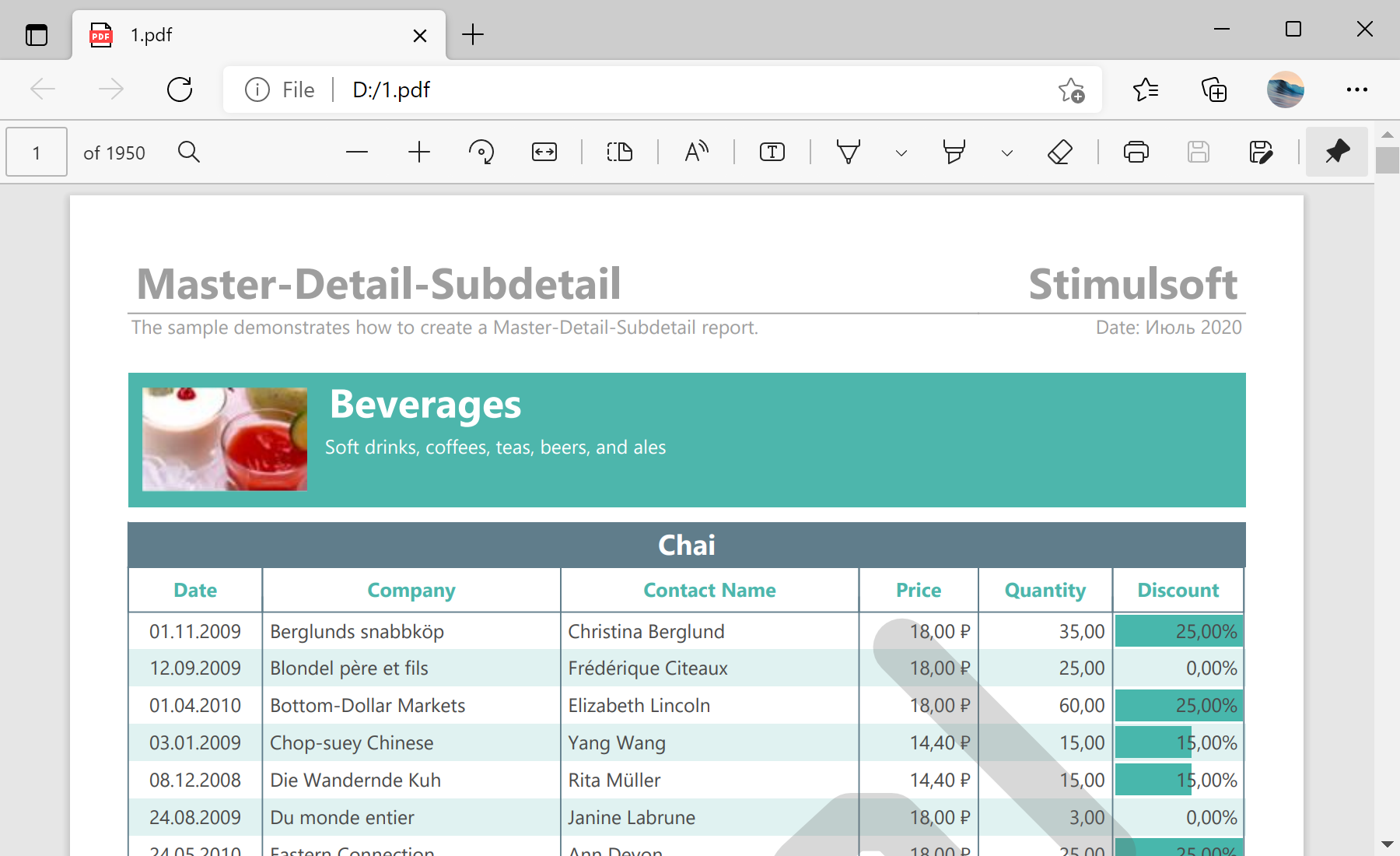
Unsere Beispiele der Projekte und Berichtsvorlagen helfen Ihnen, die Grundlagen der Arbeit mit unserer Software zu erlernen.This sample project demonstrates how to export many different reports to one big PDF file and create a PDF file with a lot of report copies. For example, create one rendered report and add it 30 times in the output PDF file. Create the new report object and enable the necessary options:
Then, add the rendered report 30 times:
In the end, export the report:
Auf dem Screenshot unten Sie können das Ergebnis des Beispiel-Codes ansehen:

private void buttonExportClick(object sender, EventArgs e)
{
var report = new StiReport();
report.ReportCacheMode = StiReportCacheMode.On;
report.RenderedPages.CanUseCacheMode = true;
report.RenderedPages.CacheMode = true;
report.RenderedPages.Clear();
report.ReportUnit = StiReportUnitType.HundredthsOfInch;
...
Then, add the rendered report 30 times:
...
var tempReport = new StiReport();
for (int index = 0; index < 30; index++)
{
using (var stream = Assembly.GetExecutingAssembly().GetManifestResourceStream(
"ExportManyFilesToOneBigPDF.MasterDetail.mdc"))
{
tempReport.LoadDocument(stream);
}
tempReport.ReportUnit = report.ReportUnit;
foreach (StiPage page in tempReport.RenderedPages)
{
page.Report = tempReport;
page.Guid = System.Guid.NewGuid().ToString().Replace("-", "");
report.RenderedPages.Add(page);
}
}
...
In the end, export the report:
...
report.ExportDocument(StiExportFormat.Pdf, "d:\\1.pdf");
}Auf dem Screenshot unten Sie können das Ergebnis des Beispiel-Codes ansehen: