


















Cloud
Cloud-Dienstleistung für schnelle und effektive Analyse und Visualisierung von Daten für Ihr Business ohne eigene Applikationen zu erstellen oder zu programmieren.
<StiBlazorDesigner Report="@Report" OnSaveReport="@OnSaveReport" />

@code {
    protected override void OnInitialized()
    {
        this.Report = new StiReport();
        this.Report.Load("Reports/BusinessObjects.mrt");

        var list = GetBusinessObject();
        this.Report.RegBusinessObject("MyList", list);
        this.Report.Dictionary.Synchronize();
    }
}
RegBusinessObject registers your object collection under a name, and Dictionary.Synchronize() creates the matching data fields. The report then works with your domain classes directly, both in the designer and when rendered.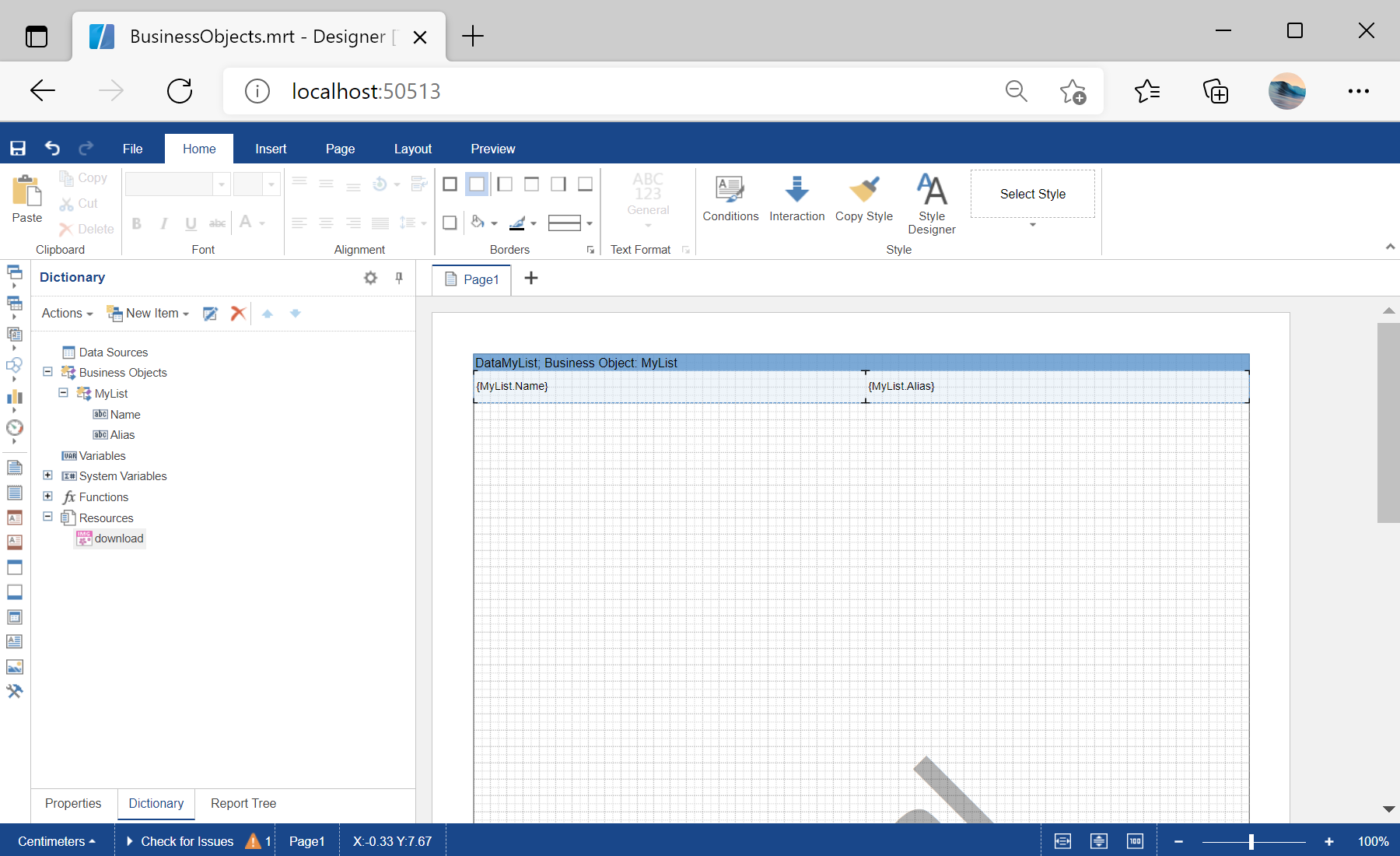
sti_CartProducts, sti_Consent, sti_Currency, sti_Localization, sti_RememberMe, sti_SessionKey, sti_UserKey, sti_WorkspaceKey
Bis zu 12 Monate
_GRECAPTCHA, rc::*
Bis zu 6 Monate
stimulsoft.clientIP, stimulsoft.countryCode, stimulsoft.countryName
Bis zum Schließen des Browsers
ZD-*
Ohne Ablauf
yt-player-*, ytidb::*, YtIdbMeta
Ohne Ablauf
_ga, _ga_56Z9RJS5EL
Bis zu 2 Jahre
_gcl_au, _gcl_ls
Bis zu 90 Tage
__adroll, __adroll_fpc, __adroll_shared, __ar_v4
Bis zu 13 Monate

