Registering a Data for Dashboard Template
Unsere Beispiele der Projekte und Berichtsvorlagen helfen Ihnen, die Grundlagen der Arbeit mit unserer Software zu erlernen.This example shows how to register data for dashboard template. First, you need to create a new dashboard:
Next, use
After that, load a JSON file and get dataset from JSON file:
Then, register dataset object using
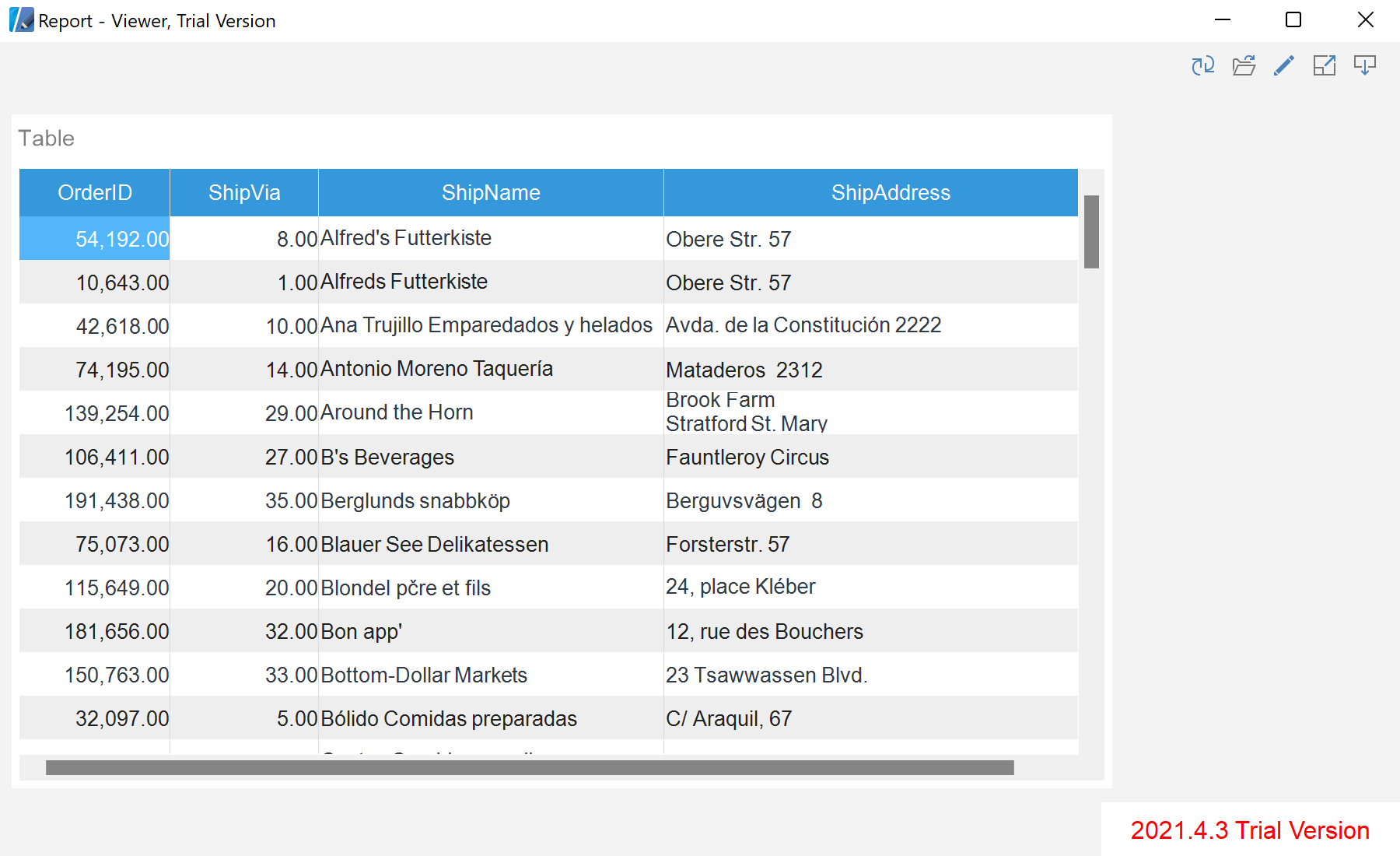
Auf dem Screenshot unten Sie können das Ergebnis des Beispiel-Codes ansehen:

...
private void buttonJson_Click(object sender, EventArgs e)
{
textBoxLog.Clear();
var report = StiReport.CreateNewDashboard();
textBoxLog.Text += "New dashboard created\r\n";
...
Next, use
Load() method to load a template:
...
report.Load("Dashboards\\Dashboard.mrt");
textBoxLog.Text += "Dashboard template loaded\r\n";
...
After that, load a JSON file and get dataset from JSON file:
...
var jsonBytes = File.ReadAllBytes("Dashboards\\Demo.json");
textBoxLog.Text += "Load a JSON file\r\n";
var json = StiJsonConnector.Get();
var dataSet = json.GetDataSet(new StiJsonOptions(jsonBytes));
textBoxLog.Text += "Get DataSet from JSON file\r\n";
...
Then, register dataset object using
RegData():
...
report.Dictionary.Databases.Clear();
textBoxLog.Text += "Remove all connections from the dashboard template\r\n";
report.RegData("Demo", "Demo", dataSet);
textBoxLog.Text += "Register DataSet object\r\n";
report.Show(false);
textBoxLog.Text += "Show Dashboard\r\n";
}
...Auf dem Screenshot unten Sie können das Ergebnis des Beispiel-Codes ansehen: