Cloud
Cloud-Dienstleistung für schnelle und effektive Analyse und Visualisierung von Daten für Ihr Business ohne eigene Applikationen zu erstellen oder zu programmieren.
import React from 'react';
import { Stimulsoft } from 'stimulsoft-dashboards-js/Scripts/stimulsoft.viewer'
import 'stimulsoft-dashboards-js/Css/stimulsoft.viewer.office2013.whiteblue.css';
import './App.css';App class which extends from React component:
class App extends React.Component {
    private viewer = new Stimulsoft.Viewer.StiViewer(undefined, 'StiViewer', false);
    private report = Stimulsoft.Report.StiReport.createNewDashboard();

    render() {
        return (
            <div id="viewer" className="App">
            </div>
        );
    }

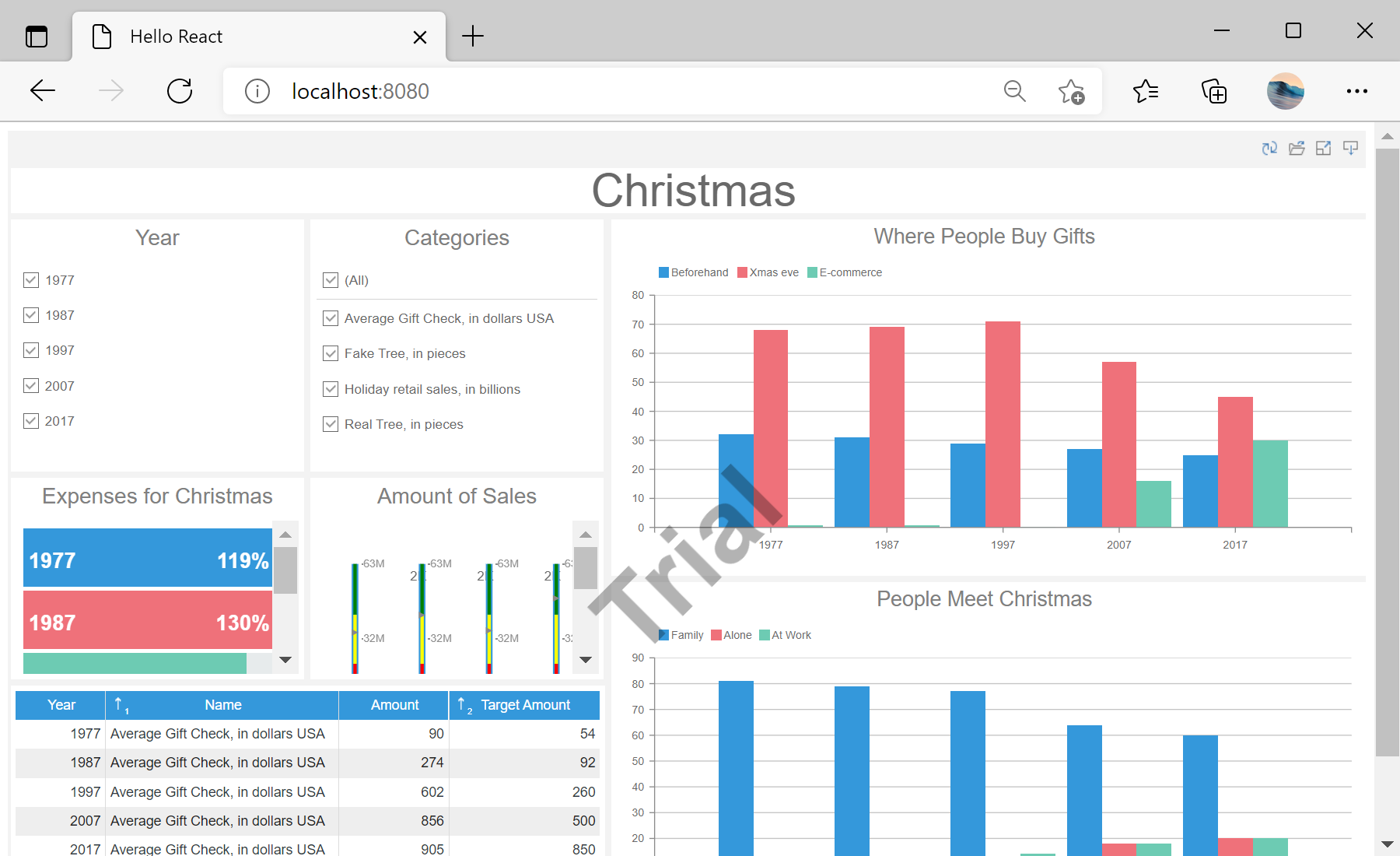
...componentDidMount() method to set viewer options, load the dashboard and display it in the viewer:
...

	async componentDidMount() {
		console.log('Loading Viewer view');

		const response = await fetch('dashboard/DashboardChristmas.mrt');
		const data = await response.json();
		console.log('Load dashboard from url');
		this.report.loadDocument(data);
		this.viewer.report = this.report;

		console.log('Rendering the viewer to selected element');
		this.viewer.renderHtml('viewer');
	}


...