Cloud
Cloud-Dienstleistung für schnelle und effektive Analyse und Visualisierung von Daten für Ihr Business ohne eigene Applikationen zu erstellen oder zu programmieren.
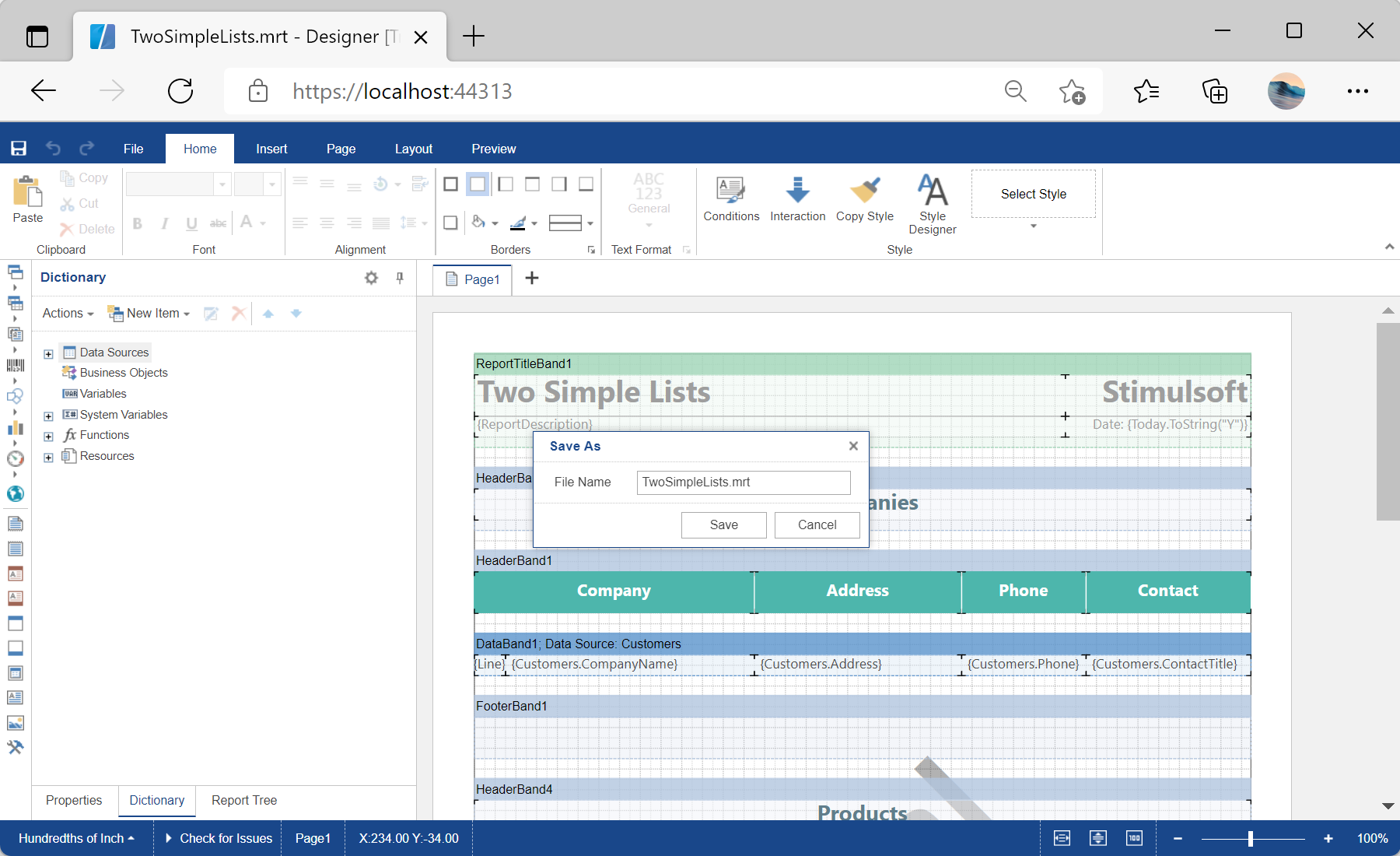
StiNetCoreDesigner component to the view page. Also you need to pass the StiNetCoreDesignerOptions object to the constructor. The minimum required options are two actions - GetReport and DesignerEvent. It is required to define the PreviewReport action which is necessary to register the data to preview the report.SaveReport action. Also you can define the SaveReportAs action if necessary:
@using Stimulsoft.Report.Mvc;

...

@Html.StiNetCoreDesigner(new StiNetCoreDesignerOptions()
{
	Actions =
	{
		GetReport = "GetReport",
		SaveReport = "SaveReport",
		//SaveReportAs = "SaveReportAs",
		DesignerEvent = "DesignerEvent"
	}
})GetReport action loads the report template and returns answer to the client part of the designer using the GetReportResult() static method. In the parameters of this method, the report object should be passed:
 public IActionResult GetReport()
{
	var report = new StiReport();
	report.Load(StiNetCoreHelper.MapPath(this, "Reports/TwoSimpleLists.mrt"));

	return StiNetCoreDesigner.GetReportResult(this, report);
}SaveReport action will be invoked when you press on the Save button in the designer. In this action, you can get the report object and save it, for example to file, or to JSON string and then to database. To prepare the answer for the client you should use the SaveReportResult() static method. In the parameters of this method, you can pass the error message, if it is needed. By default, the parameters are not required:
 public IActionResult SaveReport()
{
	var report = StiNetCoreDesigner.GetReportObject(this);

	// Save the report template, for example to JSON string
	var json = report.SaveToJsonString();

	return StiNetCoreDesigner.SaveReportResult(this);
}SaveReportAs action on the view page, also you should add this action to the controller. All operations in this action can be the same as in the SaveReport action:
public IActionResult SaveReportAs()
{
	return StiNetCoreDesigner.SaveReportResult(this);
}DesignerEvent action handles all the designer events (adding and editing report components, work with the data dictionary, switch pages, zooming, etc.) and returns the response to the client using the DesignerEventResult() static method:
public IActionResult DesignerEvent()
{
	return StiNetCoreDesigner.DesignerEventResult(this);
}