Setting Report Variables on the Server-Side
Unsere Beispiele der Projekte und Berichtsvorlagen helfen Ihnen, die Grundlagen der Arbeit mit unserer Software zu erlernen.This example shows how to set report variable values on the server side using Stimulsoft Viewer for PHP. First, you need to include the Stimulsoft libraries:
Next, create a Viewer object and configure JavaScript-related options:
Next, define viewer events before processing. You can assign a PHP function, the name of a JavaScript function, or a JavaScript function as a string. Multiple event handlers can be added using the append() method. In this example, the onPrepareVariables event is used to set report variable values:
After defining events, process the request on the server side using process():
Next, create a report object and load a report template. The loadFile() method does not load the report on the server side; it only generates JavaScript code to load the report on the client side:
Assign the report to the viewer:
Finally, render the viewer as a complete HTML page using printHtml():
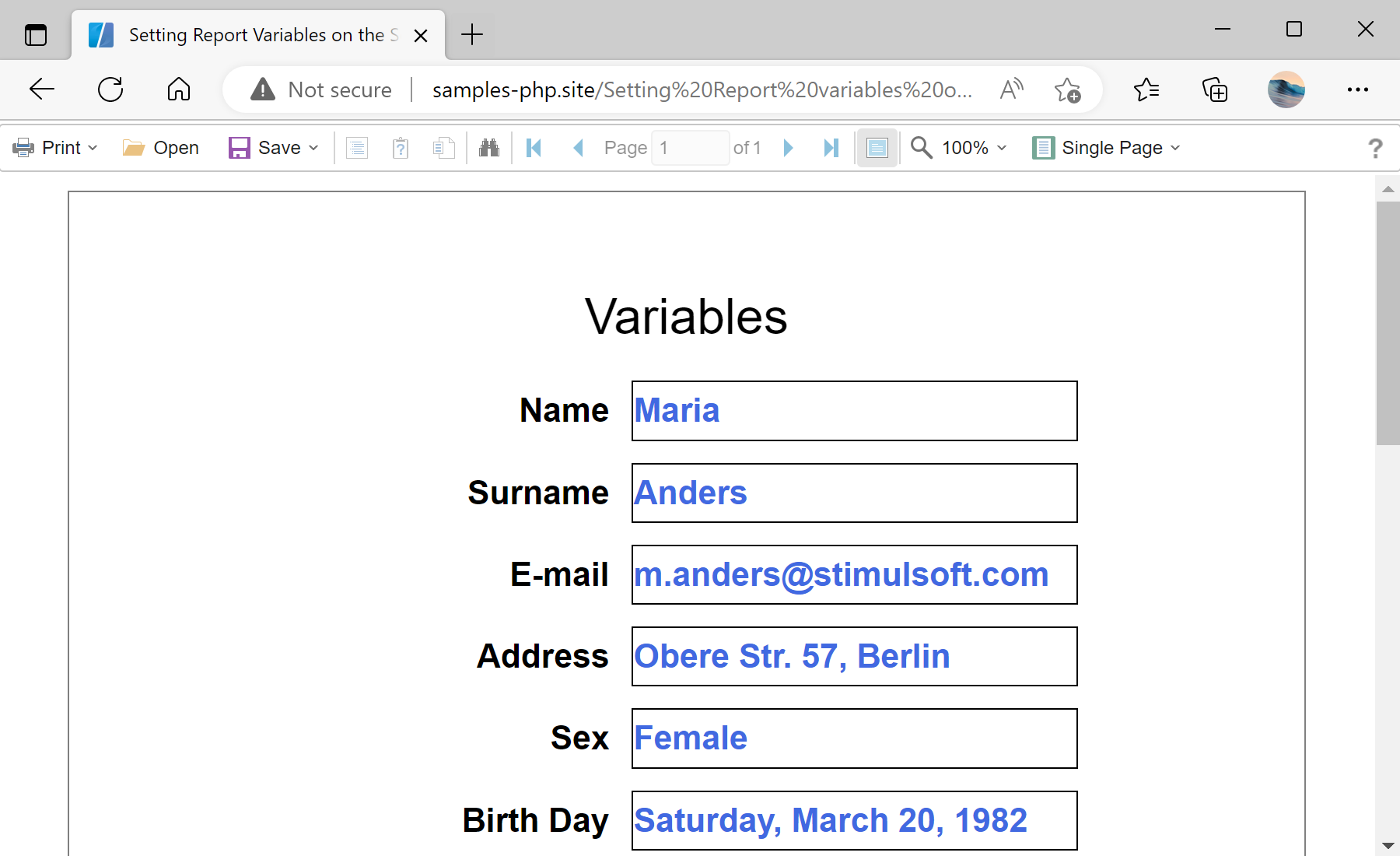
Auf dem Screenshot unten Sie können das Ergebnis des Beispiel-Codes ansehen:

<?php
require_once '../vendor/autoload.php';
use Stimulsoft\Events\StiVariablesEventArgs;
use Stimulsoft\Report\StiReport;
use Stimulsoft\Viewer\StiViewer;
?>
Next, create a Viewer object and configure JavaScript-related options:
$viewer = new StiViewer();
$viewer->javascript->relativePath = '../';
$viewer->javascript->appendHead('<link rel="shortcut icon" href="/../favicon.ico" type="image/x-icon">');
Next, define viewer events before processing. You can assign a PHP function, the name of a JavaScript function, or a JavaScript function as a string. Multiple event handlers can be added using the append() method. In this example, the onPrepareVariables event is used to set report variable values:
$viewer->onPrepareVariables = function (StiVariablesEventArgs $args) {
if (count($args->variables) > 0) {
$args->variables['Name']->value = 'Maria';
$args->variables['Surname']->value = 'Anders';
$args->variables['Email']->value = 'm.anders@stimulsoft.com';
$args->variables['Address']->value = 'Obere Str. 57, Berlin';
$args->variables['Sex']->value = false;
$args->variables['BirthDay']->value = '1982-03-20 00:00:00';
}
};
After defining events, process the request on the server side using process():
$viewer->process();
Next, create a report object and load a report template. The loadFile() method does not load the report on the server side; it only generates JavaScript code to load the report on the client side:
$report = new StiReport();
$report->loadFile('../reports/Variables.mrt');
Assign the report to the viewer:
$viewer->report = $report;
Finally, render the viewer as a complete HTML page using printHtml():
$viewer->printHtml();Auf dem Screenshot unten Sie können das Ergebnis des Beispiel-Codes ansehen: