


















Cloud
Cloud-Dienstleistung für schnelle und effektive Analyse und Visualisierung von Daten für Ihr Business ohne eigene Applikationen zu erstellen oder zu programmieren.



StiUserData component supplies values on demand through an event — useful for reflection results, computed rows or live objects.stiReport1.RegData("HatchStyleEnum", Enum.GetNames(typeof(HatchStyle)));
assemblys = typeof(Graphics).GetMethods();
stiUserData1.Count = assemblys.Length;
stiReport1.RegData("UserData", stiUserData1);GetData for every column and row position:private void stiUserData1_GetData(object sender, StiUserGetDataEventArgs e)
{
if (e.ColumnName == "Name") e.Data = assemblys[e.Position].Name;
if (e.ColumnName == "ReturnType") e.Data = assemblys[e.Position].ReturnType.Name;
if (e.ColumnName == "IsStatic") e.Data = assemblys[e.Position].IsStatic;
}StiUserData.Count — the number of rows the engine will request.GetData event — called with e.ColumnName and e.Position; assign e.Data to return the cell value.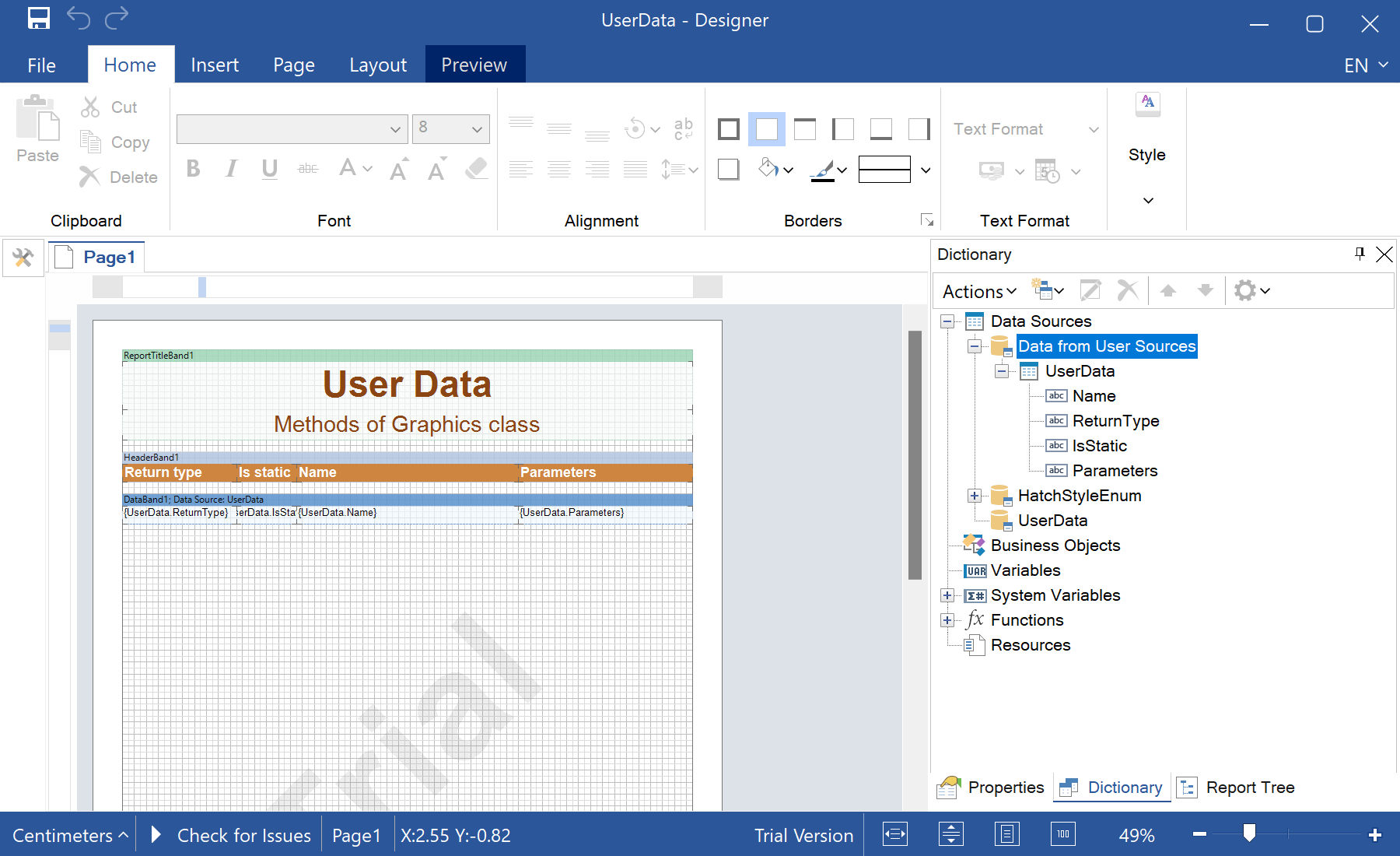
sti_CartProducts, sti_Consent, sti_Currency, sti_Localization, sti_RememberMe, sti_SessionKey, sti_UserKey, sti_WorkspaceKey
Bis zu 12 Monate
_GRECAPTCHA, rc::*
Bis zu 6 Monate
stimulsoft.clientIP, stimulsoft.countryCode, stimulsoft.countryName
Bis zum Schließen des Browsers
ZD-*
Ohne Ablauf
yt-player-*, ytidb::*, YtIdbMeta
Ohne Ablauf
_ga, _ga_56Z9RJS5EL
Bis zu 2 Jahre
_gcl_au, _gcl_ls
Bis zu 90 Tage
__adroll, __adroll_fpc, __adroll_shared, __ar_v4
Bis zu 13 Monate

