Cloud
Cloud-Dienstleistung für schnelle und effektive Analyse und Visualisierung von Daten für Ihr Business ohne eigene Applikationen zu erstellen oder zu programmieren.
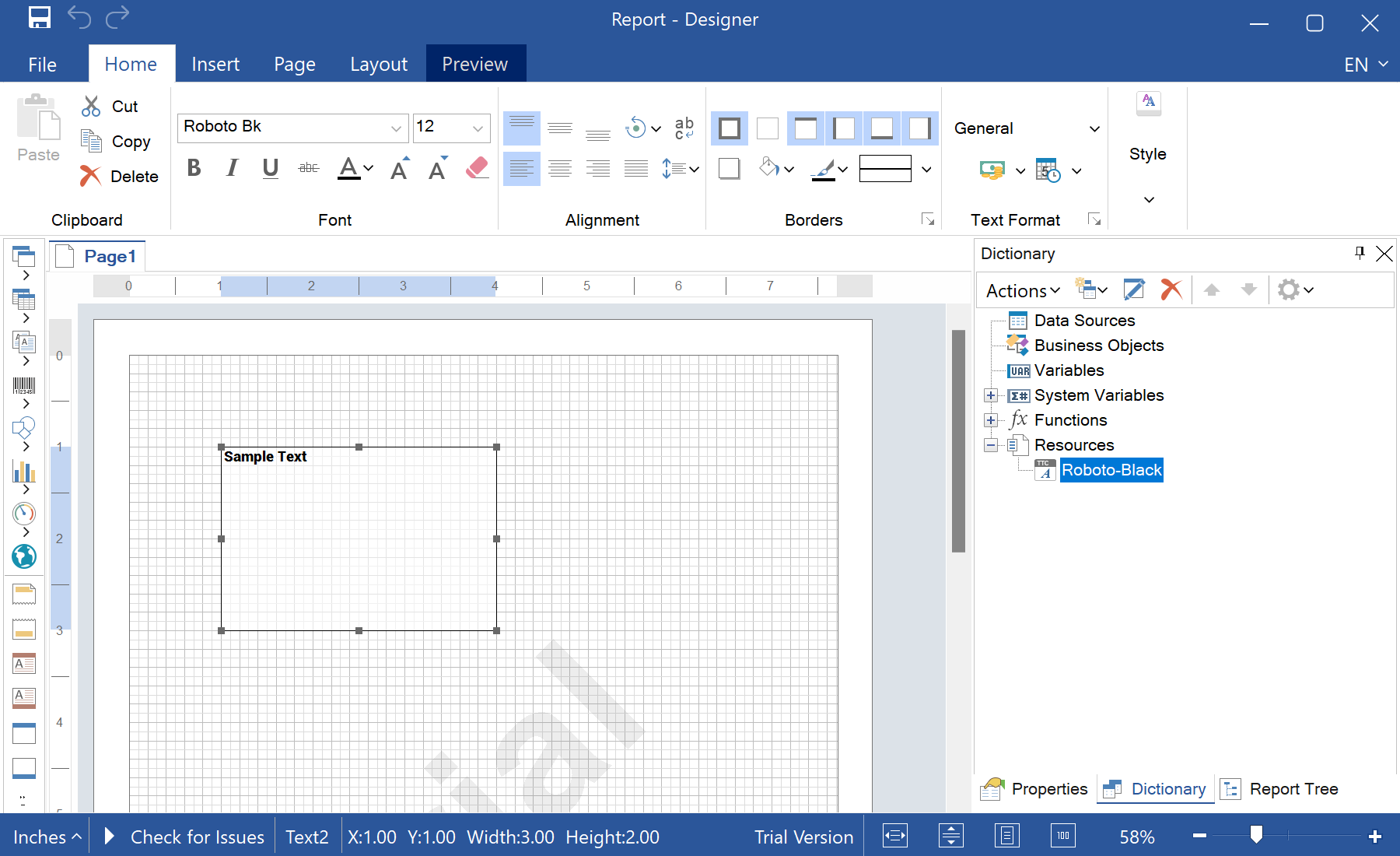
.ttf bytes and add them to the report dictionary:var fileContent = File.ReadAllBytes("Fonts/Roboto-Black.ttf");
var resource = new StiResource("Roboto-Black", "Roboto-Black", false,
StiResourceType.FontTtf, fileContent, false);
report.Dictionary.Resources.Add(resource);StiFontCollection.AddResourceFont(resource.Name, resource.Content, "ttf", resource.Alias);var text = new StiText(new RectangleD(1, 1, 3, 2));
text.Text = "Sample Text";
text.Font = StiFontCollection.CreateFont("Roboto-Black", 12, FontStyle.Regular);StiResource — stores the font inside the report; StiResourceType.FontTtf marks it as a TrueType font.AddResourceFont — exposes the embedded bytes to the engine so text lays out and exports without the font being installed.StiFontCollection.CreateFont — builds a font instance by family name, size and style..mrt template, previews, prints and PDF/HTML exports all use the exact same glyphs — no environment-specific substitution.