













Using Report Variables in Code
Unsere Beispiele der Projekte und Berichtsvorlagen helfen Ihnen, die Grundlagen der Arbeit mit unserer Software zu erlernen.This example shows how to set variable value from code. First, load scripts:
Next, create buttons:
Then, add report viewer:
After that, create empty report object and load report template:
Then, create method to set variable:
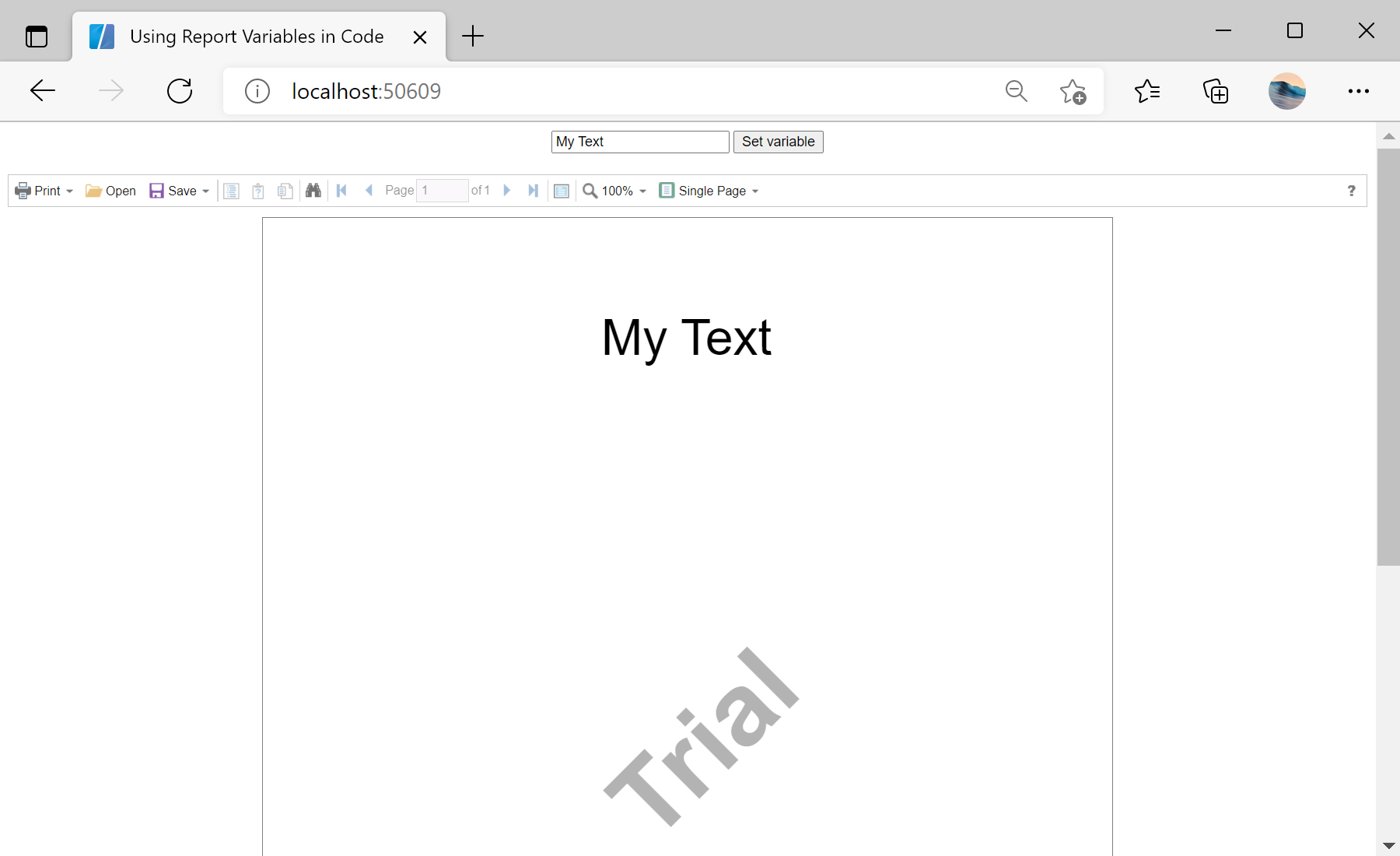
Auf dem Screenshot unten Sie können das Ergebnis des Beispiel-Codes ansehen:

@using Stimulsoft.Base
@using Stimulsoft.Report
@using Stimulsoft.Report.Blazor
Next, create buttons:
<div align="center">
<input type="text" @bind="newValueInput" />
<button class="alert" @onclick="SetVariable">Set variable</button>
</div>
Then, add report viewer:
<div align="center">
<StiBlazorViewer Report="@Report" />
</div>
After that, create empty report object and load report template:
@code
{
private StiReport Report;
private string newValueInput;
protected override async Task OnInitializedAsync()
{
await base.OnInitializedAsync();
//Create empty report object
this.Report = new StiReport();
//Load report template
var reportBytes = await Http.GetByteArrayAsync("Reports/ReportWithVariable.mrt");
this.Report.Load(reportBytes);
}
...
Then, create method to set variable:
...
private void SetVariable()
{
//Get a copy of the report into a new report object
var report = this.Report.Clone() as StiReport;
//Set new value
report["MySuperUselessVariable"] = newValueInput;
//Update view
report.Render();
//Assign new report to the viewer
this.Report = report;
}
}Auf dem Screenshot unten Sie können das Ergebnis des Beispiel-Codes ansehen: