Cloud
Cloud-Dienstleistung für schnelle und effektive Analyse und Visualisierung von Daten für Ihr Business ohne eigene Applikationen zu erstellen oder zu programmieren.
Dashboard.cs separate file. First, create a new dashboard object - use the static CreateNewDashboard() method for this:
public static StiReport CreateTemplate()
{
	var report = StiReport.CreateNewDashboard();
	var dashboard = report.Pages[0] as StiDashboard;

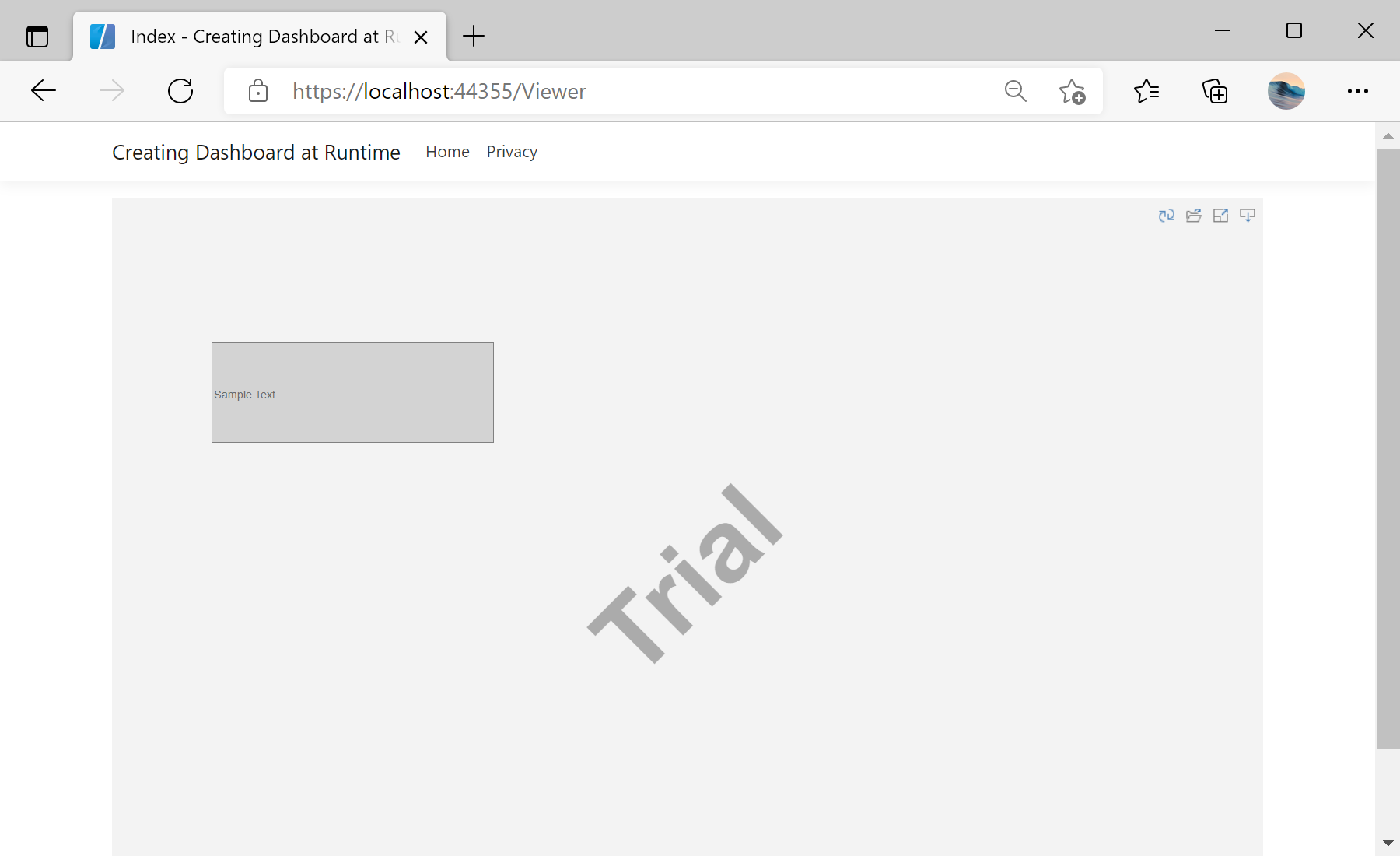
...StiTextElement() object, specify its position, size, set the displayed text, alignment and color:
...

	var textElement = new StiTextElement();
	textElement.Left = 100;
	textElement.Top = 100;
	textElement.Width = 300;
	textElement.Height = 100;
	textElement.Text = "Sample Text";
	textElement.Border.Side = StiBorderSides.All;
	textElement.BackColor = Color.LightGray;

......
dashboard.Components.Add(textElement);
return report;
}public IActionResult GetReport()
{
var report = Helpers.Dashboard.CreateTemplate();
return StiNetCoreViewer.GetReportResult(this, report);
}