


















Cloud
Cloud-Dienstleistung für schnelle und effektive Analyse und Visualisierung von Daten für Ihr Business ohne eigene Applikationen zu erstellen oder zu programmieren.



StiFunctions becomes available in the dashboard designer's expression editor, alongside the built-in ones.public static decimal MySum(object value)
{
if (!ListExt.IsList(value))
return StiValueHelper.TryToDecimal(value);
return Funcs.SkipNulls(ListExt.ToList(value)).TryCastToDecimal().Sum();
}StiFunctions.AddFunction(
"MyCategory", "MySum", "description",
typeof(DesignerController), typeof(decimal),
"Calculates a sum of the specified set of values.",
new[] { typeof(object) }, new[] { "values" }, new[] { "A set of values" }
).UseFullPath = false;StiFunctions.AddFunction(...) — registers the method with its category, return type, argument types and help text.UseFullPath = false — lists the function by name without the category prefix in the expression editor.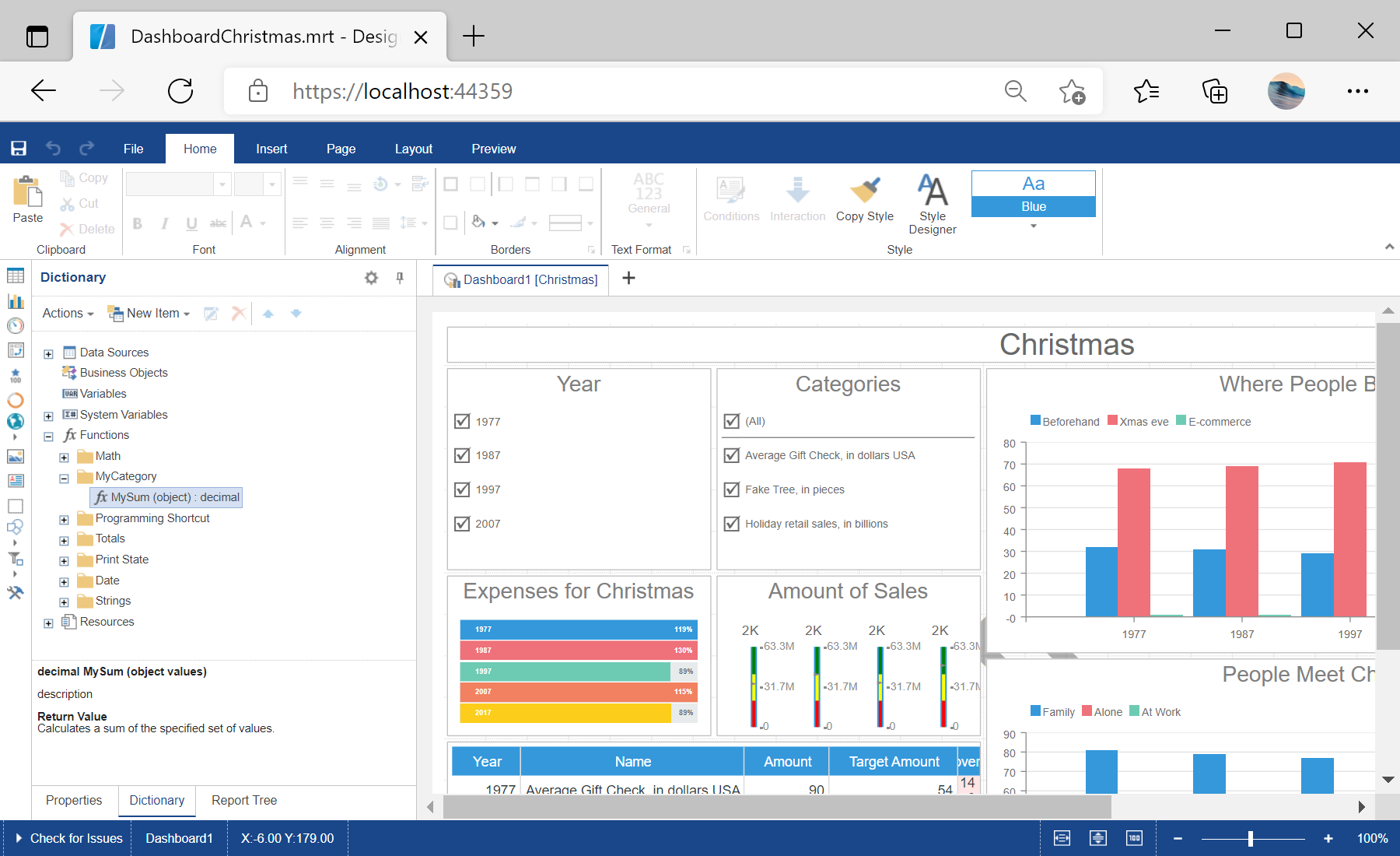
sti_CartProducts, sti_Consent, sti_Currency, sti_Localization, sti_RememberMe, sti_SessionKey, sti_UserKey, sti_WorkspaceKey
Bis zu 12 Monate
_GRECAPTCHA, rc::*
Bis zu 6 Monate
stimulsoft.clientIP, stimulsoft.countryCode, stimulsoft.countryName
Bis zum Schließen des Browsers
ZD-*
Ohne Ablauf
yt-player-*, ytidb::*, YtIdbMeta
Ohne Ablauf
_ga, _ga_56Z9RJS5EL
Bis zu 2 Jahre
_gcl_au, _gcl_ls
Bis zu 90 Tage
__adroll, __adroll_fpc, __adroll_shared, __ar_v4
Bis zu 13 Monate

