


















Cloud
Cloud-Dienstleistung für schnelle und effektive Analyse und Visualisierung von Daten für Ihr Business ohne eigene Applikationen zu erstellen oder zu programmieren.
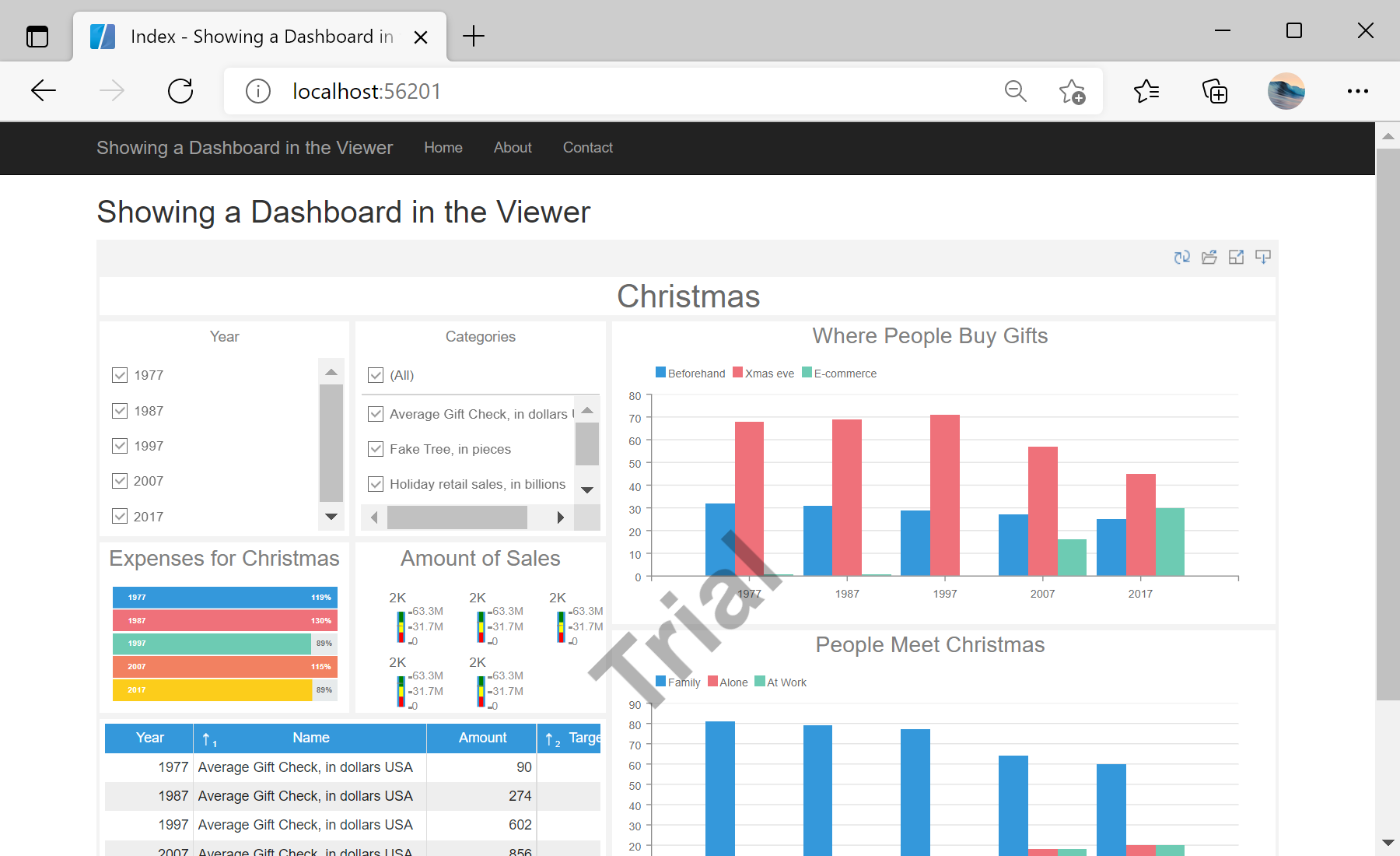
StiMvcViewer component to the view page. Also you need to pass the StiMvcViewerOptions object to the constructor. The minimum required options are two actions - GetReport and ViewerEvent, the values of these options correspond to the names of actions in the controller:
@using Stimulsoft.Report.Mvc;

...

@Html.Stimulsoft().StiMvcViewer(new StiMvcViewerOptions()
{
	Actions =
	{
		GetReport = "GetReport",
		ViewerEvent = "ViewerEvent"
	}
})GetReport action loads the dashboard template and returns answer to the client part of the viewer using the GetReportResult() static method. In the parameters of this method, the controller and the report object should be passed:
public ActionResult GetReport()
{
	// Create the dashboard object
	var report = StiReport.CreateNewDashboard();

	// Load dashboard template
	report.Load(Server.MapPath("~/Dashboards/DashboardChristmas.mrt"));

	// Return template to the Viewer
	return StiMvcViewer.GetReportResult(report);
}ViewerEvent action handles all the viewer events (sorting, filtering, viewing data, interactivity, zooming, etc.) and returns the answer to the client using the ViewerEventResult() static method:
public ActionResult ViewerEvent()
{
	return StiMvcViewer.ViewerEventResult();
}
sti_CartProducts, sti_Consent, sti_Currency, sti_Localization, sti_RememberMe, sti_SessionKey, sti_UserKey, sti_WorkspaceKey
Bis zu 12 Monate
_GRECAPTCHA, rc::*
Bis zu 6 Monate
stimulsoft.clientIP, stimulsoft.countryCode, stimulsoft.countryName
Bis zum Schließen des Browsers
ZD-*
Ohne Ablauf
yt-player-*, ytidb::*, YtIdbMeta
Ohne Ablauf
_ga, _ga_56Z9RJS5EL
Bis zu 2 Jahre
_gcl_au, _gcl_ls
Bis zu 90 Tage
__adroll, __adroll_fpc, __adroll_shared, __ar_v4
Bis zu 13 Monate

