This example shows how to register a dataset in a Stimulsoft Viewer for PHP before rendering a dashboard. First, include the Stimulsoft libraries:
<?php
require_once '../vendor/autoload.php';

use Stimulsoft\Report\StiReport;
use Stimulsoft\Viewer\StiViewer;
?>

Create a Viewer object and configure JavaScript options such as relative paths and height:
$viewer = new StiViewer();
$viewer->javascript->relativePath = '../';
$viewer->options->height = '800px';

Create a report object and define dashboard events. In this example, onBeforeRender is used to register the data before the dashboard is built:
$report = new StiReport();
$report->onBeforeRender = 'onBeforeRender';

Process the viewer request on the server side using process():
$viewer->process();

Load the dashboard template using loadFile() and assign it to the viewer:
$report->loadFile('../reports/ProductStats.mrt');
$viewer->report = $report;

Render the necessary JavaScript code for the viewer on the client side using renderHtml():
<?php
$viewer->javascript->renderHtml();
?>

Define the onBeforeRender JavaScript function to create and register a dataset before building the dashboard:
function onBeforeRender(args) {
    let dataSet = new Stimulsoft.System.Data.DataSet("Demo");

    // Loading XSD schema file
    dataSet.readXmlSchemaFile("../data/Demo.xsd");

    // Loading XML data file
    dataSet.readXmlFile("../data/Demo.xml");

    // Optional: Loading JSON data instead of XML
    //dataSet.readJsonFile("../data/Demo.json");

    // Removing all connections from the dashboard template
    args.report.dictionary.databases.clear();

    // Registering the DataSet
    args.report.regData("Demo", "Demo", dataSet);
}

Finally, render the visual part of the viewer in the HTML body using renderHtml():
<?php
$viewer->renderHtml();
?>

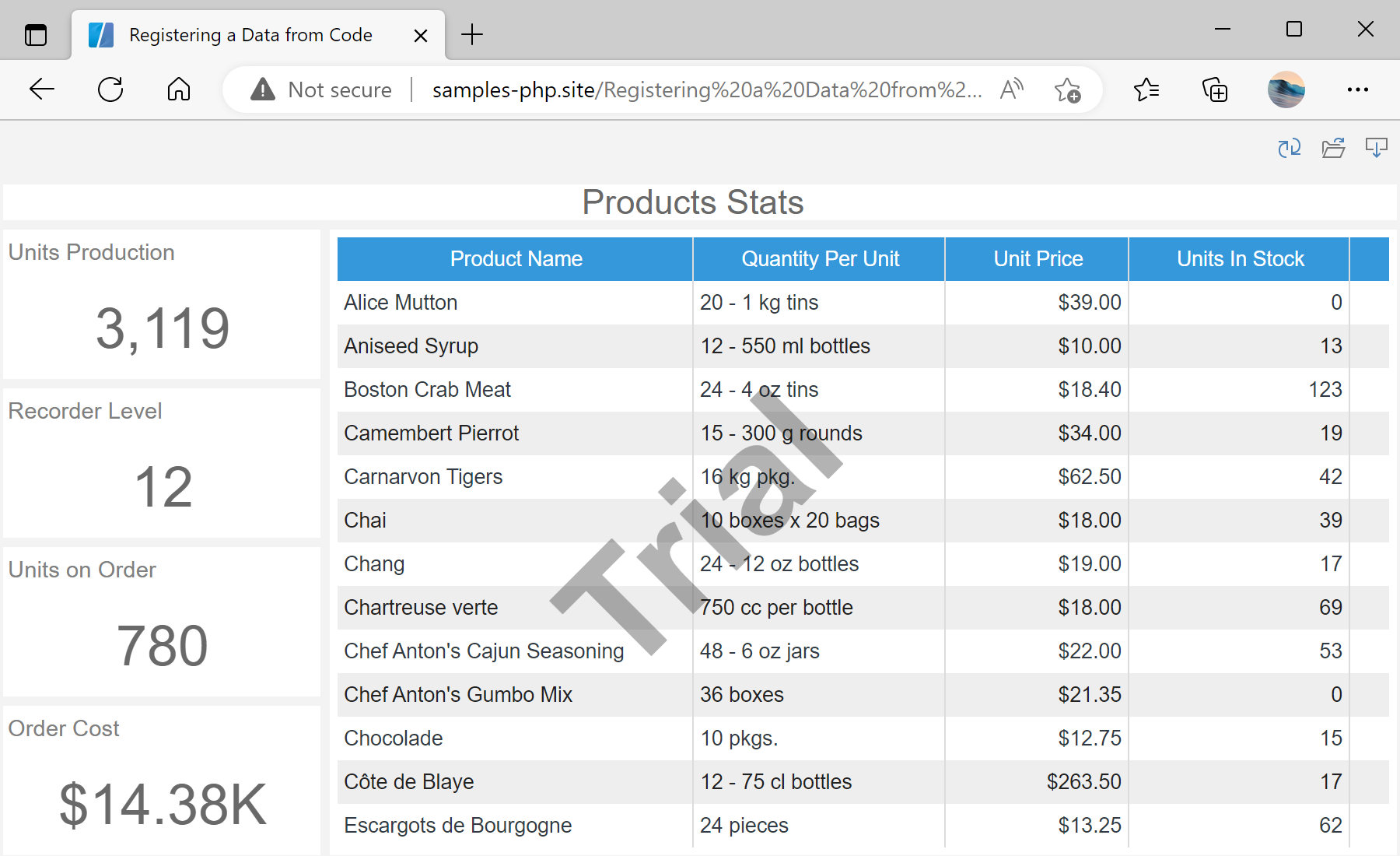
Auf dem Screenshot unten Sie können das Ergebnis des Beispiel-Codes ansehen:

Registering a Data from Code

By using this website, you agree to the use of cookies for analytics and personalized content. Cookies store useful information on your computer to help us improve efficiency and usability. For more information, please read the privacy policy and cookie policy.