Editing a Dashboard in the Designer
Unsere Beispiele der Projekte und Berichtsvorlagen helfen Ihnen, die Grundlagen der Arbeit mit unserer Software zu erlernen.This example shows how to load a dashboard template in the Stimulsoft Designer using PHP. First, include the necessary libraries:
Create the Designer object and set JavaScript options:
Process requests using the process() method:
Create a report object and load a dashboard template from a file using loadFile():
Finally, render the visual HTML part of the Designer with printHtml():
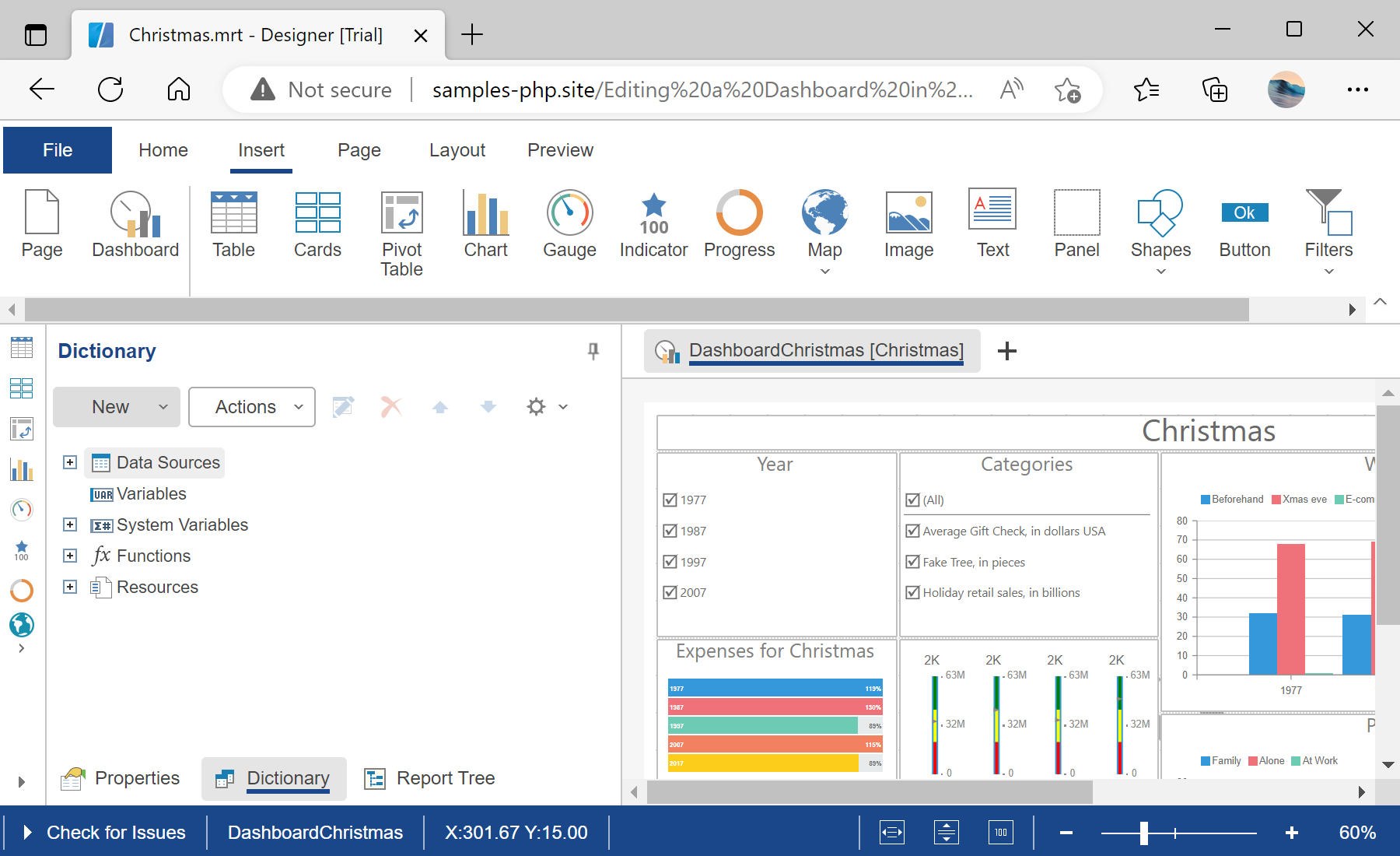
Auf dem Screenshot unten Sie können das Ergebnis des Beispiel-Codes ansehen:

<?php
require_once '../vendor/autoload.php';
use Stimulsoft\Designer\StiDesigner;
use Stimulsoft\Report\StiReport;
?>
Create the Designer object and set JavaScript options:
$designer = new StiDesigner();
$designer->javascript->relativePath = '../';
$designer->javascript->appendHead()('<link rel="shortcut icon" href="/../favicon.ico" type="image/x-icon">');
Process requests using the process() method:
$designer->process();
Create a report object and load a dashboard template from a file using loadFile():
$report = new StiReport();
$report->loadFile()('../reports/Christmas.mrt');
$designer->report = $report;
Finally, render the visual HTML part of the Designer with printHtml():
$designer->printHtml();Auf dem Screenshot unten Sie können das Ergebnis des Beispiel-Codes ansehen: