Cloud
Cloud-Dienstleistung für schnelle und effektive Analyse und Visualisierung von Daten für Ihr Business ohne eigene Applikationen zu erstellen oder zu programmieren.
import { Stimulsoft } from 'stimulsoft-dashboards-js/Scripts/stimulsoft.viewer'@Component({
selector: 'app-root',
template: `<div>
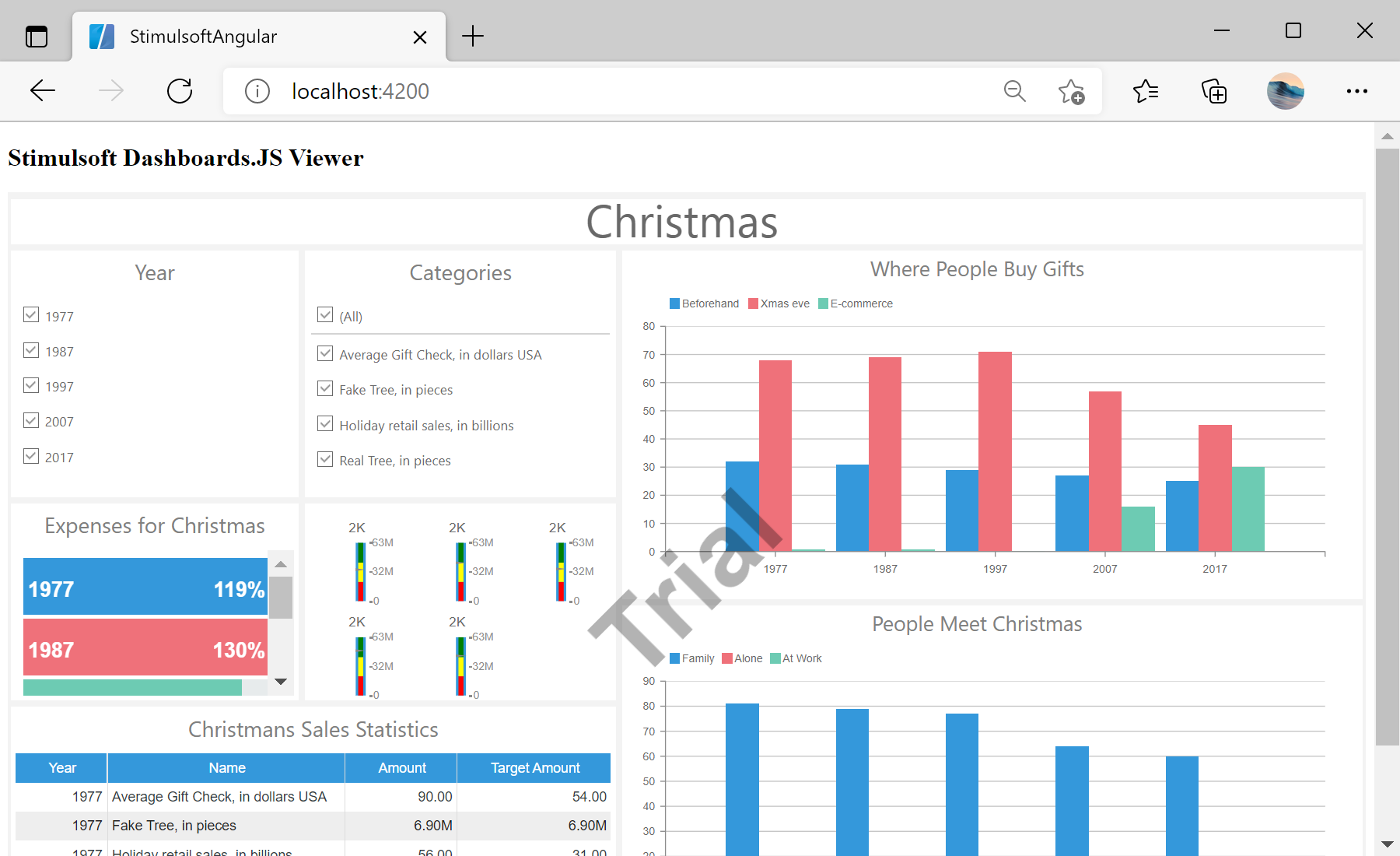
<h2>Stimulsoft Dashboards.JS Viewer</h2>
<div id="viewer"></div>
</div>`
encapsulation: ViewEncapsulation.None
})
...AppComponent class with the dashboard viewer integration:
...

export class AppComponent {
	viewer = new Stimulsoft.Viewer.StiViewer(undefined, 'StiViewer', false);
	report = Stimulsoft.Report.StiReport.createNewDashboard();

	ngOnInit() {
		console.log('Loading Viewer view');

		this.http.get('dashboard/DashboardChristmas.mrt', {
			responseType: 'text'
		}).subscribe(data => {

			console.log('Load dashboard from url');
			this.report.loadDocument(data);
			this.viewer.report = this.report;

			console.log('Rendering the viewer to selected element');
			this.viewer.renderHtml('viewer');
		});
	}

...constructor():
...

	constructor(private http: HttpClient) {
	}
}