




















Localizing the Designer
Our sample projects and report templates can help you learn the basics of working with our products.The designer interface can be shown in different languages, and several localization files can be offered at once.
Designer setup. Configure the designer, load the report template, process its callbacks, and connect the save action to the application.
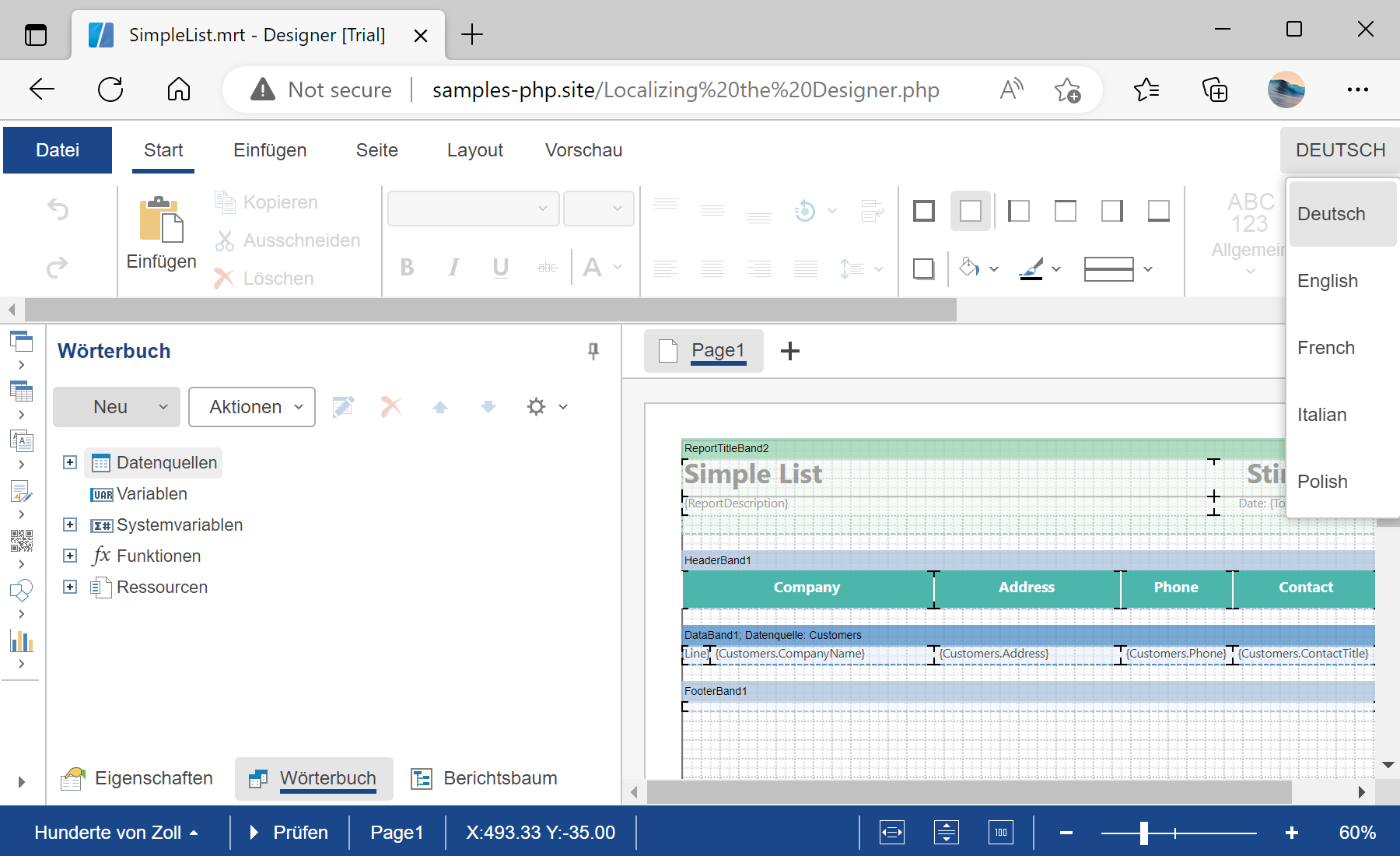
In the screenshot below you can see the result of the sample code:
Designer setup. Configure the designer, load the report template, process its callbacks, and connect the save action to the application.
$designer = new StiDesigner();
$designer->options->localization = 'de.xml';
$designer->options->addLocalization('fr.xml');
$designer->options->addLocalization('es.xml');
$designer->options->addLocalization('pt.xml');
$designer->process();
options->localization = 'de.xml'— sets the active interface language of the designer.addLocalization('fr.xml')— registers an additional language the user can switch to; call it once per language.
options->localization sets the active language and addLocalization registers additional ones the user can switch to. Localization files ship with the product and can be edited or created.In the screenshot below you can see the result of the sample code: